

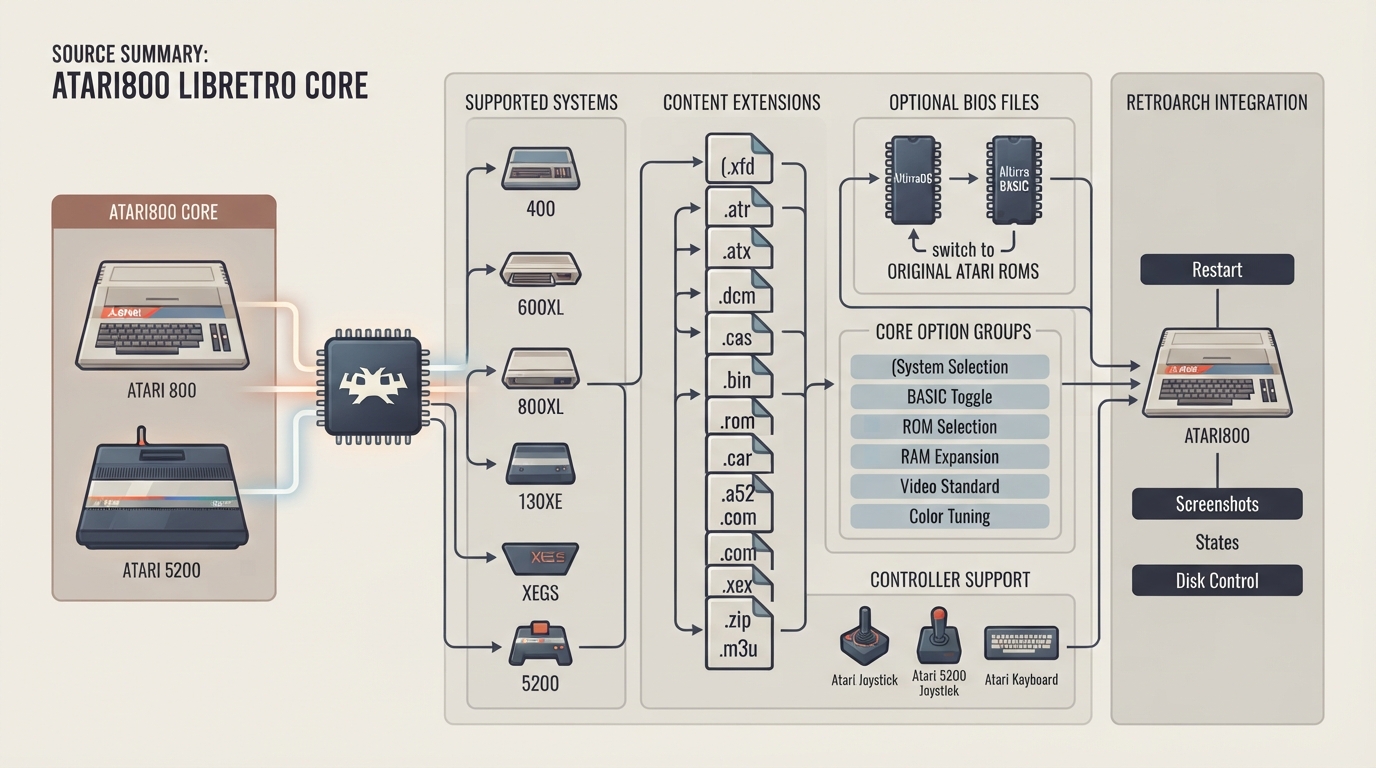
The Atari800 core for RetroArch emulates Atari 8-bit computer systems and the Atari 5200 game console. Per the official documentation, the core is based on Atari800 7.0.0, was authored by Petr Stehlik, and is licensed under GPLv2. This article summarizes the supported systems, content types, optional BIOS files, core option groups, and controller device types as described in that documentation. It is a source summary rather than a tested walkthrough.
Emulated systems
- The core targets the following Atari systems:
- - Atari 8-bit computer systems: 400, 800, 600XL, 800XL, 130XE, XE Game System, and modern memory-expanded XL/XE machines
- - Atari 5200 game console
Supported content extensions
Content loadable by the Atari800 core uses the following file extensions. Playlist files with the .m3u extension are used to list several disk images for one game, and RetroArch's Disk Control menu swaps between them.
- - .xfd
- - .atr
- - .atx
- - .dcm
- - .cas
- - .bin
- - .rom
- - .car
- - .a52
- - .com
- - .xex
- - .zip
- - .m3u
BIOS files and built-in ROMs
The core includes AltirraOS and Altirra BASIC internally, so it can run without any BIOS files. The documentation states that the original Atari ROMs are more compatible with some software. When those ROMs are present in RetroArch's system directory, the core uses them, and the OS ROM and BASIC ROM core options select between them and the built-in versions. The documented BIOS files are listed as optional in the reference table below.
Core option groups
The core exposes options in several groups, including System, Video, Input, Media, and On-Screen Display. Some options are marked (Restart) in the documentation, meaning they take effect when the content is restarted. Representative examples include Atari System selection, the Internal BASIC toggle, OS ROM selection, RAM expansion options, Video Standard, and Color tuning controls.
Video and aspect ratio
The core-provided aspect ratio is 4:3. Video-related options include the NTSC/PAL video standard and color controls such as tint/hue, saturation, contrast, brightness, and gamma.
Controller device types
The controls menu supports the ATARI Joystick (an 8-bit computer joystick with console keys on the RetroPad), the ATARI 5200 Joystick (the 5200's analog joystick and keypad), and the ATARI Keyboard (the computer keyboard). A RetroPad input table and a keyboard shortcut table are provided in the documentation for mapping inputs.
Supported frontend features
- - Restart: supported
- - Screenshots: supported
- - States: supported
- - Disk Control: supported
Reference table · Scroll horizontally to see all columns.
| Filename | Description | md5sum |
|---|---|---|
| 5200.rom | 5200 BIOS - Optional | 281f20ea4320404ec820fb7ec0693b38 |
| ATARIXL.ROM | Atari XL/XE OS BIOS - Optional | 06daac977823773a3eea3422fd26a703 |
| ATARIBAS.ROM | BASIC interpreter BIOS - Optional | 0bac0c6a50104045d902df4503a4c30b |
| ATARIOSA.ROM | Atari 400/800 PAL BIOS - Optional | eb1f32f5d9f382db1bbfb8d7f9cb343a |
| ATARIOSB.ROM | Atari 400/800 NTSC BIOS - Optional | a3e8d617c95d08031fe1b20d541434b2 |
Sources & references
Content responsibility: FrameTinker editorial desk. Source authors and software maintainers are credited separately below; this is not a claim of hands-on testing.
Published .
RetroArch: atari800 — official gaming software documentation https://raw.githubusercontent.com/libretro/docs/master/docs/library/atari800.mdRetrieved Oct 12, 2026Something doesn’t match your setup?
Suggest a correction