

Dungeon Crawl Stone Soup is a free roguelike game of exploration and treasure-hunting in dungeons filled with dangerous and unfriendly monsters in a quest for the mystifyingly fabulous Orb of Zot. It runs in RetroArch through a libretro core, and this guide follows the official libretro core documentation for preparing and loading content.
Core background
The Dungeon Crawl Stone Soup core was authored by the DCSS Team and is licensed under GPLv2+. Its library name is Dungeon Crawl: Stone Soup.
Prerequisite: a game data directory
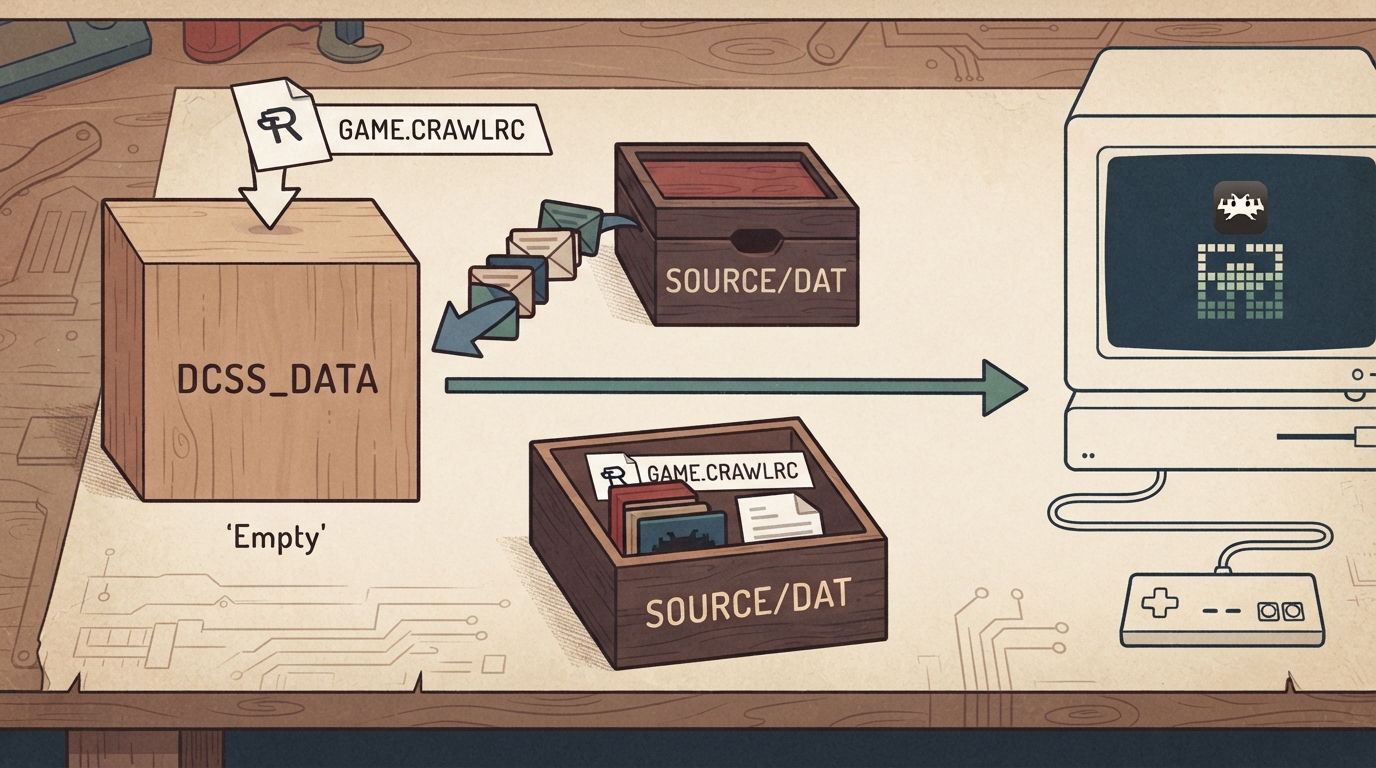
Before loading anything, create an empty directory to hold the game data. This directory becomes the root that the core reads from, so keep the copied content and the generated configuration file at that level.
Setup steps
- 1. Create an empty directory to hold game data.
- 2. Copy the contents of the crawl-ref/source/dat directory from the libretro crawl-ref repository into the root of the game directory.
- 3. Create a file named game.crawlrc in the root of the game directory.
- 4. Load game.crawlrc with the Dungeon Crawl Stone Soup core in RetroArch.
The expected outcome of these steps is that the core loads the game.crawlrc file you placed at the root of the prepared directory. The documentation describes no further configuration beyond this sequence.
Supported content extension
Content loaded by the Dungeon Crawl Stone Soup core uses the .crawlrc file extension.
Where saves go
The core saves to and loads from a saves/ directory inside the loaded content's directory.
Geometry and timing
The core reports a provided FPS of 60 and a sample rate of 44100 Hz. Its base width is 1024 and base height is 768; the max width and max height are also 1024 and 768.
Input devices
The core accepts a joypad, a pointer, and a keyboard via the keyboard callback.
For a joypad, the documented User 1 mapping assigns Enter to the RetroPad B button and the directionals to the RetroPad D-pad up, down, left and right. With a pointer, cursor position maps to pointer position and pointer presses map to clicks.
Feature limitations
Among frontend-level settings, the core is documented as supporting saves, controls and remapping. It is documented as not supporting restart, screenshots, save states, rewind, netplay, core options, memory monitoring for achievements, RetroArch cheats, native cheats, multi-mouse, rumble, sensors, camera, location, subsystem, softpatching, disk control, username, language, crop overscan or LEDs.
If loading fails
The documentation does not describe troubleshooting steps or known failure modes, so check the four preparation steps in order: an empty game data directory exists, the dat content was copied into its root, game.crawlrc exists in that same root, and that file was selected when loading the core. Anything beyond these checks is not covered by the source.
Reference links
The official documentation points to the Dungeon Crawl Stone Soup website, the upstream crawl/crawl repository, the libretro core info file, the libretro crawl-ref repository, and the libretro-meta issue tracker for reporting core issues.
Reference table · Scroll horizontally to see all columns.
| Frontend feature | Supported |
|---|---|
| Saves | Yes |
| Controls | Yes |
| Remapping | Yes |
| Restart | No |
| Screenshots | No |
| States | No |
| Rewind | No |
| Netplay | No |
| Core Options | No |
| Memory Monitoring (achievements) | No |
| RetroArch Cheats | No |
| Native Cheats | No |
| Multi-Mouse | No |
| Rumble | No |
| Sensors | No |
| Camera | No |
| Location | No |
| Subsystem | No |
| Softpatching | No |
| Disk Control | No |
| Username | No |
| Language | No |
| Crop Overscan | No |
| LEDs | No |
- Create an empty directory to hold game data.
- Copy the crawl-ref/source/dat contents into the root of that directory.
- Create a file named game.crawlrc in the root of the game directory.
- Load game.crawlrc with the Dungeon Crawl Stone Soup core.
Sources & references
Content responsibility: FrameTinker editorial desk. Source authors and software maintainers are credited separately below; this is not a claim of hands-on testing.
Published .
RetroArch: stone soup — official gaming software documentation https://raw.githubusercontent.com/libretro/docs/master/docs/library/stone_soup.mdRetrieved Oct 14, 2026Something doesn’t match your setup?
Suggest a correction