

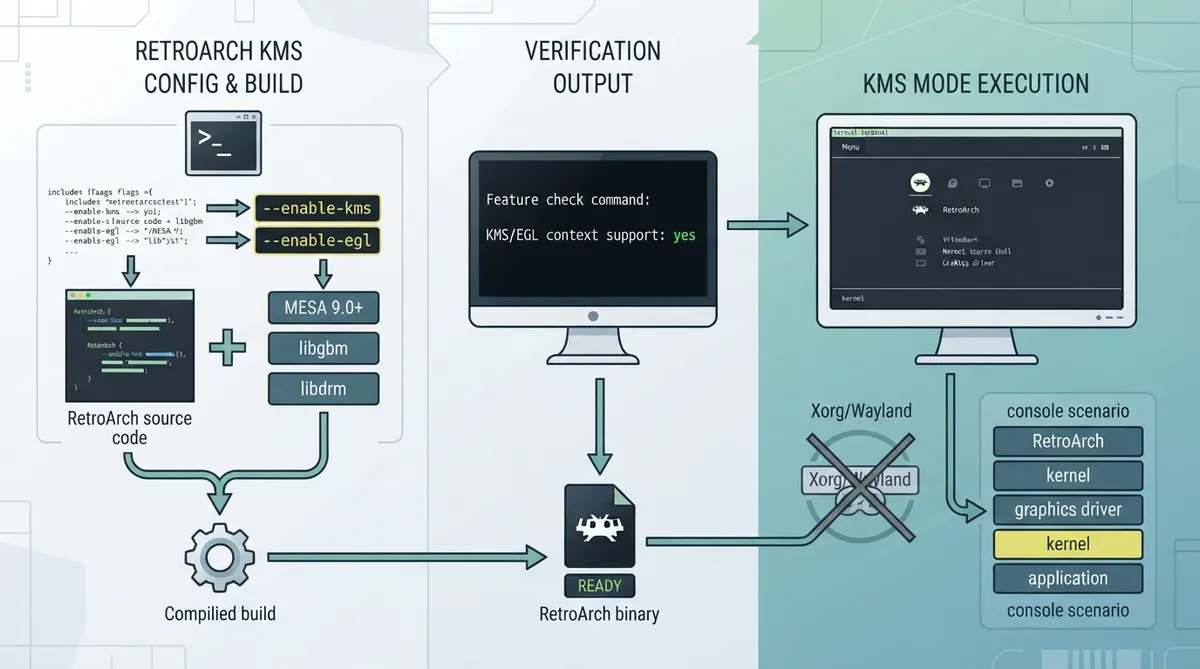
KMS (Kernel Mode Setting) mode lets RetroArch use the OpenGL or Vulkan driver outside Xorg/Wayland, running straight in the virtual terminal. The official documentation describes it as a fairly obscure feature that is very powerful in a console scenario.
Documented Requirements
- MESA version 9.0+ (including dev package)
- Use of Vulkan requires the KHR_Display extension, present from Mesa 21 onwards
- libgbm 9.0+, libdrm (including dev package)
- An open source driver which supports KMS
- Configuration with the flags "--enable-kms" and "--enable-egl"
Build Configuration Flags
The documented requirements list configuring with the flags "--enable-kms" and "--enable-egl". The source documentation presents these as the flags to pass during configuration before compiling RetroArch.
./configure --enable-kms --enable-eglChecking That KMS Support Was Built In
After compiling RetroArch, the documentation states that running the feature list command should show KMS/EGL context support reported as enabled. The expected output is shown below.
retroarch --features

KMS:
	KMS/EGL context support: yes
Expected Startup Behavior
According to the documentation, if KMS mode is working correctly, RetroArch should start up without any desktop environment, straight from the terminal.
Scope and Limitations
The documentation lists these prerequisites and checks but does not describe troubleshooting outcomes, version-specific behavior beyond the stated Mesa and extension requirements, or results on specific hardware combinations. No independent hands-on verification has been performed for this summary.
Reference table · Scroll horizontally to see all columns.
| Aspect | Documented detail |
|---|---|
| Mode purpose | Use the OpenGL or Vulkan driver outside Xorg/Wayland, running straight in the virtual terminal |
| MESA | Version 9.0+ including dev package |
| Vulkan requirement | KHR_Display extension, present from Mesa 21 onwards |
| Libraries | libgbm 9.0+, libdrm including dev package |
| Driver | Open source driver which supports KMS |
| Build flags | --enable-kms and --enable-egl |
| Feature check | retroarch --features reports KMS/EGL context support: yes |
| Expected startup | RetroArch should start without any desktop environment, straight from the terminal |
 View full image
 Sources & references
Published .
RetroArch: kms mode — official gaming software documentation https://raw.githubusercontent.com/libretro/docs/master/docs/guides/kms-mode.mdRetrieved Oct 8, 2026Something doesn’t match your setup?
Suggest a correction