

Overview
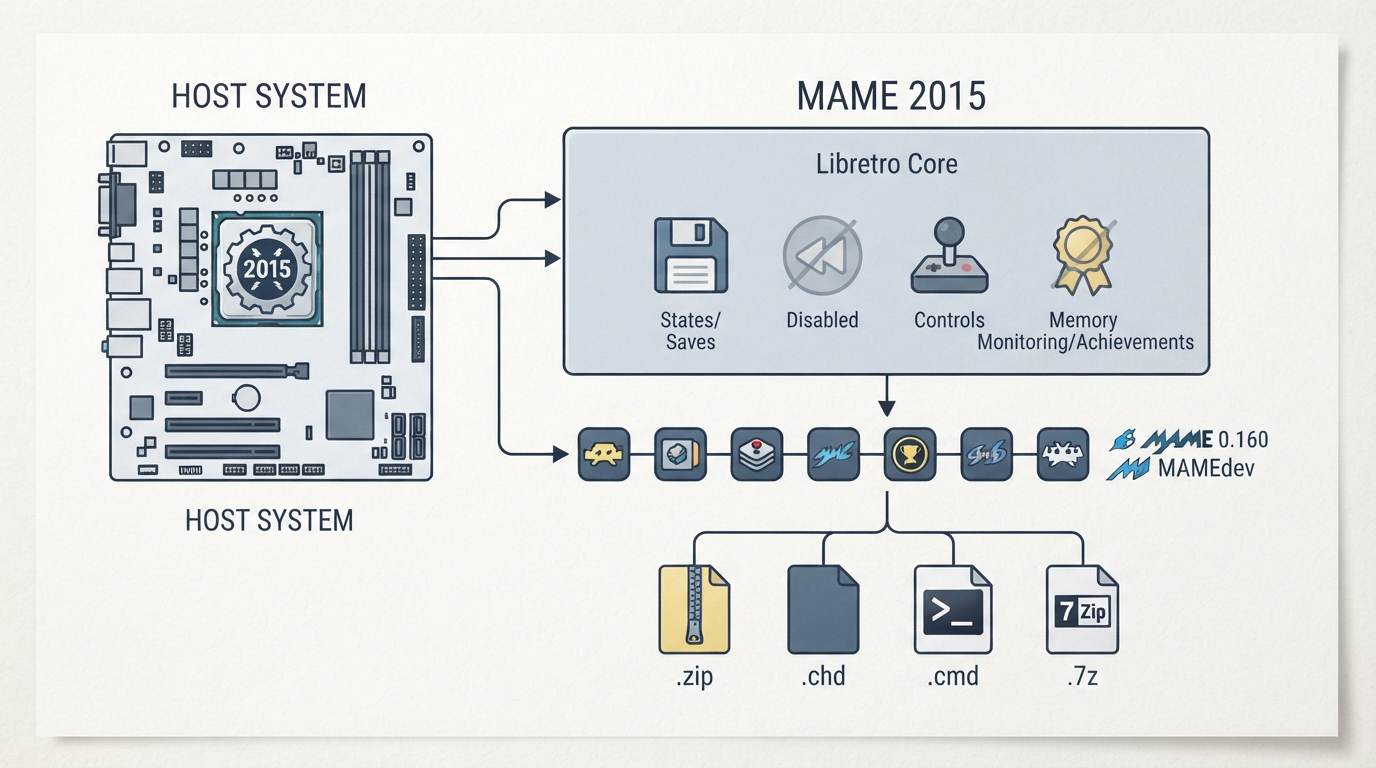
MAME 2015 is a Libretro core for RetroArch based on a snapshot of the MAME codebase from circa 2015. This guide summarizes the documented compatibility, file formats, options and limitations of the core. All information below is drawn from the official Libretro documentation page for the core and has not been independently hands-on tested.
Compatible ROM Sets
The MAME 2015 core is documented as compatible with MAME 0.160 ROM sets. The documentation notes that if a device can run the up-to-date MAME - Current core (or any other newer snapshot) at full speed, most users will have a better experience with that core, and that FBNeo is typically a better choice for speed versus accuracy as long as it supports the game in question.
Loadable File Extensions
- - .chd
- - .cmd
- - .zip
- - .7z
The RetroArch database associated with the MAME 2015 core is listed as MAME 2015 in the libretro-database repository.
Frontend Features Support
According to the documentation, the MAME 2015 core supports Core Options but does not support Saves, States, Rewind, Memory Monitoring (achievements), RetroArch Cheats, Controls, or Disk Control.
Core Options
The MAME 2015 core exposes the following options in the core options menu. The documented default setting for each option is shown below.
- - Read configuration — disabled (default)
- - Auto save/load states — disabled (default)
- - XY device (Restart) — none (default)
- - Enable throttle — disabled (default)
- - Enable cheats — disabled (default)
- - Hide nag screen — disabled (default)
- - Hide gameinfo screen — disabled (default)
- - Hide warnings screen — disabled (default)
- - Alternate render method — disabled (default)
- - Boot to OSD — disabled (default)
- - Boot from CLI — disabled (default)
Authorship and License
Repository and Issue Reporting
The MAME 2015 core's source repository is hosted at https://github.com/libretro/mame2015-libretro. Core issues can be reported at https://github.com/libretro/mame2015-libretro/issues.
Reference table · Scroll horizontally to see all columns.
| Feature | Supported |
|---|---|
| Saves | No |
| States | No |
| Rewind | No |
| Core Options | Yes |
| Memory Monitoring (achievements) | No |
| RetroArch Cheats | No |
| Controls | No |
| Disk Control | No |
Reference table · Scroll horizontally to see all columns.
| Option | Default setting |
|---|---|
| Read configuration | disabled |
| Auto save/load states | disabled |
| XY device (Restart) | none |
| Enable throttle | disabled |
| Enable cheats | disabled |
| Hide nag screen | disabled |
| Hide gameinfo screen | disabled |
| Hide warnings screen | disabled |
| Alternate render method | disabled |
| Boot to OSD | disabled |
| Boot from CLI | disabled |
Sources & references
Content responsibility: FrameTinker editorial desk. Source authors and software maintainers are credited separately below; this is not a claim of hands-on testing.
Published .
RetroArch: mame2015 — official gaming software documentation https://raw.githubusercontent.com/libretro/docs/master/docs/library/mame2015.mdRetrieved Oct 13, 2026Something doesn’t match your setup?
Suggest a correction