

RetroArch can run on the PlayStation Vita, but the official Libretro documentation states that you need custom firmware called HENkaku for it to work. The documentation also warns that hardware or software changes on your device may damage it. This guide summarizes the official documentation's installation procedure; it is not a record of hands-on testing.
Prerequisites
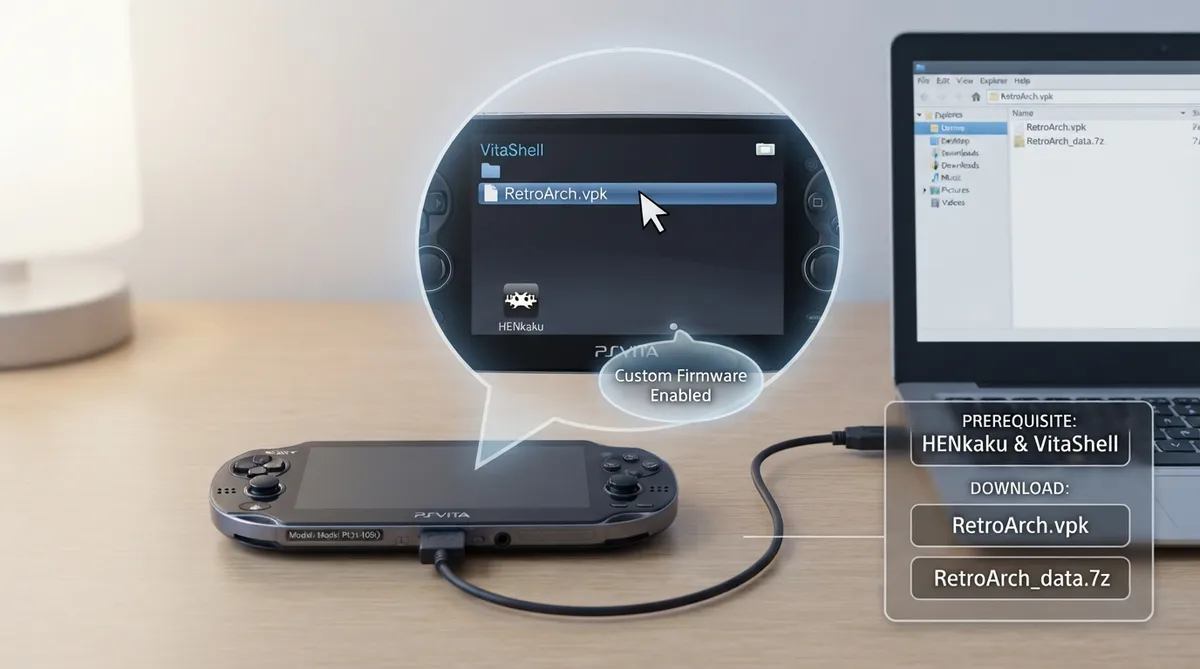
- The documentation lists two prerequisites: HENkaku at the latest version, and VitaShell. The documentation says HENkaku custom firmware is required to run RetroArch on the PlayStation Vita.
Files the documentation says to download
According to the documentation, you download two files: the RetroArch.vpk package and a data archive named RetroArch_data.7z. The .vpk by itself does not include important assets and is therefore lighter than other versions, so the data file is needed for those assets. The documentation points to stable and nightly builds and says the guide uses the stable version and recommends it.
Installing the VPK on the Vita
- Per the documentation: connect the PS Vita to your PC with VitaShell, move RetroArch.vpk to the root of the SD card, and disconnect the Vita from the PC. Then enter the ux0: directory, scroll to the bottom to find RetroArch.vpk, and press your action key, which may be O or X. A warning may appear asking about the reliability of the downloaded file; the documentation says that if you downloaded the file from its channels you can accept and continue.
Adding the data assets after first launch
After installation, the documentation says to run RetroArch once; fonts and images will be missing. Close RetroArch, reconnect the PS Vita to the PC with VitaShell, and move the files from the downloaded data archive to ux0:/data/retroarch/. After the transfer completes, close the application and run RetroArch again.
The documentation notes that a Sharpscale plugin is an option if you want higher resolution.
Reference table · Scroll horizontally to see all columns.
| Item | What the documentation says |
|---|---|
| Requirement | HENkaku custom firmware and VitaShell |
| Files to download | RetroArch.vpk and RetroArch_data.7z |
| Where the VPK goes | Root of the SD card |
| Where the VPK is installed from | the ux0: directory |
| Where assets go | ux0:/data/retroarch/ |
| Recommended build | Stable (nightly builds described as sometimes dangerous, sometimes innovative) |
 View full image
 Sources & references
Published .
RetroArch: install psv — official gaming software documentation https://raw.githubusercontent.com/libretro/docs/master/docs/guides/install-psv.mdRetrieved Oct 8, 2026Something doesn’t match your setup?
Suggest a correction