

This guide summarizes the official RetroArch documentation page for installing RetroArch on a PlayStation 3. It covers the required custom firmware, the USB drive preparation, how to pick the right download for your firmware type, and the installation step itself.
Prerequisites
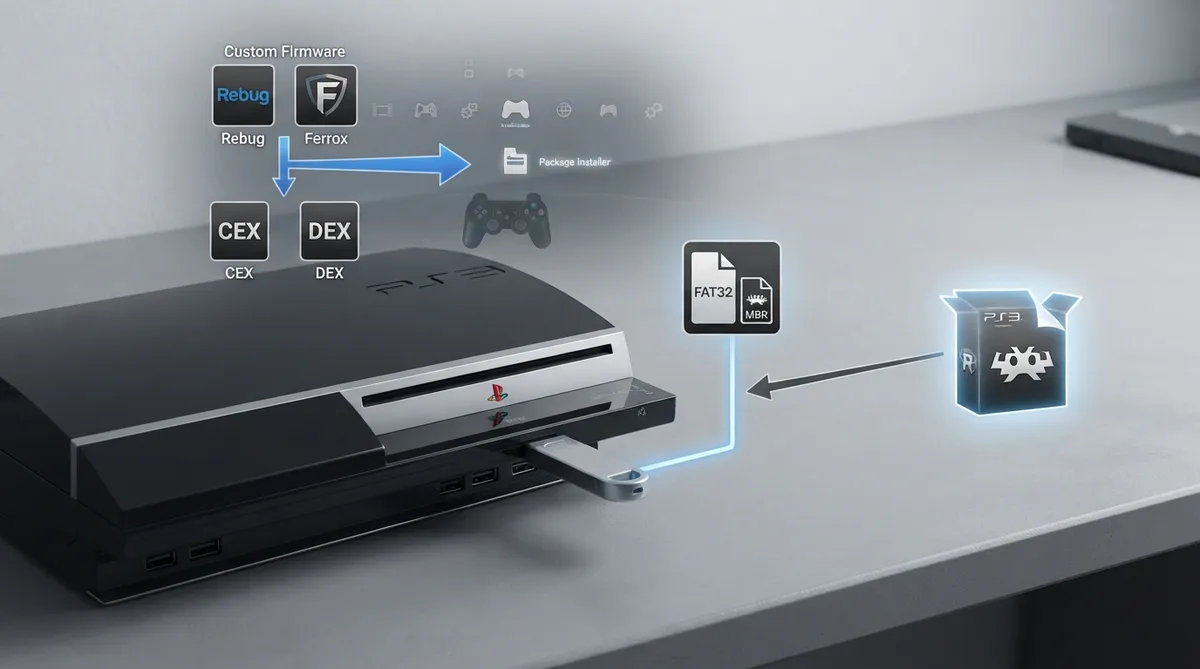
Before starting, the official page lists two requirements. The console must be running a custom firmware described as any-CFW, with Rebug and Ferrox given as examples. You also need a USB drive formatted as FAT32 and partitioned as MBR rather than GPT.
- any-CFW custom firmware on the PlayStation 3 (examples given in the documentation: Rebug, Ferrox)
- A USB drive formatted as FAT32
- That USB drive partitioned as MBR, not GPT
Choose the Correct Download
The documentation states that there are two types of CFW files: CEX and DEX. CEX systems are described as more specific to the end user, while DEX is described as more for developers. The page states that either can be used with the same features, but that you should always check which version of CFW you have and download the matching file.
A bundle containing RetroArch, all the cores, and all the assets for both CEX and DEX is listed on the RetroArch platforms page. The documentation directs you to the PlayStation 3 section of that page.
Installing RetroArch
- Extract the archive to the root of your USB drive.
- Connect the USB drive to the right USB port on the console.
- Open the CFW package installer.
- Use it to select and install RetroArch's pkg file.
The official page also includes a short video demonstration of the process.
What the Documentation Does Not Cover
The source page is brief. It does not document troubleshooting steps, expected error messages, verification that the install succeeded, or how to update or remove RetroArch afterwards. Those topics remain undocumented here.
 View full image
 Sources & references
Published .
RetroArch: install ps3 — official gaming software documentation https://raw.githubusercontent.com/libretro/docs/master/docs/guides/install-ps3.mdRetrieved Oct 8, 2026Something doesn’t match your setup?
Suggest a correction