

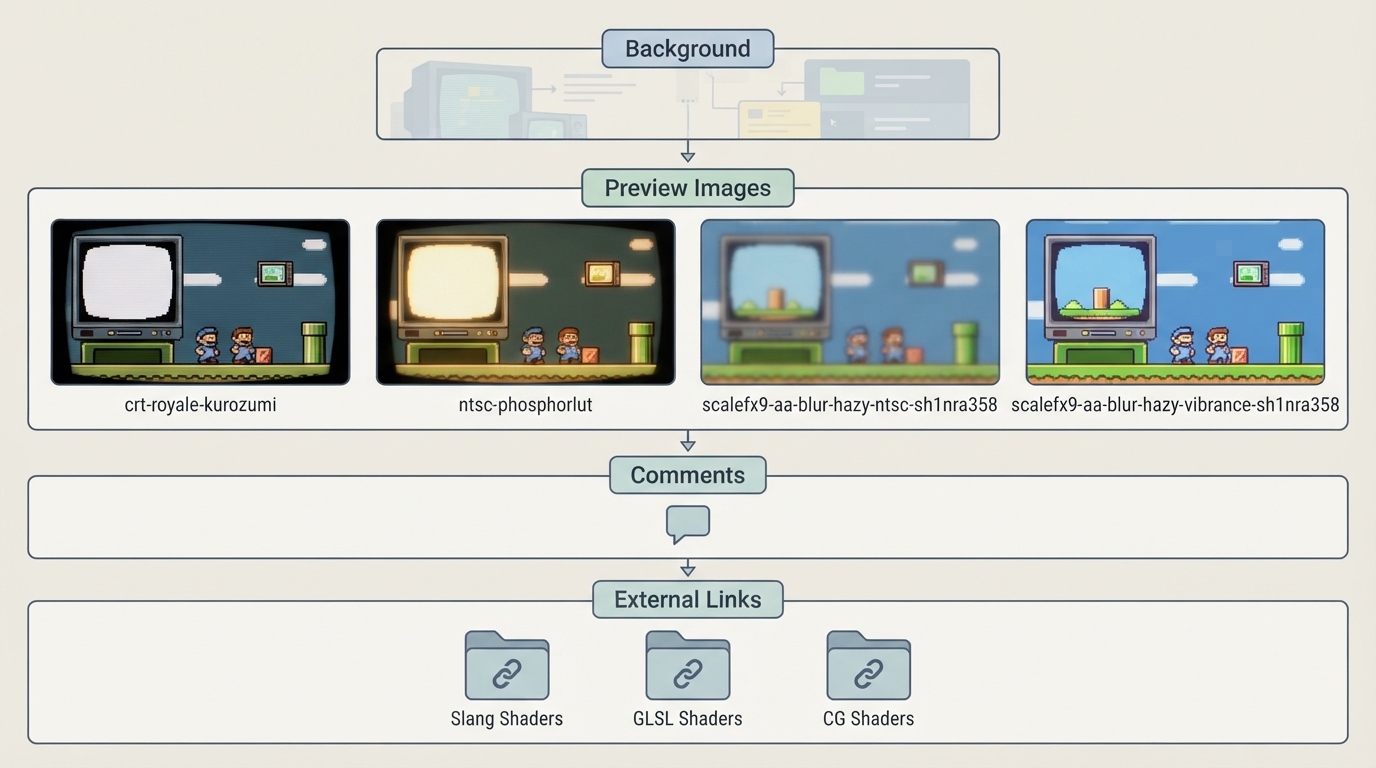
This article summarizes the official RetroArch documentation page titled "presets" (part of the libretro docs project). The page is a reference listing rather than a walkthrough: it presents example preset names, preview images, and links to shader repositories.
What the official page covers
The documentation page is organized under the heading "presets." It includes a "Background" section, a "Preview Image" section, a "Comments" section, and an "External Links" section. The substantive content is the list of example presets, each accompanied by a preview image file.
Preset names listed
- crt-royale-kurozumi
- ntsc-phosphorlut
- scalefx9-aa-blur-hazy-ntsc-sh1nra358
- scalefx9-aa-blur-hazy-vibrance-sh1nra358
Each of these names appears in the documentation as a bullet with an associated preview image. The page does not describe what each preset does, which cores or platforms it targets, or how to install or activate it.
External links listed by the page
The "External Links" section points to three libretro shader repositories: Slang Shaders, GLSL Shaders, and CG Shaders. These are the only external references recorded on the page.
Limitations of this source
The documentation page does not include ordered setup instructions, prerequisites, configuration settings, supported versions, or recovery steps. It also does not state compatibility with specific RetroArch versions, operating systems, or hardware. Because the page is a reference listing rather than a procedure, no step-by-step guide is reproduced here.
Reference table · Scroll horizontally to see all columns.
| Preset name | Preview image on documentation page |
|---|---|
| crt-royale-kurozumi | Yes |
| ntsc-phosphorlut | Yes |
| scalefx9-aa-blur-hazy-ntsc-sh1nra358 | Yes |
| scalefx9-aa-blur-hazy-vibrance-sh1nra358 | Yes |
Sources & references
Content responsibility: FrameTinker editorial desk. Source authors and software maintainers are credited separately below; this is not a claim of hands-on testing.
Published .
RetroArch: presets — official gaming software documentation https://raw.githubusercontent.com/libretro/docs/master/docs/shader/presets.mdRetrieved Oct 14, 2026Something doesn’t match your setup?
Suggest a correction