

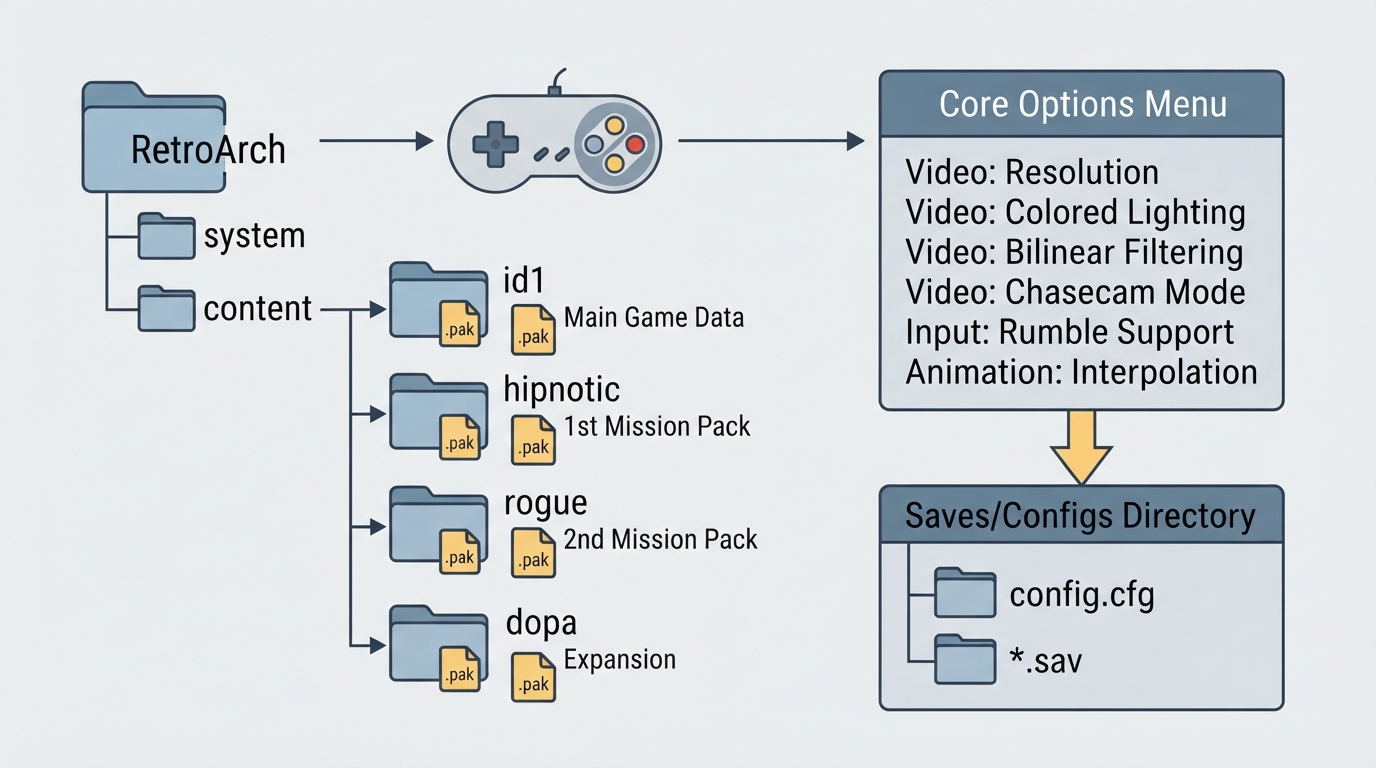
TyrQuake is the Libretro port of the Tyrquake Quake 1 engine, distributed as a RetroArch core. The official documentation credits the core to Kevin Shanahan (Tyrann) and states that it is licensed under GPLv2. Documented features include fixed frametimes, software bilinear filtering, software Half-Life/Quake 2-style colored lighting in RGBA, a chasecam / thirdperson view mode, and interpolated animation applied on keyframe animation for smoother movement.
Step 1: Prepare the Quake data files
The core loads Quake data in .pak files. The documentation describes a directory layout that separates the base game from its mission packs and expansion, each in its own folder. A music subfolder can be added inside each content folder for background music.
- id1 — main game
- hipnotic — 1st mission pack
- rogue — 2nd mission pack
- dopa — official "Episode 5: Dimension of the Past" expansion
- Place background music files in a music subfolder inside each of these folders.
Step 2: Load the content in RetroArch
Once the folders are in place, load the Quake content through RetroArch's content loading, which will use the TyrQuake core. The documentation does not describe a download source for the game data, and this guide does not provide one either; the data files must already be available to you.
Step 3: Configure core options
The core exposes several options in RetroArch's core options menu. Some are marked "restart", meaning the change takes effect after a restart rather than immediately.
Resolution (restart) uses the option key tyrquake_resolution. The documented default value is 320x200, and the following values are listed as available:
- 320x200 | 640x400 | 960x600 | 1280x800 | 1600x1000 | 1920x1200 | 320x240 | 320x480 | 360x200 | 360x240 | 360x400 | 360x480 | 400x224 | 480x272 | 512x224 | 512x240 | 512x384 | 512x512 | 640x224 | 640x240 | 640x448 | 640x480 | 720x576 | 800x480 | 800x600 | 960x720 | 1024x768 | 1280x720 | 1600x900 | 1920x1080
Colored lighting (restart) uses the option key tyrquake_colored_lighting. It is listed as "disabled" or "enabled", with "disabled" shown as the default.
Rumble uses the option key tyrquake_rumble. It is listed as "disabled" or "enabled", with "disabled" shown as the default.
The documentation states that rumble requires all of the following conditions to be met: the content being run has rumble support, the frontend being used has rumble support, the joypad device being used has rumble support, and the "Rumble" core option is set to enabled.
Under the GAME menu, CROSSHAIR offers "OFF" or "ON".
Step 4: Choose an input device
The documentation lists these supported device profiles: None (input disabled), Gamepad Classic, Gamepad Classic Alt, Gamepad Modern, and Keyboard + Mouse. The Keyboard + Mouse profile should be selected for keyboard and mouse input, and it includes keymapper support.
Step 5: Review video and game settings
The documentation references VIDEO → SCREEN SIZE along with GAMMA, DITHER FILTERING, SMOOTH ANIMATION and SMOOTH MOVEMENT among the video settings.
Where saves and configs are stored
According to the documentation, config and save files are kept inside the game directory: config.cfg holds configuration, and files with the .sav extension hold saves.
Limitations to keep in mind
This article only reflects what the official TyrQuake documentation page states. It does not cover troubleshooting outcomes, compatibility results or performance expectations, and no independent hands-on verification of these steps has been performed.
Reference table · Scroll horizontally to see all columns.
| Folder | Purpose |
|---|---|
| id1 | Main game |
| hipnotic | 1st mission pack |
| rogue | 2nd mission pack |
| dopa | Official "Episode 5: Dimension of the Past" expansion |
Reference table · Scroll horizontally to see all columns.
| File | Description |
|---|---|
| (game directory)/config.cfg | Config |
| (game directory)/*.sav | Save |
Sources & references
Content responsibility: FrameTinker editorial desk. Source authors and software maintainers are credited separately below; this is not a claim of hands-on testing.
Published .
RetroArch: tyrquake — official gaming software documentation https://raw.githubusercontent.com/libretro/docs/master/docs/library/tyrquake.mdRetrieved Oct 14, 2026Something doesn’t match your setup?
Suggest a correction