

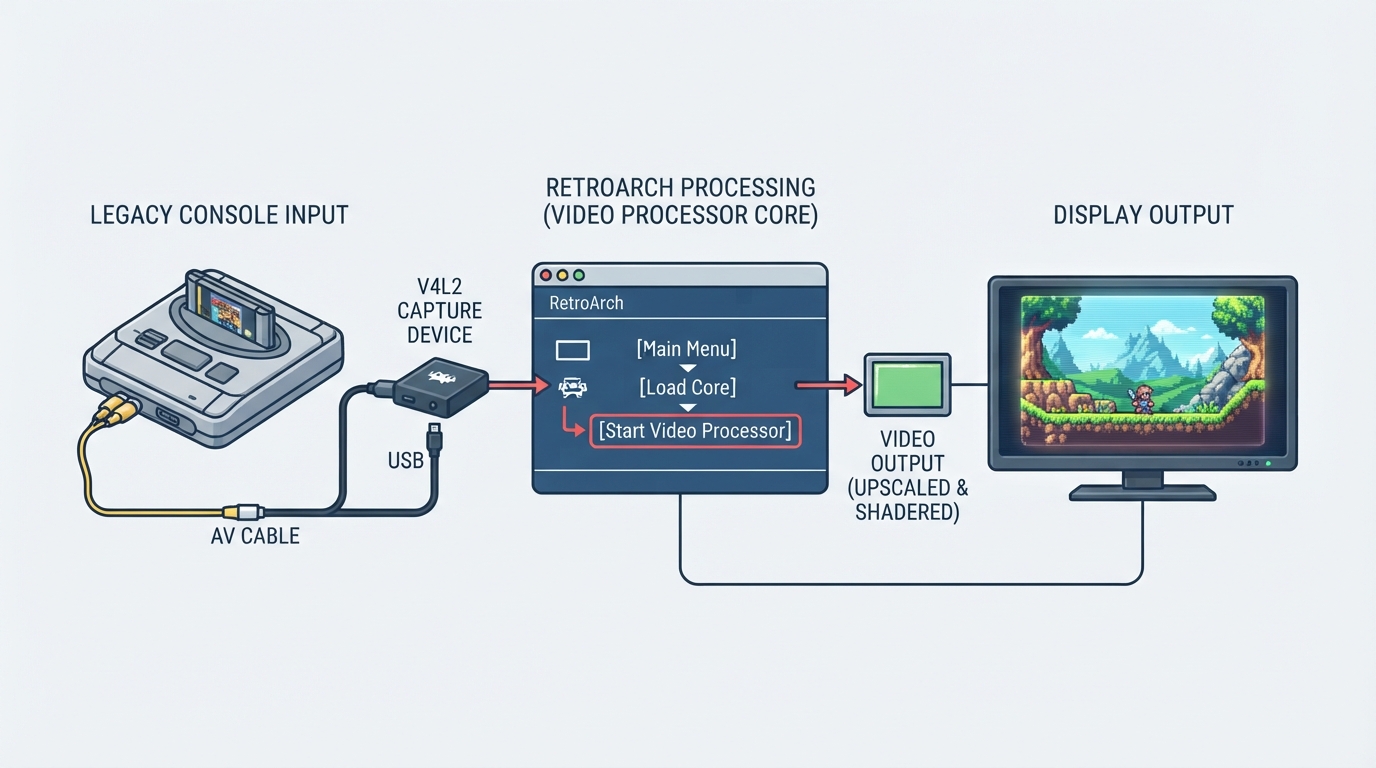
The Video Processor core is a Libretro core for V4L2 capture devices. It enables users to plug their legacy console into a capture device and use RetroArch to upscale it and apply shaders to taste.
To start the Video Processor core, go to RetroArch's main menu screen. Select 'Load Core', then 'Start Video Processor'.
Evidence and publication details
Sources & references
Content responsibility: FrameTinker editorial desk. Source authors and software maintainers are credited separately below; this is not a claim of hands-on testing.
Published .
RetroArch: video processor — official gaming software documentation https://raw.githubusercontent.com/libretro/docs/master/docs/library/video_processor.mdRetrieved Oct 14, 2026Something doesn’t match your setup?
Suggest a correction