

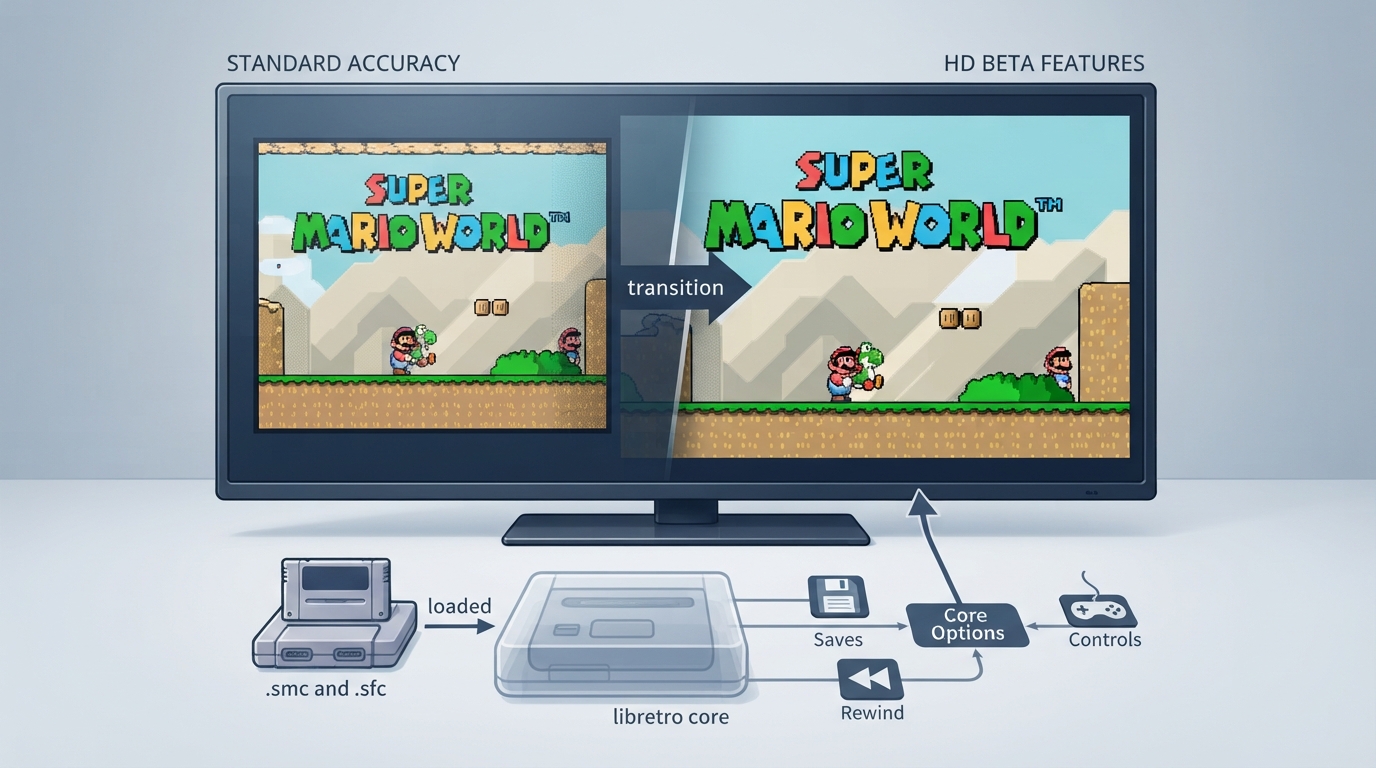
bsnes HD Beta is a libretro core for the Super Nintendo / Super Famicom. According to the official libretro documentation, it is based on the latest code from the bsnes emulator but serves as a test-bed for features considered too unstable for the standard bsnes core. This guide organizes the documented information about the core into a practical reference, including its extensions, frontend feature flags, and core-option names and defaults.
What the core is
The core is built as a test-bed for features not considered stable enough for inclusion in the standard bsnes core. These features include true widescreen support and increased color depth without dithering, among others. Aside from these additional experimental features, the documentation states that this core is identical to the standard bsnes core in both accuracy and performance, and in libretro features and limitations.
- Authors: Near and DerKoun. License: GPLv3. A summary of the licenses behind RetroArch and its cores is linked from the documentation.
Supported content extensions
The documentation lists the following file extensions for content loadable by the bsnes HD Beta core: .smc, .sfc, .swc, .fig, .gb, .gbc and .bs. Associated RetroArch databases are Nintendo - Super Nintendo Entertainment System, Nintendo - Sufami Turbo and Nintendo - Satellaview.
Frontend features the core respects
The documentation tabulates which frontend-level settings or features the core respects. The core is listed as supporting Saves, States, Rewind, Core Options, Controls and Subsystem. It is listed as not supporting Memory Monitoring (achievements), RetroArch Cheats and Disk Control.
Core options and defaults
The core exposes options that can be adjusted from the core options menu. In the documentation the default setting is bolded; the defaults listed below follow that convention.
- HD Mode 7 Scale [bsnes_mode7_scale] — default 2x; alternatives include 3x, 4x, 5x, 6x, 7x, 8x, 9x, 10x, disable and 1x. HD Mode 7 Perspective Correction [bsnes_mode7_perspective] — default auto (wide); alternatives include auto (medium), auto (narrow), on (wide), on (medium), on (narrow) and off. HD Mode 7 Supersampling [bsnes_mode7_supersample] — default none; alternatives range from 2x to 10x. HD Mode 7 HD->SD Mosaic [bsnes_mode7_mosaic] — default 1x scale; alternatives are non-HD and ignore.
- WideScreen Mode [bsnes_mode7_wsMode] — default Mode 7; alternatives are all and none. WideScreen Aspect Ratio [bsnes_mode7_widescreen] — default 16:9; alternatives are 2:1, 21:9, 16:10, 4:3 and none. WideScreen Background 1 through 4 [bsnes_mode7_wsbg1]–[bsnes_mode7_wsbg4] — default auto horz and vert, with a long list of alternatives including off, on, line-threshold variants, crop edges, auto crop edges, disable entirely and auto horizontal. WideScreen Sprites [bsnes_mode7_wsobj] — default safe; alternatives are unsafe, disable entirely and clip. WideScreen Area Background Color [bsnes_mode7_wsBgCol] — default auto; alternatives are color and black. WideScreen Ignore Window [bsnes_mode7_igwin] — default outside; alternatives are outside and always, all and none. WideScreen Ig Win Coordinate [bsnes_mode7_igwinx] — default 128; alternatives are 168, 216, 40 and 88. WideScreen Marker [bsnes_mode7_wsMarker] — default none; alternatives are lines and darken. WideScreen Marker Alpha [bsnes_mode7_wsMarkerAlpha] — default 1/1; alternatives range from 1/2 to 1/10.
- HD Background Color Radius [bsnes_mode7_bgGrad] — default 4; alternatives are 5, 6, 7, 8, 0, 1, 2 and 3. HD Windowing (experimental) [bsnes_mode7_windRad] — default 0; alternatives are 1 through 8. Show Overscan [bsnes_ppu_show_overscan] — default OFF; alternative ON. Pixel Aspect Correction [bsnes_video_aspectcorrection] — default OFF; alternative ON.
- Blur emulation [bsnes_blur_emulation] — default OFF; alternative ON. Entropy (randomization) [bsnes_entropy] — default Low; alternatives High and None. Hotfixes [bsnes_hotfixes] — default OFF; alternative ON. CPU Fast Math [bsnes_cpu_fastmath] — default OFF; alternative ON. CPU Overclocking [bsnes_cpu_overclock] — selectable from 100 to 400 in steps of 10, default 100. SA1 Coprocessor Overclocking [bsnes_sa1_overclock] — selectable from 100 to 400 in steps of 10, default 100. SuperFX Coprocessor Overclocking [bsnes_sfx_overclock] — selectable from 100 to 800 in steps of 10, default 100.
- PPU Fast mode [bsnes_ppu_fast] — default ON; alternative OFF. PPU Deinterlace [bsnes_ppu_deinterlace] — default ON; alternative OFF. PPU No sprite limit [bsnes_ppu_no_sprite_limit] — default ON; alternative OFF. PPU No VRAM blocking [bsnes_ppu_no_vram_blocking] — default OFF; alternative ON. DSP Fast mode [bsnes_dsp_fast] — default ON; alternative OFF. DSP Cubic interpolation [bsnes_dsp_cubic] — default OFF; alternative ON. DSP Echo shadow RAM [bsnes_dsp_echo_shadow] — default OFF; alternative ON. Coprocessor Delayed Sync [bsnes_coprocessor_delayed_sync] — default ON; alternative OFF. Coprocessor Prefer HLE [bsnes_coprocessor_prefer_hle] — default ON; alternative OFF.
- Preferred Super GameBoy BIOS (restart) [bsnes_sgb_bios] — default SGB1.sfc; alternative SGB2.sfc. Amount of frames for run-ahead [bsnes_run_ahead_frames] — default OFF; alternatives 1 through 4. Luminance [bsnes_video_luminance] — default 100, with alternatives from 90 down to 0 in steps of 10. Saturation [bsnes_video_saturation] — default 100, with alternatives from 90 down to 0 and from 200 down to 110 in steps of 10. Gamma [bsnes_video_gamma] — default 100, with alternatives 110 through 200 in steps of 10.
Documented external links
- bsnes-hd beta Repository: https://github.com/libretro/bsnes-hd — Report bsnes-hd beta Core Issues Here: https://github.com/libretro/bsnes-hd/issues
Reference table · Scroll horizontally to see all columns.
| Attribute | Value |
|---|---|
| Core | bsnes HD Beta |
| System | Nintendo - SNES / SFC |
| Authors | Near, DerKoun |
| License | GPLv3 |
| Extensions | .smc, .sfc, .swc, .fig, .gb, .gbc, .bs |
| Databases | Super Nintendo Entertainment System, Sufami Turbo, Satellaview |
Reference table · Scroll horizontally to see all columns.
| Frontend feature | Supported |
|---|---|
| Saves | Yes |
| States | Yes |
| Rewind | Yes |
| Core Options | Yes |
| Memory Monitoring (achievements) | No |
| RetroArch Cheats | No |
| Controls | Yes |
| Subsystem | Yes |
| Disk Control | No |
Reference table · Scroll horizontally to see all columns.
| Option | Key | Default |
|---|---|---|
| HD Mode 7 Scale | bsnes_mode7_scale | 2x |
| HD Mode 7 Perspective Correction | bsnes_mode7_perspective | auto (wide) |
| HD Mode 7 Supersampling | bsnes_mode7_supersample | none |
| HD Mode 7 HD->SD Mosaic | bsnes_mode7_mosaic | 1x scale |
| WideScreen Mode | bsnes_mode7_wsMode | Mode 7 |
| WideScreen Aspect Ratio | bsnes_mode7_widescreen | 16:9 |
| WideScreen Background 1 | bsnes_mode7_wsbg1 | auto horz and vert |
| WideScreen Background 2 | bsnes_mode7_wsbg2 | auto horz and vert |
| WideScreen Background 3 | bsnes_mode7_wsbg3 | auto horz and vert |
| WideScreen Background 4 | bsnes_mode7_wsbg4 | auto horz and vert |
| WideScreen Sprites | bsnes_mode7_wsobj | safe |
| WideScreen Area Background Color | bsnes_mode7_wsBgCol | auto |
| WideScreen Ignore Window | bsnes_mode7_igwin | outside |
| WideScreen Ig Win Coordinate | bsnes_mode7_igwinx | 128 |
| WideScreen Marker | bsnes_mode7_wsMarker | none |
| WideScreen Marker Alpha | bsnes_mode7_wsMarkerAlpha | 1/1 |
| HD Background Color Radius | bsnes_mode7_bgGrad | 4 |
| HD Windowing (experimental) | bsnes_mode7_windRad | 0 |
| Show Overscan | bsnes_ppu_show_overscan | OFF |
| Pixel Aspect Correction | bsnes_video_aspectcorrection | OFF |
| Blur emulation | bsnes_blur_emulation | OFF |
| Entropy (randomization) | bsnes_entropy | Low |
| Hotfixes | bsnes_hotfixes | OFF |
| CPU Fast Math | bsnes_cpu_fastmath | OFF |
| CPU Overclocking | bsnes_cpu_overclock | 100 |
| SA1 Coprocessor Overclocking | bsnes_sa1_overclock | 100 |
| SuperFX Coprocessor Overclocking | bsnes_sfx_overclock | 100 |
| PPU Fast mode | bsnes_ppu_fast | ON |
| PPU Deinterlace | bsnes_ppu_deinterlace | ON |
| PPU No sprite limit | bsnes_ppu_no_sprite_limit | ON |
| PPU No VRAM blocking | bsnes_ppu_no_vram_blocking | OFF |
| DSP Fast mode | bsnes_dsp_fast | ON |
| DSP Cubic interpolation | bsnes_dsp_cubic | OFF |
| DSP Echo shadow RAM | bsnes_dsp_echo_shadow | OFF |
| Coprocessor Delayed Sync | bsnes_coprocessor_delayed_sync | ON |
| Coprocessor Prefer HLE | bsnes_coprocessor_prefer_hle | ON |
| Preferred Super GameBoy BIOS (restart) | bsnes_sgb_bios | SGB1.sfc |
| Amount of frames for run-ahead | bsnes_run_ahead_frames | OFF |
| Luminance | bsnes_video_luminance | 100 |
| Saturation | bsnes_video_saturation | 100 |
| Gamma | bsnes_video_gamma | 100 |
Sources & references
Content responsibility: FrameTinker editorial desk. Source authors and software maintainers are credited separately below; this is not a claim of hands-on testing.
Published .
RetroArch: bsnes hd beta — official gaming software documentation https://raw.githubusercontent.com/libretro/docs/master/docs/library/bsnes_hd_beta.mdRetrieved Oct 12, 2026Something doesn’t match your setup?
Suggest a correction