

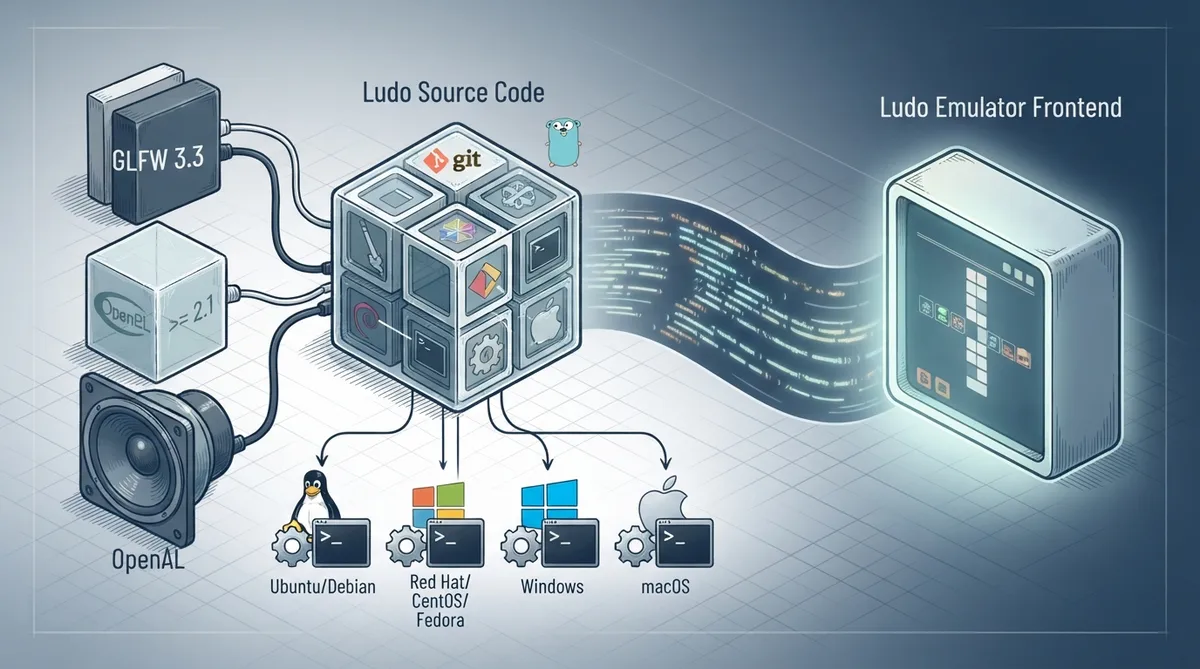
Ludo is an emulator frontend capable of running retro video games. It does not emulate consoles itself; instead it relies on emulator plugins called libretro cores. Libretro cores are well known emulators (such as Snes9x, Genesis Plus GX or PCSX) with their user interface stripped away, containing only console-specific logic.
Building Ludo from source is intended for developers and contributors.
Prerequisites
- GLFW 3.3
- OpenGL >= 2.1
- OpenAL
Ubuntu and Debian
sudo apt install git go libopenal-dev xorg-dev
git clone --recursive https://github.com/libretro/ludo.git
cd ludo
go build
./ludo
Red Hat, CentOS and Fedora
sudo yum install golang libopenal-soft-devel libX11-devel
git clone --recursive https://github.com/libretro/ludo.git
cd ludo
go build
./ludo
Windows
Setup Git Bash, then setup Go. When you are done with these, setup MinGW-w64 and add it to your PATH. Download http://static.kivutar.me/openal-soft-1.19.0-bin.zip and extract it, for example in C:. Setup MinGW-w64 and add it to your PATH. Download http://static.kivutar.me/openal-soft-1.19.0-bin.zip and extract it, for example in C:.
export CGO_CFLAGS="-I/c/openal-soft-1.19.0-bin/include/"
export CGO_LDFLAGS="-L/c/openal-soft-1.19.0-bin/build/Release/"git clone --recursive https://github.com/libretro/ludo.git
cd ludo
go build
./ludoMac OS X
First setup Xcode, then setup Homebrew.
brew install go openal-soft
git clone --recursive https://github.com/libretro/ludo.git
cd ludo
go build
./ludoReference table · Scroll horizontally to see all columns.
| Platform | Package manager | Build command |
|---|---|---|
| Ubuntu/Debian | apt | git clone --recursive https://github.com/libretro/ludo.git && cd ludo && go build && ./ludo |
| Red Hat / CentOS / Fedora | yum | git clone --recursive https://github.com/libretro/ludo.git && cd ludo && go build && ./ludo |
| Windows | Git Bash + Go + MinGW-w64 | git clone --recursive https://github.com/libretro/ludo.git && cd ludo && go build && ./ludo |
| macOS | Homebrew | git clone --recursive https://github.com/libretro/ludo.git && cd ludo && go build && ./ludo |
 View full image
 Sources & references
Published .
RetroArch: building ludo — official gaming software documentation https://raw.githubusercontent.com/libretro/docs/master/docs/guides/building-ludo.mdRetrieved Oct 8, 2026Something doesn’t match your setup?
Suggest a correction