

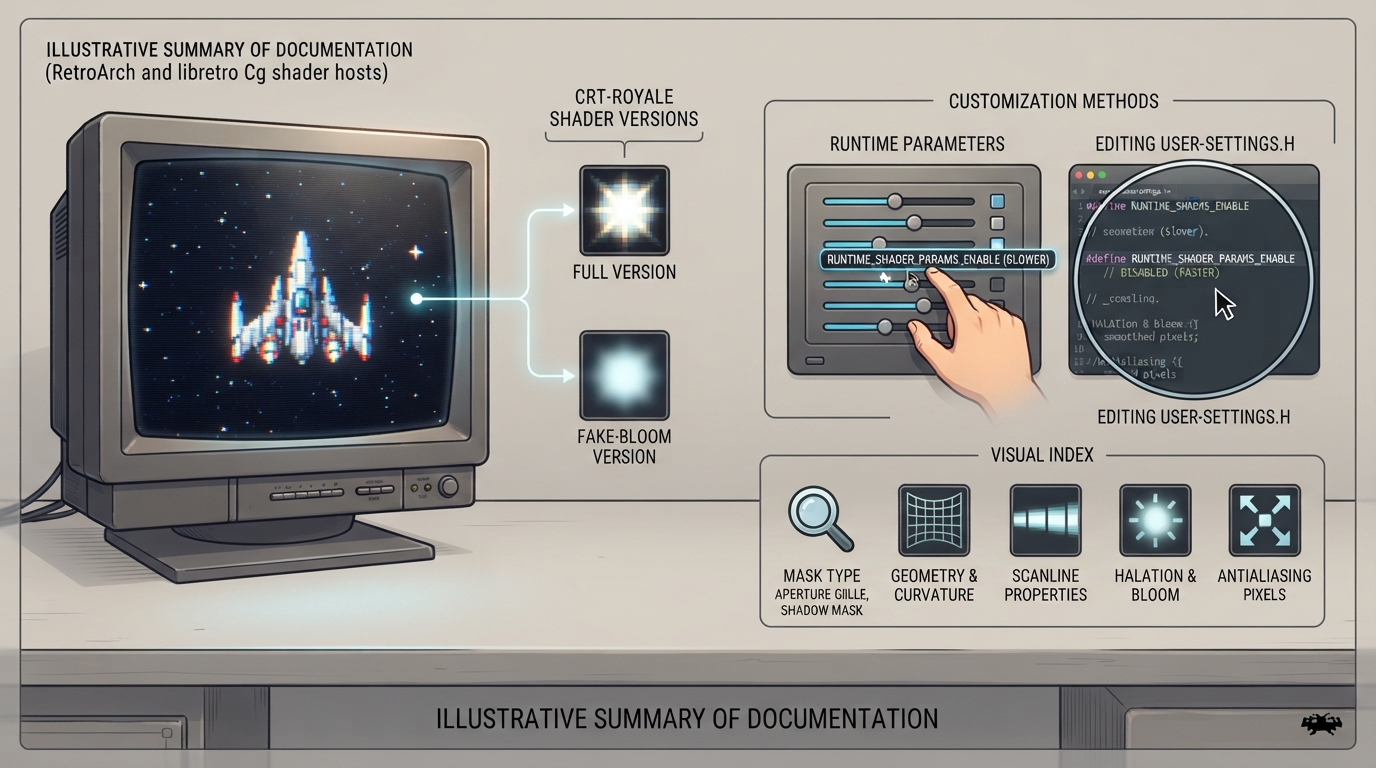
CRT-Royale is a collection of CRT shaders developed by TroggleMonkey for RetroArch and other programs that support the libretro Cg shader standard. It is a highly customizable shader that relies on a number of nonstandardized extensions, including sRGB framebuffer objects, mipmapping, and runtime shader parameters.
Choose a Shader Version
CRT-Royale ships in two variants. The full version blooms light from brighter phosphors to maintain brightness and avoid clipping. The fake-bloom version instead approximates bloom by blending in a potentially blurred version of the original input; it is described as much faster, with the difference hard to notice, which makes it the practical pick on slower GPUs.
Customization Methods
There are two major ways to customize the shader: runtime shader parameters, which are convenient but slower, and editing user-settings.h, which is faster because it allows static evaluation of the math.
What You Can Adjust
- The documented adjustable settings cover:
- - Phosphor mask type, with aperture grille, slot mask, and shadow mask options
- - Phosphor mask dot pitch
- - Phosphor mask resampling method, choosing between Lanczos sinc resizing, mipmapped hardware resizing, and no resizing of the input LUT
- - Phosphor bloom softness and type
- - Gaussian and generalized Gaussian scanline beam properties and distribution, including convergence offsets
- - Screen geometry, including curvature
- - Antialiasing level
- - Halation
- - Refractive diffusion
- - Interlacing options
Performance Tips
Runtime shader parameters prevent static evaluation of a lot of math, so disabling them speeds up the shader considerably. To disable them entirely, comment out the RUNTIME_SHADER_PARAMS_ENABLE define by putting a double slash at the start of that line. The documentation also notes enabling specific macros for nVidia cards as a performance tip.
Compatibility Issues and Workarounds
Integrated graphics such as Intel HD 4000 may trigger C6001 or C6002 errors. The documentation suggests trying the Intel-targeted presets in that case. Older RetroArch versions that lack sRGB FBO support are also noted as a source of compatibility problems.
- Intel-oriented presets suggested for C6001 or C6002 errors on integrated graphics:
- - crt-royale-intel.cgp
- - crt-royale-fake-bloom-intel.cgp
Known Limitations
Phosphor bloom may not be realistic: the bloom blurs bright phosphors significantly more than the human eye would bloom them on a real CRT, though the documentation explains this extra blurring is necessary to distribute enough brightness to nearby pixels so overall brightness can be amplified back to the original source level after the phosphor mask is applied. The shadow mask option also requires high resolutions, with the documentation pointing to 1440p and above, including 4K UHD and 8K UHD, as increasingly optimal.
Planned Additions
The documentation lists NTSC support, more presets, and efficient mask resampling as features the author would like to add relatively soon. These are stated plans, not shipped features, so do not rely on them being available in the current release.
The shader is intended to run without much fuss on newer implementations of the libretro Cg shader standard, but because it leans on nonstandardized extensions, behavior can vary across hosts and graphics drivers. Check the official documentation for the current state of the shader files and presets.
Sources & references
Content responsibility: FrameTinker editorial desk. Source authors and software maintainers are credited separately below; this is not a claim of hands-on testing.
Published .
RetroArch: crt royale — official gaming software documentation https://raw.githubusercontent.com/libretro/docs/master/docs/shader/crt_royale.mdRetrieved Oct 14, 2026Something doesn’t match your setup?
Suggest a correction