

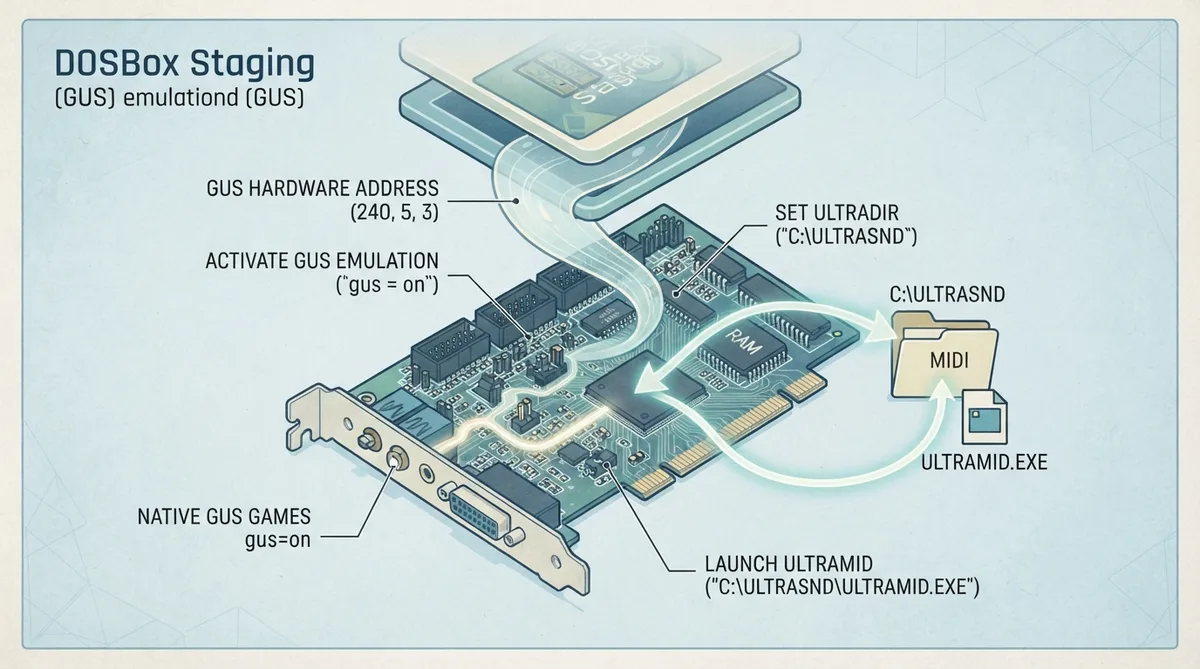
The Gravis UltraSound (GUS) was released in 1992 by Advanced Gravis and offered wavetable synthesis, stereo sound, and up to 32 channels of simultaneous playback. It did not provide backwards compatibility with AdLib or Sound Blaster cards, so programs had to be written specifically for it. DOSBox Staging 0.83 emulates the GUS. This guide, based on the official DOSBox Staging manual, describes the configuration steps for three common GUS use cases: native GUS games, GUS MIDI games, and UltraMID.
Native GUS games
Games that use the GUS hardware mixing directly upload their own samples to the card's on-board RAM, so they need no patch files or drivers. Native GUS games require only `gus = on` in the DOSBox Staging configuration, and you should select "Gravis UltraSound" (or a similar option) in the game's setup utility.
[gus]
gus = on
GUS MIDI games
Some games include a built-in GUS driver that sends MIDI commands and loads instrument samples (patch files) from the `ultradir` folder for use as wavetable instruments. The patch files must be placed in a `MIDI` subdirectory under `ultradir`, which defaults to `C:\ULTRASND`. Therefore, the required path for patch files is `C:\ULTRASND\MIDI`.
[gus]
gus = on
ultradir = C:\ULTRASND
Running UltraMID from autoexec
The manual includes an UltraMID section. The documented configuration uses the same `ultradir = C:\ULTRASND` setting, and UltraMID is launched from the `[autoexec]` section by running `C:\ULTRASND\ULTRAMID.EXE`. The supplied documentation confirms this configuration and launch command; it does not describe UltraMID's internal mechanism, so this guide does not characterize how the program works beyond these documented settings.
[gus]
gus = on
ultradir = C:\ULTRASND

[autoexec]
C:\ULTRASND\ULTRAMID.EXE
GUS hardware settings in DOSBox Staging
The default GUS hardware settings in DOSBox Staging 0.83 are: base address (I/O address or port) 240, IRQ 5, and DMA 3. These correspond to the configuration settings `gusbase`, `gusirq`, and `gusdma`. If a game's setup utility expects different values, match the emulated settings to what the game asks for rather than assuming the defaults apply.
Reference table · Scroll horizontally to see all columns.
| Setting | Config setting | Default value in DOSBox Staging 0.83 |
|---|---|---|
| Base address (or I/O address, or port) | gusbase | 240 |
| IRQ (or interrupt) | gusirq | 5 |
| DMA | gusdma | 3 |
Sources & references
Content responsibility: FrameTinker editorial desk. Source authors and software maintainers are credited separately below; this is not a claim of hands-on testing.
Published .
DOSBox Staging: gravis ultrasound — official gaming software documentation https://raw.githubusercontent.com/dosbox-staging/dosbox-staging/main/website/docs/0.83/manual/sound/sound-devices/gravis-ultrasound.mdRetrieved Nov 1, 2026Something doesn’t match your setup?
Suggest a correction