

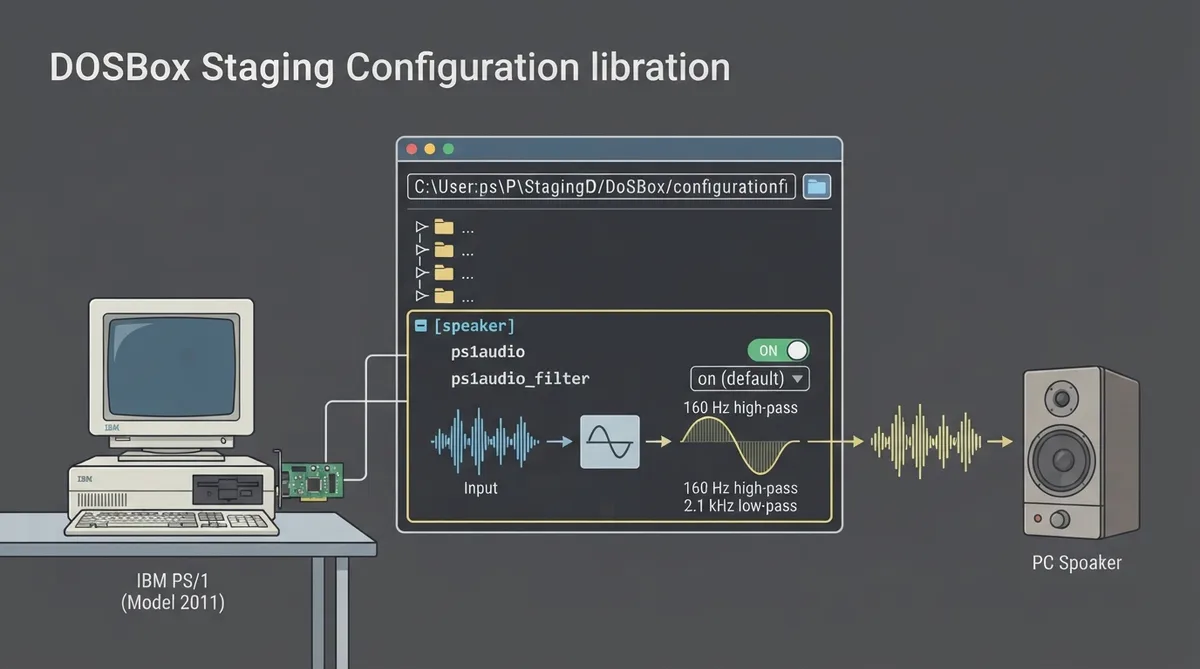
DOSBox Staging can emulate the rare IBM PS/1 Audio Card, a 1990 add-on for IBM PS/1 computers (models 2011 and 2121). Few games support the option, and its FM output resembles the PCjr and Tandy 1000 because those machines use the same or similar TI sound chips. By the time the card shipped, the Sound Blaster was already available, so the card was largely obsolete.
This guide is a source summary of the official DOSBox Staging 0.83 documentation for the ibm ps1audio device. The documented steps and settings below have not been hands-on tested; treat them as a documented reference rather than a verified walkthrough.
Where the settings live
IBM PS/1 Audio settings are configured in the [speaker] section of the DOSBox Staging configuration. Two options are documented there: ps1audio, which enables IBM PS/1 Audio emulation, and ps1audio_filter, which controls filtering of the PS/1 Audio synth output.
Enable PS/1 Audio emulation
- 1. Open the DOSBox Staging configuration file and locate the [speaker] section.
- 2. Set ps1audio to on. The documented values are on and off, with off as the default.
- 3. Set ps1audio_filter according to your preference (see the filter section below).
- 4. Start DOSBox Staging with the configuration applied, and select the PS/1 Audio option in a game that supports it.
Understand the ps1audio_filter option
ps1audio_filter controls filtering of the PS/1 Audio synth output. The documented values are:
- on (default): filters the output, applying a 3rd order high-pass filter at 160 Hz and a 1st order low-pass filter at 2.1 kHz (hpf 3 160 lpf 1 2100).
- off: does not filter the output.
- <custom>: a custom filter definition; the documentation points to the Custom filter settings reference for details.
Know the mixer channels
The PS/1 Audio synthesiser outputs to the PS1 mixer channel, and its DAC outputs to the PS1DAC channel. These channels are documented in the mixer channel list and are the routes to check if synth or DAC audio behaves unexpectedly.
If you do not hear PS/1 Audio
- Confirm ps1audio is set to on in the [speaker] section; the documented default is off.
- Confirm the game actually supports the PS/1 Audio Card, since most titles do not.
- Check the PS1 and PS1DAC mixer channels if synth or DAC audio is missing.
- If audio sounds unexpectedly harsh, compare filtered and unfiltered output by switching ps1audio_filter between on and off.
Reference table · Scroll horizontally to see all columns.
| Option | Section | Values | Documented default |
|---|---|---|---|
| ps1audio | [speaker] | on, off | off |
| ps1audio_filter | [speaker] | on, off, <custom> | on |
Sources & references
Content responsibility: FrameTinker editorial desk. Source authors and software maintainers are credited separately below; this is not a claim of hands-on testing.
Published .
DOSBox Staging: ibm ps1audio — official gaming software documentation https://raw.githubusercontent.com/dosbox-staging/dosbox-staging/main/website/docs/0.83/manual/sound/sound-devices/ibm-ps1audio.mdRetrieved Nov 1, 2026Something doesn’t match your setup?
Suggest a correction