

DOSBox Staging is a modern continuation of DOSBox with advanced features and current development practices, according to the project's official README. The documentation describes it as a mostly drop-in replacement for older DOSBox versions.
What DOSBox Staging Is
The project describes DOSBox Staging as a modern continuation of DOSBox with advanced features and current development practices. It is presented as a mostly drop-in replacement for older DOSBox versions, with the note that existing configurations will continue to work while users gain access to many advanced features. For a detailed description of the project's scope, the README points to the About page on the project website.
Start With the Official Getting Started Guide
The README states that first-time users and people migrating from other DOSBox variants should start by reading the Getting started guide. That guide is located at https://www.dosbox-staging.org/getting-started/. The project website itself is at https://www.dosbox-staging.org/.
Obtaining Stable Release Builds
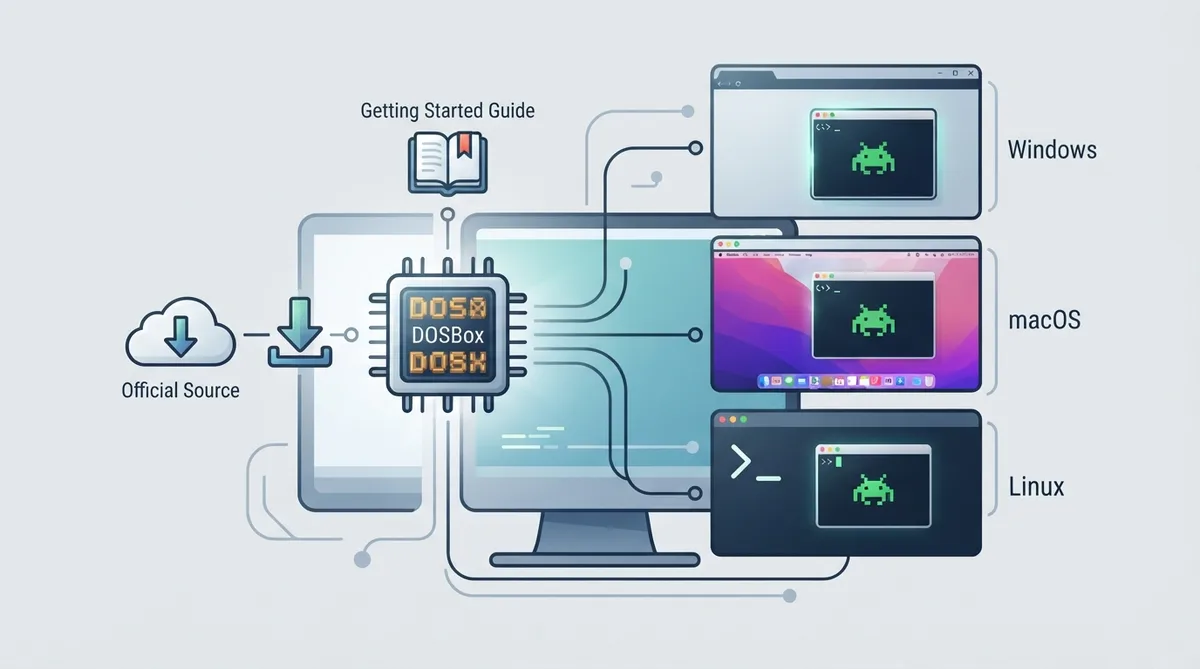
The README states that regular users should use the stable release builds available on the project website. Stable release builds are listed for Windows, macOS, and Linux through dedicated download pages.
- Windows: download page linked from the project README
- macOS: download page linked from the project README
- Linux: download page linked from the project README
Development Builds
Development builds are automatically created on every commit merged to the main branch. To download development builds, you need to be logged in to GitHub, according to the README.
Building From Source
The README does not list full build steps inline. Instead, it refers readers to platform-specific build instructions. Separate build instruction documents are linked for Windows, macOS, and Linux.
- Windows: build instructions document linked from the repository
- macOS: build instructions document linked from the repository
- Linux: build instructions document linked from the repository
Documentation and Contribution Notes
For changes to the website or the documentation, the README directs contributors to refer to the documentation guide located at DOCUMENTATION.md before making changes.
Notes on Scope and Limits
The README does not provide ROM downloads, game installation walkthroughs, or per-title compatibility information. The source only documents how to obtain the emulator, where its getting started guide is, and where build instructions for each platform are located. This guide does not claim that any specific DOS game will work, and no universal compatibility is promised.
Overview
DOSBox Staging is a modern continuation of DOSBox with advanced features and current development practices, according to the project's official README. The documentation describes it as a mostly drop-in replacement for older DOSBox versions, noting that existing configurations will continue to work.
Getting DOSBox Staging
The README states that regular users should use the stable release builds available on the project website. Stable builds are listed for Windows, macOS, and Linux.
- Read the official Getting started guide at https://www.dosbox-staging.org/getting-started/ if you are a first-time user or migrating from another DOSBox variant.
- Go to the project website at https://www.dosbox-staging.org/.
- Download the stable release build for your platform: Windows, macOS, or Linux.
- Follow the platform-specific build instructions document only if you intend to build from source.
- For changes to the website or documentation, consult the documentation guide at DOCUMENTATION.md before making changes.
Reference table · Scroll horizontally to see all columns.
| Platform | Stable release availability | Build instructions document |
|---|---|---|
| Windows | Listed on the project website downloads | Linked from the repository |
| macOS | Listed on the project website downloads | Linked from the repository |
| Linux | Listed on the project website downloads | Linked from the repository |
Development Builds
Development builds are automatically created on every commit merged to the main branch, and downloading them requires being logged in to GitHub, per the README.
 View full image
 Sources & references
Published .
DOSBox Staging — official gaming software documentation https://raw.githubusercontent.com/dosbox-staging/dosbox-staging/main/README.mdRetrieved Oct 8, 2026Something doesn’t match your setup?
Suggest a correction