

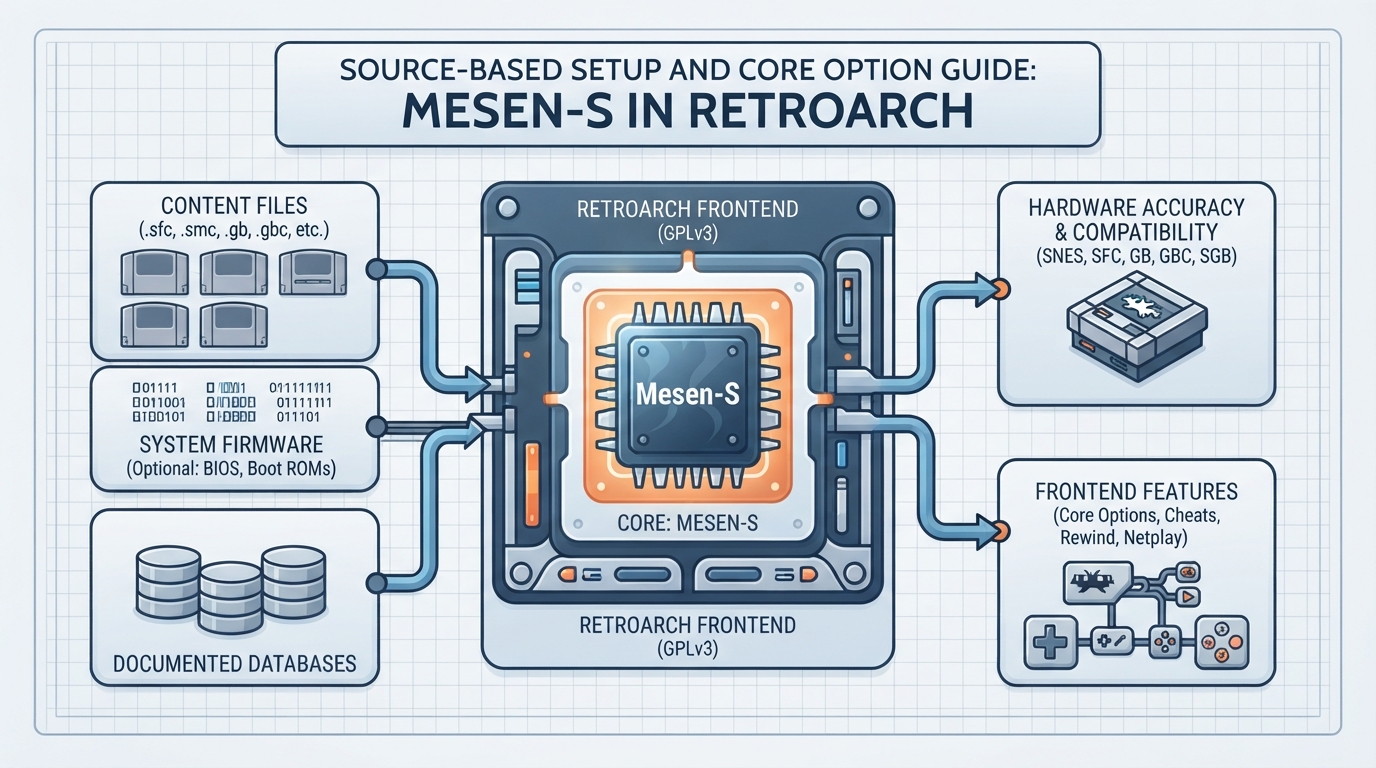
Mesen-S is a cross-platform SNES emulator for Windows and Linux, written in C++ and C#. In the libretro ecosystem it is packaged as the Mesen-S core for RetroArch and also covers Super Famicom, Game Boy, and Game Boy Color content, with Super Game Boy support described as complete in the official documentation. This guide summarizes the documented setup path, options, and limits. Every step below is a source summary drawn from the official libretro documentation; the instructions have not been hands-on tested.
The core was authored by M. Bibaud (also known as Sour) and is distributed under the GPLv3 license.
Prerequisites
Before configuring the core, confirm your setup matches the documented environment: a Windows or Linux system running RetroArch, and a locally owned ROM in one of the supported content formats. The documentation does not list minimum CPU, RAM, or GPU requirements, so those remain outside the scope of this guide.
Supported Content and Databases
The core loads files with the following extensions: .sfc, .smc, .fig, .swc, .bs, .gb, and .gbc. The official documentation associates the core with four RetroArch databases: Nintendo - Game Boy, Nintendo - Game Boy Color, Nintendo - Super Nintendo Entertainment System, and Nintendo - Satellaview. Using the matching database for a given ROM is what the documentation describes; it does not promise that every file will scan successfully.
Optional Firmware Files
All firmware listed for this core is optional and goes in the frontend's system directory. The set includes DSP1 through DSP4 co-processor data and program ROMs, ST010 and ST011 co-processor firmware, Game Boy and Game Boy Color boot images (dmg_boot.bin, cgb_boot.bin), Super Game Boy boot images (sgb_boot.bin, sgb2_boot.bin) and SGB ROMs (SGB1.sfc, SGB2.sfc), and the Satellaview boot ROM BS-X.bin. The documentation publishes md5 checksums for these files; you can verify a local copy against the published checksum before placing it in the system directory. Because these files are optional, gameplay of ordinary cartridge dumps is not documented as depending on them.
Documented Setup Outline
- 1. Install or select the Mesen-S core in RetroArch so it is available to the frontend.
- 2. Place any optional firmware files in the frontend's system directory, matching the exact filenames listed by the documentation.
- 3. Load content with one of the supported extensions (.sfc, .smc, .fig, .swc, .bs, .gb, .gbc).
- 4. Open the core options menu and adjust settings such as region, Game Boy model, aspect ratio, and overscan to match your display and game.
- 5. Assign controllers from the controls menu, choosing the SNES Controller, SNES Mouse, Super Scope, or Multitap device types where appropriate.
- 6. Save states as needed; the core stores them in the frontend's state directory using the *.state# pattern.
Save and State Directories
The core's library name is 'Mesen-S'. Cartridge battery saves are written to the frontend's save directory as files matching *.srm, and save states are written to the frontend's state directory as files matching *.state#. Keeping these directories stable matters because the frontend resolves saves by content path and filename.
Core Options
Region defaults to Auto. In Auto the emulator tries to detect whether the game is NTSC or PAL; the documentation notes this detection is not always possible, and that NTSC is used by default when nothing suggests a PAL region. The Game Boy Model option defaults to Auto, where Game Boy games are run with Super Game Boy emulation and Game Boy Color games with Game Boy Color emulation. Use SGB2 defaults to On, which is described as having corrected CPU timing and slight behavioral differences versus the original Super Game Boy.
Video options include NTSC filter (default Disabled, with Composite, S-Video, RGB, and Monochrome variants of Blargg's filter), Aspect Ratio (default Auto, with No Stretching, NTSC, PAL, 4:3, and 16:9), Vertical Overscan and Horizontal Overscan (default None, with 8px and 16px), and Blend Hi-Res Modes (default Off). The documentation explains that most SNES games output 224 scanlines while others use 239, and that Mesen-S always outputs 239 scanlines, producing roughly 7 blank lines at the top and 8 at the bottom for most games; setting vertical overscan to 8 hides them. It also warns that options other than No Stretching may produce irregular pixel sizes, and that enabling Blend Hi-Res Modes makes the whole picture softer while restoring intended pseudo-transparency.
Performance-related options include Cubic Interpolation for audio (default Off, replacing the SNES' gaussian filter with a cubic filter), Overclock (default None, with Low, Medium, High, and Very High), Overclock Type (default Before NMI, alternative After NMI), and Super FX Clock Speed (default 100%, up to 1000%). The documentation warns that overclocking can cause issues in some games, states that Before NMI is the preferred overclocking option, and describes After NMI as less compatible, to be used only if Before NMI does not work as expected. Super FX clock speed increases are described as the more efficient method for Super FX titles. RAM power-on state defaults to random values, with All 0s and All 1s as alternatives.
Controllers
For User 1 the available device types are None, RetroPad (the default), SNES Controller, and SNES Mouse. For User 2 the options are None, RetroPad (default), SNES Controller, SNES Mouse, Super Scope, and Multitap; switching User 2 to Multitap is how multitap support is activated, allowing up to five players in supported multitap games. Users 3 through 5 can choose None, RetroPad (default), or SNES Controller.
The documented joypad mapping for the SNES Controller device type maps SNES B to RetroPad B, SNES Y to RetroPad Y, Select and Start to their RetroPad equivalents, the D-pad to the RetroPad D-pad, SNES A to RetroPad A, SNES X to RetroPad X, SNES L to RetroPad L1, and SNES R to RetroPad R1. The SNES Mouse maps the mouse cursor and left and right buttons directly. For the Super Scope, pointer position maps to the crosshair, mouse 1 is Fire, mouse 2 is the Cursor Button, and mouse 3 toggles Turbo. The documentation also states that there is currently no crosshair, and that pressing the mouse grab binding twice in RetroArch (default F11) should make the system cursor visible.
Frontend Feature Support
The documentation lists Restart, Saves, States, Rewind, Netplay, Core Options, memory monitoring for achievements, RetroArch cheats, native cheats, controls, remapping, multi-mouse, softpatching, and crop overscan as supported frontend features. Rumble, sensors, camera, location, subsystem, disk control, username, language, and LEDs are listed as not supported.
Timing and Geometry
The core reports 60 FPS for NTSC games and 50 FPS for PAL games, a sample rate of 32040 Hz, a base resolution of 256x239, a maximum resolution of 512x478, and an aspect ratio that depends on the Aspect Ratio core option.
Documented Limits and Caveats
The official page states that the core fully emulates all SNES, GB, and GBC games that have ever been officially released. That is the documentation's own compatibility claim and has not been independently verified here. Region detection under Auto is not always possible, overclocking can cause issues in some games, and the After NMI overclocking variant is described as less compatible. The Super Scope crosshair is documented as currently missing. Several core option descriptions are sourced from the official Mesen-S documentation, which the libretro page points to for more detail.
Sources & references
Content responsibility: FrameTinker editorial desk. Source authors and software maintainers are credited separately below; this is not a claim of hands-on testing.
Published .
RetroArch: mesen s — official gaming software documentation https://raw.githubusercontent.com/libretro/docs/master/docs/library/mesen-s.mdRetrieved Oct 13, 2026Something doesn’t match your setup?
Suggest a correction