

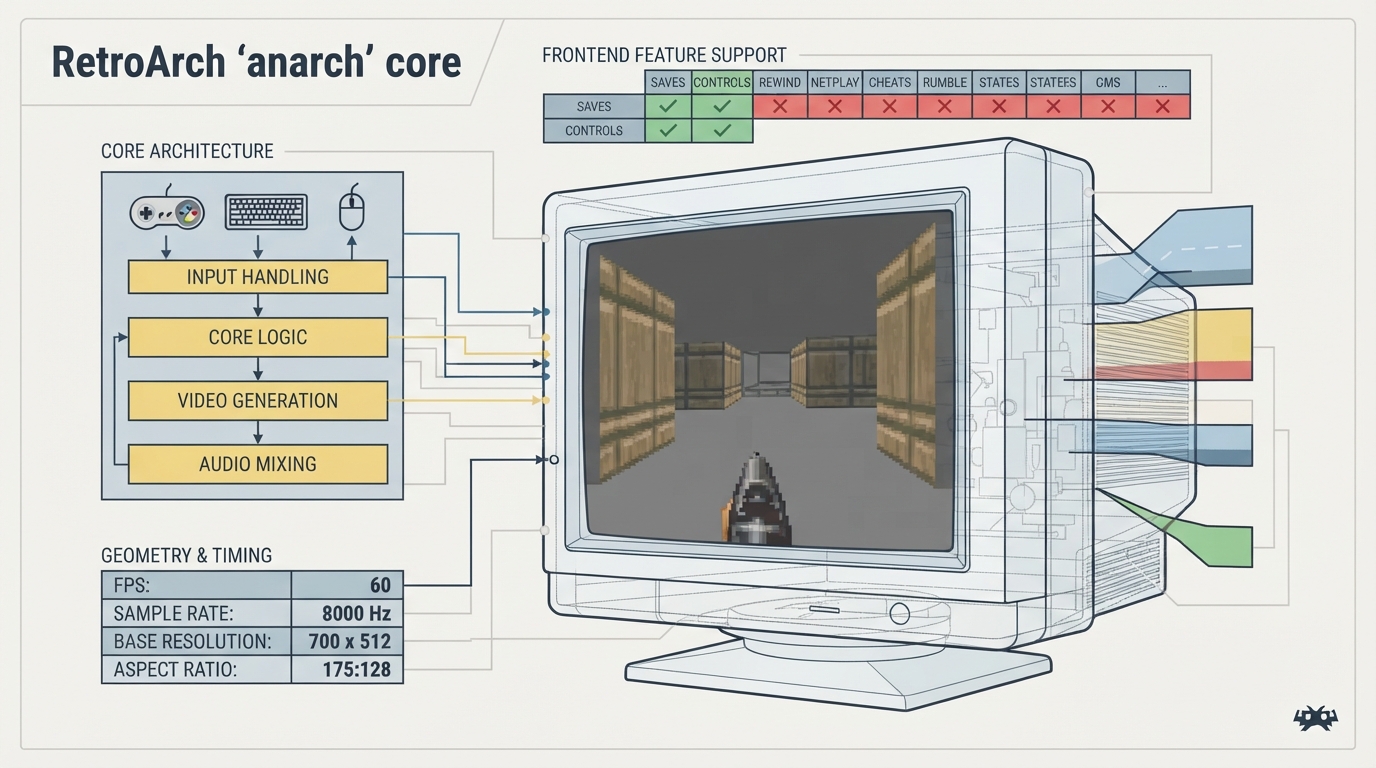
This guide summarizes the official RetroArch documentation page for the anarch core. It describes the core's background, the frontend-level features it documents as supported or unsupported, its reported geometry and timing values, and its input mappings for RetroPad, keyboard, and mouse devices. All information comes from the published documentation; the instructions here have not been hands-on tested.
Background and attribution
The documentation describes Anarch as an extremely small, completely public domain, no-dependency, no-file, portable, from-scratch 1990s-style Doom clone that runs everywhere. The core is authored by Miloslav Číž and iyzsong, and the core is listed as licensed under CC0.
Documented frontend feature support
The documentation lists which frontend-level settings and features the core respects. Saves and Controls are marked as supported. States, Rewind, Netplay, Core Options, Memory Monitoring for achievements, RetroArch Cheats, Native Cheats, Rumble, Sensors, Camera, Location, Subsystem, Softpatching, Disk Control, Username, Language, Crop Overscan, and LEDs are all marked as not supported. Restart, Remapping, and Multi-Mouse are marked with a dash rather than a check or cross.
Geometry and timing values
The core reports a provided FPS of 60 and a provided sample rate of 8000 Hz. Its base width and max width are both 700, and its base height and max height are both 512. The core-provided aspect ratio is 175/128. These are the documented values and may be useful when configuring video or audio output in RetroArch.
User 1 device types
In the controls menu, the core supports RetroPad, Keyboard, and Mouse device types for User 1. RetroPad is listed as the default.
RetroPad mapping
The documentation maps RetroPad inputs to in-game actions as follows: B is Button B, Y is Jump, Select is Menu, Start is Map, the D-pad directions are Up, Down, Left, and Right, A is Button A, X is Button C, L1 is Previous Weapon, and R1 is Next Weapon. Use these mappings when configuring a controller or remapping inputs in RetroArch.
Keyboard mapping
The documented keyboard mapping is: W for Up, S for Down, Q for Left, E for Right, J for Button A, K for Button B, L for Button C, P for Next Weapon, F for Cycle Weapon, Left Control for Button A, Left Shift for Button B, Space for Jump, Tab for Map, and Escape for Menu.
Mouse mapping
The documented mouse mapping is: moving the mouse cursor for Movement, Mouse 1 for Button A, Mouse 2 for Toggle Freelook, Mouse 3 for Cycle Weapon, Wheel Up for Previous Weapon, and Wheel Down for Next Weapon.
Reference table · Scroll horizontally to see all columns.
| Feature | Supported |
|---|---|
| Saves | Yes |
| Controls | Yes |
| Restart | - |
| States | No |
| Rewind | No |
| Netplay | No |
| Core Options | No |
| Memory Monitoring (achievements) | No |
| RetroArch Cheats | No |
| Native Cheats | No |
| Remapping | - |
| Multi-Mouse | - |
| Rumble | No |
| Sensors | No |
| Camera | No |
| Location | No |
| Subsystem | No |
| Softpatching | No |
| Disk Control | No |
| Username | No |
| Language | No |
| Crop Overscan | No |
| LEDs | No |
Reference table · Scroll horizontally to see all columns.
| Property | Value |
|---|---|
| Core provided FPS | 60 |
| Core provided sample rate | 8000 Hz |
| Base width | 700 |
| Base height | 512 |
| Max width | 700 |
| Max height | 512 |
| Core provided aspect ratio | 175/128 |
- RetroPad (default)
- Keyboard
- Mouse

Sources & references
Content responsibility: FrameTinker editorial desk. Source authors and software maintainers are credited separately below; this is not a claim of hands-on testing.
Published .
RetroArch: anarch — official gaming software documentation https://raw.githubusercontent.com/libretro/docs/master/docs/library/anarch.mdRetrieved Oct 12, 2026Something doesn’t match your setup?
Suggest a correction