

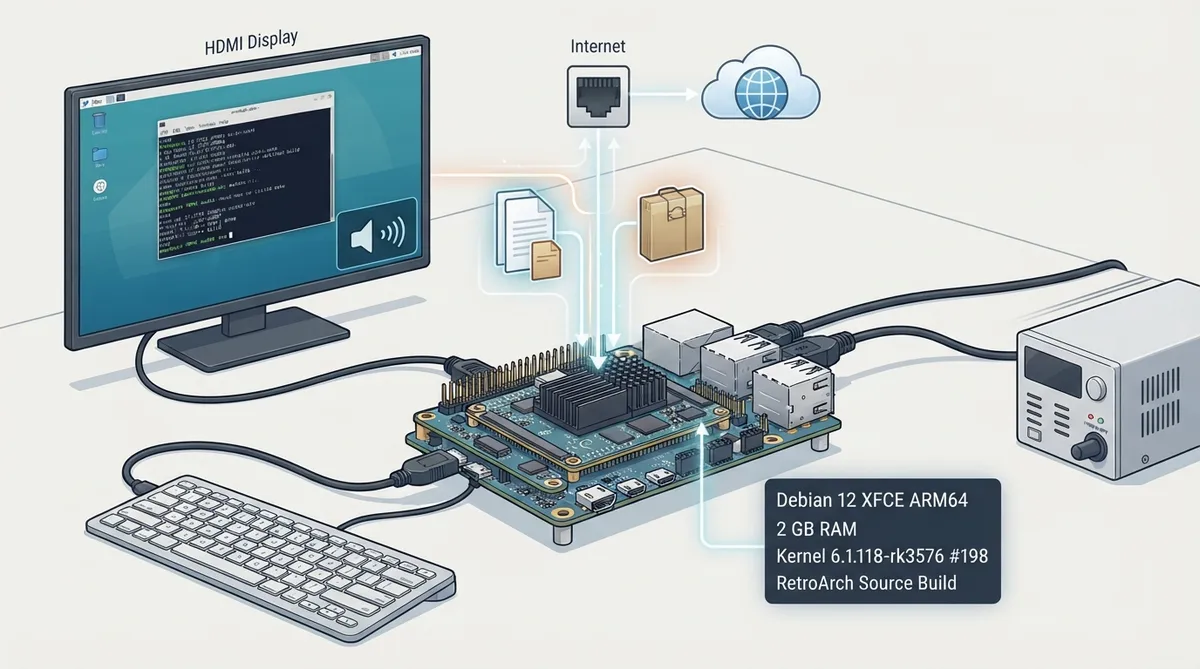
The Libretro documentation includes a guide for building RetroArch from upstream source on the ArmSoM CM5 development kit, using the board's native Debian 12 XFCE ARM64 image. The documented reference system had approximately 2 GB of RAM and kernel 6.1.118-rk3576 #198, and RetroArch 1.22.2 was built and tested on October 22, 2026. The steps below summarize that page for readers planning a source build.
Documented build basis
The guide describes the following reference environment: the ArmSoM CM5 development kit, its native Debian 12 XFCE ARM64 image, roughly 2 GB RAM, kernel 6.1.118-rk3576 #198, and RetroArch 1.22.2 as the version built and tested.
Prerequisites
- The document lists these requirements before starting:
- - ArmSoM CM5 development kit
- - Its power supply
- - An HDMI display
- - A USB keyboard
- - An internet connection
- - A display with speakers, needed to test HDMI audio
- Commands are run in Bash in a terminal on the board's XFCE desktop as a regular user with sudo access; only dependency installation requires sudo.
Step 1: Install build dependencies
Refresh the package index and install the documented dependency set with apt-get. The source lists build-essential, git, pkg-config, curl and ca-certificates, along with the development headers for ALSA, udev, X11, Xext, Xinerama, Xrandr, Xxf86vm, FreeType, zlib and OpenSSL, plus the retroarch-assets and libretro-core-info packages.
sudo apt-get update
sudo apt-get -o Dpkg::Use-Pty=0 install -y --no-install-recommends \
  build-essential git pkg-config curl ca-certificates \
  libasound2-dev libudev-dev libx11-dev libxext-dev libxinerama-dev \
  libxrandr-dev libxxf86vm-dev libfreetype6-dev zlib1g-dev libssl-dev \
retroarch-assets libretro-core-infoRemaining build and test steps
After dependency installation, the source page continues with fetching the RetroArch source, configuring and compiling the build, and testing the result, including HDMI audio through the display's speakers. Those later command sequences are not reproduced here; consult the official guide for the exact commands and any menu settings it specifies.
Sources & references
Content responsibility: FrameTinker editorial desk. Source authors and software maintainers are credited separately below; this is not a claim of hands-on testing.
Published .
RetroArch: armsom cm5 — official gaming software documentation https://raw.githubusercontent.com/libretro/docs/master/docs/guides/armsom-cm5.mdRetrieved Oct 24, 2026Something doesn’t match your setup?
Suggest a correction