

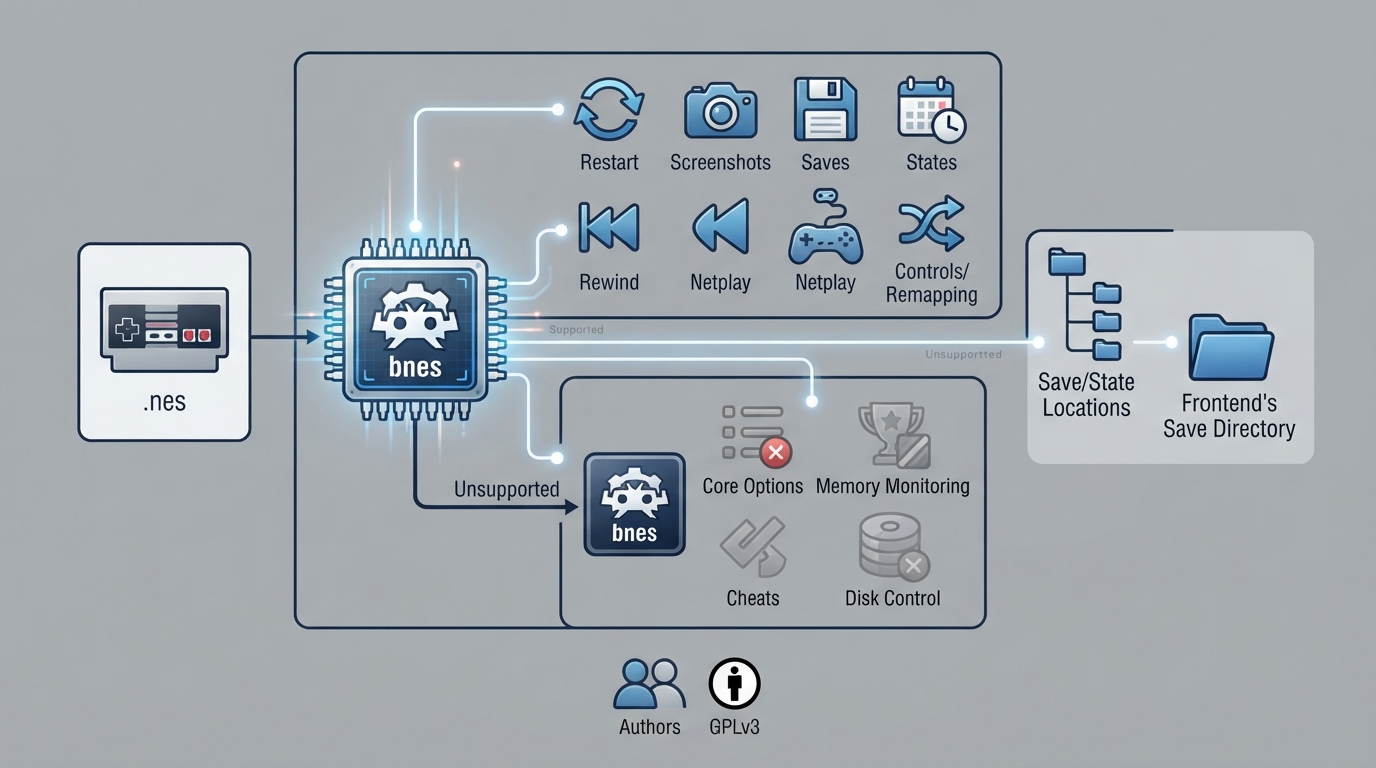
bnes is a libretro port of bNES v083, an emulation core for the Nintendo Entertainment System and Famicom, distributed for use with RetroArch. This guide summarizes the official libretro documentation for the core: its authors and license, the content it loads, the frontend features it supports, where it stores saves and states, its timing and geometry values, and its controller mapping. It reflects the published documentation rather than any hands-on testing, so treat every step as a source summary.
What the bnes core is
The bnes core is described as a port of bNES v083 to libretro, and it is authored by byuu and Ryphecha. It is licensed under GPLv3. A general summary of the licenses behind RetroArch and its cores is linked from the documentation itself.
Content and database
- The documentation specifies that content loaded by the bnes core uses the .nes file extension. The RetroArch database associated with the core is Nintendo - Nintendo Entertainment System (RDB).
Supported and unsupported frontend features
- Features the bnes core supports at the frontend level, per the documentation: Restart, Screenshots, Saves, States, Rewind, Netplay, Controls, Remapping, and Softpatching.
- Features the bnes core does not support, per the documentation: Core Options, Memory Monitoring (achievements), RetroArch Cheats, Native Cheats, Multi-Mouse, Rumble, Sensors, Camera, Location, Subsystem, Disk Control, Username, Language, Crop Overscan, and LEDs.
Saves, states, and directory names
The core's directory name is 'bnes'. Cartridge battery saves are read from and written to the frontend's Save directory using the file name pattern 'content-name'.srm. Save states are read from and written to the frontend's State directory using the pattern 'content-name'.state#.
Geometry and timing
- The documentation lists the core-provided FPS as 60, the core-provided sample rate as 32000 Hz, and the core-provided aspect ratio as 16/15.
Controller support and mapping
The core supports two user slots (User 1 and User 2), each offering the device types None, RetroPad, and RetroPad w/Analog. RetroPad is marked as the default device type for those users. The documentation states that RetroPad w/Analog offers no benefit over RetroPad here, so there is no reason to switch to it. Selecting None does not disable input according to the documentation text.
- Remap descriptors for Users 1 and 2 map to these RetroPad inputs: B, Select, Start, D-Pad Up, D-Pad Down, D-Pad Left, D-Pad Right, and A.
Documented compatibility notes
The documentation lists a small set of known game-specific issues: Crisis Force shows graphical glitches; Huge Insect does not spawn enemies; Lagrange Point has no music; the Tengen version of Ms. Pac-Man shows graphical glitches on the sides of the screen; and Skull & Crossbones crashes on start. These are the only entries the documentation provides, so they should not be read as a complete compatibility picture for the core.
Reference table · Scroll horizontally to see all columns.
| Feature | Supported |
|---|---|
| Restart | Yes |
| Screenshots | Yes |
| Saves | Yes |
| States | Yes |
| Rewind | Yes |
| Netplay | Yes |
| Controls | Yes |
| Remapping | Yes |
| Softpatching | Yes |
| Core Options | No |
| Memory Monitoring (achievements) | No |
| RetroArch Cheats | No |
| Native Cheats | No |
| Multi-Mouse | No |
| Rumble | No |
| Sensors | No |
| Camera | No |
| Location | No |
| Subsystem | No |
| Disk Control | No |
| Username | No |
| Language | No |
| Crop Overscan | No |
| LEDs | No |
Sources & references
Content responsibility: FrameTinker editorial desk. Source authors and software maintainers are credited separately below; this is not a claim of hands-on testing.
Published .
RetroArch: bnes — official gaming software documentation https://raw.githubusercontent.com/libretro/docs/master/docs/library/bnes.mdRetrieved Oct 12, 2026Something doesn’t match your setup?
Suggest a correction