

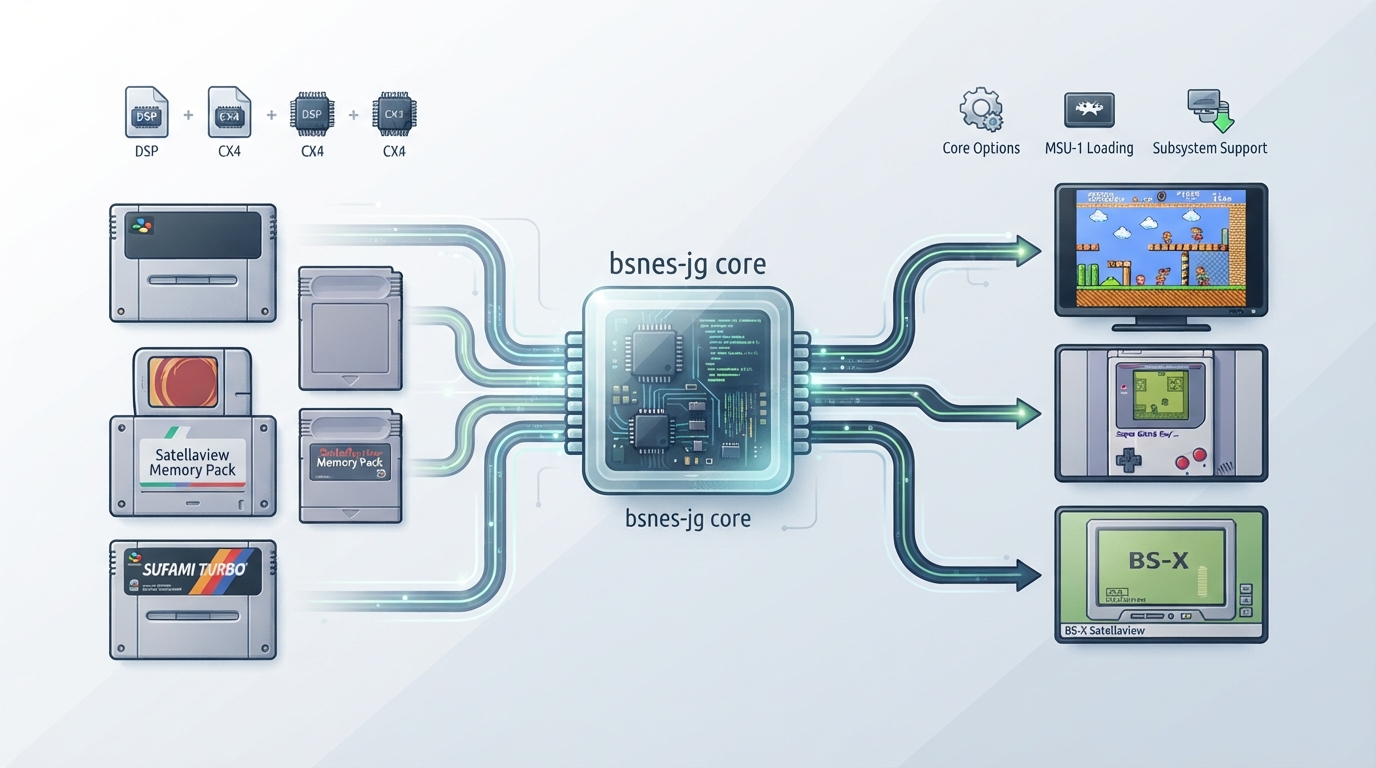
bsnes-jg is a cycle accurate emulator for the Super Famicom / Super Nintendo Entertainment System that also covers the Super Game Boy, BS-X Satellaview, and Sufami Turbo. It is a fork of bsnes v115 and its documented changes after the fork include a higher quality resampler with settings, improved performance without loss of accuracy, portability improvements, removal of accuracy-reducing hacks, increased standards compliance, and translation to the C++ Standard Library (ISO C++11).
Prerequisites and core identity
The bsnes-jg core's library name is 'bsnes-jg'. It is licensed under GPLv3, and the core has been authored by byuu and Rupert Carmichael (carmiker).
Supported content file extensions
- .sfc
- .smc
- .gb
- .gbc
- .st
- .bs
Firmware and BIOS files
Required or optional firmware files go in the frontend's system directory. The documentation lists the following co-processor firmware filenames along with their md5sums.
Subsystem workflows
bsnes-jg supports the Super Game Boy, BS-X Satellaview, and Sufami Turbo via the Subsystem API. The documented subsystem identifiers are sgb, bsx, sufami (one cart), and sufami2 (two carts).
For Super Game Boy, you need a Game Boy ROM (.gb or .gbc) and a Super Game Boy ROM. For BS-X Satellaview, you need a BS Memory dump (.bs) and the BS-X BIOS ROM. For Sufami Turbo, you need Sufami Turbo ROMs (.st) and the Sufami Turbo ROM.
The documented command-line example for the Super Game Boy subsystem is shown below. Replace the placeholders with paths on your own system.
retroarch -L {path to bsnes core} {path to Super GameBoy ROM} --subsystem sgb {path to GameBoy rom}In the RetroArch GUI, the documented Super Game Boy flow is to load the Game Boy ROM through 'Load SuperGame Boy' in RetroArch's Main Menu, then load the Super Game Boy BIOS ROM through 'Load SuperGameBoy' in RetroArch's Menu Menu, and finally start the content by selecting 'Start GameBoy' in RetroArch's Menu Menu.
Loading MSU-1 enhanced ROMs
MSU-1 is supported. To load an MSU-1 enhanced ROM, load the .sfc file that sits in the same directory as the .msu file and the audio tracks.
Core options
The core exposes the options listed in the tables below. Defaults are shown in the tables in the complementary structured section. Several options note that a restart is required to take effect, and the Internal Run-Ahead option is documented as having very high system requirements.
Save and state directories
Cartridge-based battery saves are stored as *.srm files and Real Time Clock data as *.rtc files in the frontend's save directory. States are stored as *.state# files in the frontend's state directory.
Controllers and multitap
User 1 supports the Gamepad and the SNES Mouse. User 2 supports the Gamepad, SNES Mouse, Multitap, SuperScope, and Justifier. Activating multitap support in compatible games is configured by switching to the Multitap device type for User 2.
Frontend feature support
Supported frontend-level features include Restart, Screenshots, Saves, States, Rewind, Core Options, Memory Monitoring for achievements, RetroArch Cheats, Native Cheats, Controls, Remapping, Subsystem, Softpatching, and Crop Overscan. Unsupported items include Netplay, Multi-Mouse, Rumble, Sensors, Camera, Location, Disk Control, Username, Language, and LEDs.
Documented scope and compatibility
The documentation states that the bsnes-jg core is compatible with all officially released SNES/SFC titles. That is the documented scope; it is not an independent verification of every title or ROM variant, and it does not extend to unofficial or hacked content.
Reference table · Scroll horizontally to see all columns.
| Filename | Description | md5sum |
|---|---|---|
| dsp1.data.rom | DSP1 co-processor firmware | 3d81b45fa0c2aa8b852dfb1ece7c0971 |
| dsp1.program.rom | DSP1 co-processor firmware | ae209fbe789fbf11a48aea5ab1197321 |
| dsp1b.data.rom | DSP1B co-processor firmware | 1e3f568634a7d8284020dddc0ae905bc |
| dsp1b.program.rom | DSP1B co-processor firmware | d10f446888e097cbf500f3f663cf4f6d |
| dsp2.data.rom | DSP2 co-processor firmware | e9417e29223b139c3c4b635a2a3b8744 |
| dsp2.program.rom | DSP2 co-processor firmware | aa6e5922a3ed5ded54f24247c11143c5 |
| dsp3.data.rom | DSP3 co-processor firmware | 0a81210c0a940b997dd9843281008ee6 |
| dsp3.program.rom | DSP3 co-processor firmware | d99ca4562818d49cee1f242705bba6f8 |
| dsp4.data.rom | DSP4 co-processor firmware | ee4990879eb68e3cbca239c5bc20303d |
| dsp4.program.rom | DSP4 co-processor firmware | a151023b948b90ffc23a5b594bb6fef2 |
| cx4.data.rom | CX4 co-processor firmware | 037ac4296b6b6a5c47c440188d3c72e3 |
| st010.data.rom | ST010 co-processor firmware | 254d70762b6f59f99c27c395aba7d07d |
| st010.program.rom | ST010 co-processor firmware | 1d70019179a59a566a0bb5d3f2845544 |
| st011.data.rom | ST011 co-processor firmware | 10bd3f4aa949737ab9836512c35bcc29 |
| st011.program.rom | ST011 co-processor firmware | 95222ebf1c0c2990bcf25db43743f032 |
| st018.data.rom | ST018 co-processor firmware | 49c898b60d0f15e90d0ba780dd12f366 |
| st018.program.rom | ST018 co-processor firmware | dda40ccd57390c96e49d30a041f9a9e7 |
Reference table · Scroll horizontally to see all columns.
| Subsystem | Description | Content needed |
|---|---|---|
| sgb | Super Game Boy | Game Boy ROM (.gb/.gbc) and Super Game Boy ROM |
| bsx | BS-X Satellaview | BS Memory dump (.bs) and BS-X BIOS ROM |
| sufami | Sufami Turbo (One Cart) | Sufami Turbo ROM (.st) and the Sufami Turbo ROM |
| sufami2 | Sufami Turbo (Two Carts) | Sufami Turbo ROMs (.st) and the Sufami Turbo ROM |
Reference table · Scroll horizontally to see all columns.
| Option | Setting ID | Values | Default |
|---|---|---|---|
| Delay LLE Coprocessor Sync (Restart) | bsnes_jg_coproc_delaysync | Off / On | Off |
| Prefer HLE Coprocessor Emulation (Restart) | bsnes_jg_coproc_preferhle | Off / On | Off |
| Hotfixes (Restart) | bsnes_jg_hotfixes | Off / On | Off |
| Internal Run-Ahead | bsnes_jg_runahead | 0 / 1 / 2 / 3 / 4 | 0 |
| Resampler Quality (Restart) | bsnes_jg_rsqual | Fast / Medium / Best | Fast |
| SPC Interpolation Algorithm | bsnes_jg_spc_interp | Gaussian / Sinc | Gaussian |
| Aspect Ratio | bsnes_jg_aspect | Auto / 1:1 / 8:7 / 11:8 / 4:3 | Auto |
| Mask Overscan (Top) | bsnes_jg_overscan_t | 0 / 4 / 8 / 12 / 16 / 20 | 8 |
| Mask Overscan (Bottom) | bsnes_jg_overscan_b | 0 / 4 / 8 / 12 / 16 / 20 / 21 | 8 |
| Mask Overscan (Left) | bsnes_jg_overscan_l | 0 / 4 / 8 / 12 / 16 / 20 | 0 |
| Mask Overscan (Right) | bsnes_jg_overscan_r | 0 / 4 / 8 / 12 / 16 / 20 | 0 |
| Colour Adjustment - Luminance | bsnes_jg_luminance | 0% through 100% in 10% steps | 100% |
| Colour Adjustment - Saturation | bsnes_jg_saturation | 0% through 200% in 10% steps | 100% |
| Colour Adjustment - Gamma | bsnes_jg_gamma | 100% through 200% in 10% steps | 120% |
| Competition Timer | bsnes_jg_competition_timer | 3 to 18 minutes, in 1-minute steps | 6 Minutes |
Reference table · Scroll horizontally to see all columns.
| Property | Value |
|---|---|
| Core provided FPS (NTSC) | 60.098812 |
| Core provided FPS (PAL) | 50.006979 |
| Core provided sample rate | 48000 Hz |
| Overscan and aspect ratio | Adjustable via core options |
Reference table · Scroll horizontally to see all columns.
| Directory | File | Description |
|---|---|---|
| Frontend's save directory | *.srm | Cartridge-based battery saves |
| Frontend's save directory | *.rtc | Real Time Clock data |
| Frontend's state directory | *.state# | State |
Sources & references
Content responsibility: FrameTinker editorial desk. Source authors and software maintainers are credited separately below; this is not a claim of hands-on testing.
Published .
RetroArch: bsnes jg — official gaming software documentation https://raw.githubusercontent.com/libretro/docs/master/docs/library/bsnes-jg.mdRetrieved Oct 12, 2026Something doesn’t match your setup?
Suggest a correction