

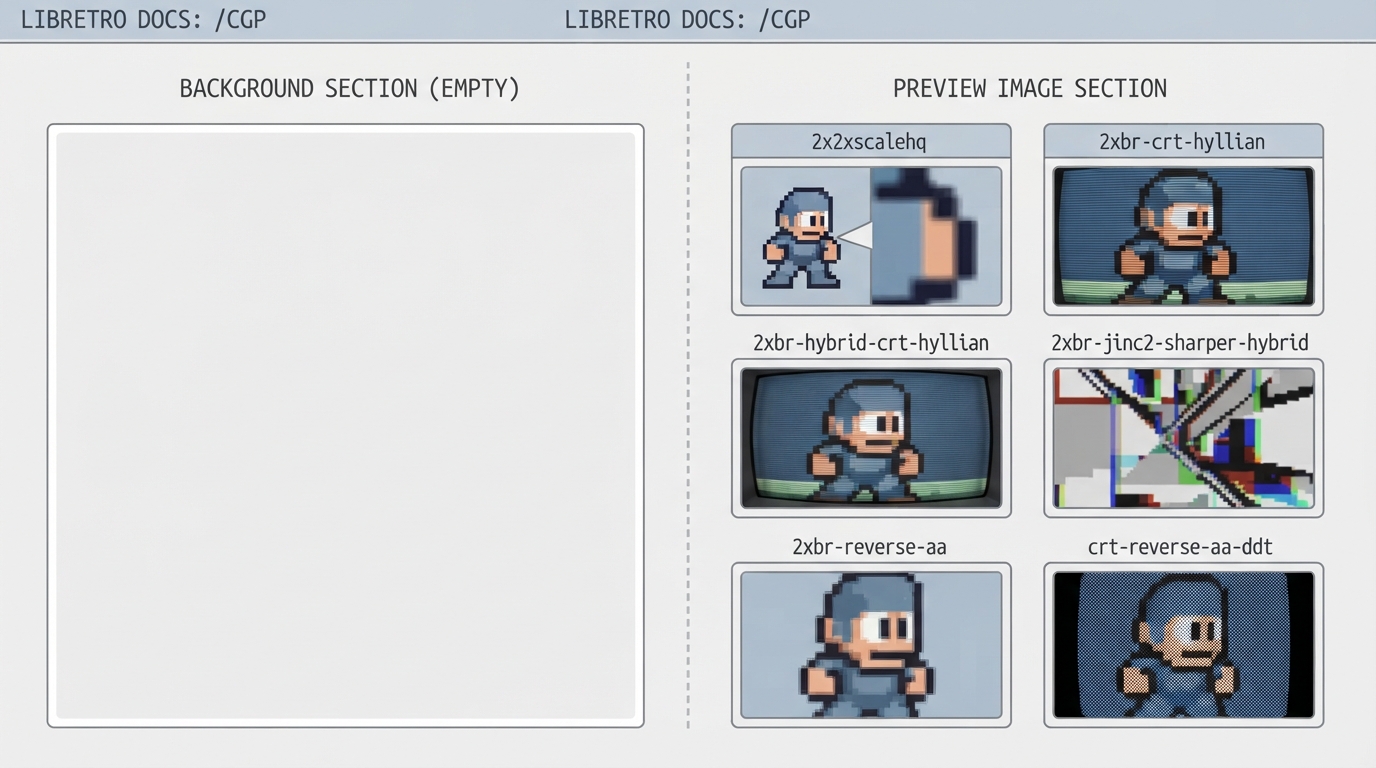
The cgp page on the libretro documentation site is a reference for the cgp shader preset family. This guide is a source summary of what that page contains and what it does not contain, so that readers know what the official documentation currently covers before trying to use these presets.
What the official page contains
In the version of the page summarized here, cgp is organized under a Background heading and a Preview Image heading. The Background section is empty, and the Preview Image section consists of thumbnail images paired with preset names. There is no prerequisites list, no installation sequence, and no settings reference on the page itself.
Preset names shown on the cgp page
- The following preset names are listed on the official cgp documentation page:
- 2x2xscalehq
- 2xbr-crt-hyllian
- 2xbr-hybrid-crt-hyllian
- 2xbr-jinc2-sharper-hybrid
- 2xbr-reverse-aa
- crt-reverse-aa-ddt
- crt-royale-kurozumi
- gameboy-colors
- gameboy-scree-n-grid
- gameboy-screen-grid+motionblur
- lowquality-lcd
- lowquality-lcd+motionblur
Why this article does not provide configuration steps
A guide template normally calls for ordered steps and a target platform or version. The official cgp page as summarized here has no Background content and no procedural text, so there is no supported sequence to reproduce. Adding installation, menu, or file-placement instructions would go beyond the source. Readers who need those details should consult other libretro documentation pages that cover shader setup.
Prerequisites and limitations
Prerequisites, concrete steps, settings, and limitations for the cgp preset family are not established by the source page. Those items remain unknown rather than absent, and they should not be inferred from the preview thumbnails.
Reference table · Scroll horizontally to see all columns.
| Preset name shown on the page |
|---|
| 2x2xscalehq |
| 2xbr-crt-hyllian |
| 2xbr-hybrid-crt-hyllian |
| 2xbr-jinc2-sharper-hybrid |
| 2xbr-reverse-aa |
| crt-reverse-aa-ddt |
| crt-royale-kurozumi |
| gameboy-colors |
| gameboy-scree-n-grid |
| gameboy-screen-grid+motionblur |
| lowquality-lcd |
| lowquality-lcd+motionblur |
Sources & references
Content responsibility: FrameTinker editorial desk. Source authors and software maintainers are credited separately below; this is not a claim of hands-on testing.
Published .
RetroArch: cgp — official gaming software documentation https://raw.githubusercontent.com/libretro/docs/master/docs/shader/cgp.mdRetrieved Oct 14, 2026Something doesn’t match your setup?
Suggest a correction