

Cel shaders in RetroArch are shaders that produce a faux cel-shaded look. According to the official documentation, these shaders work best with early 3D content that uses very low-resolution textures.
Cel shaders covered in the documentation
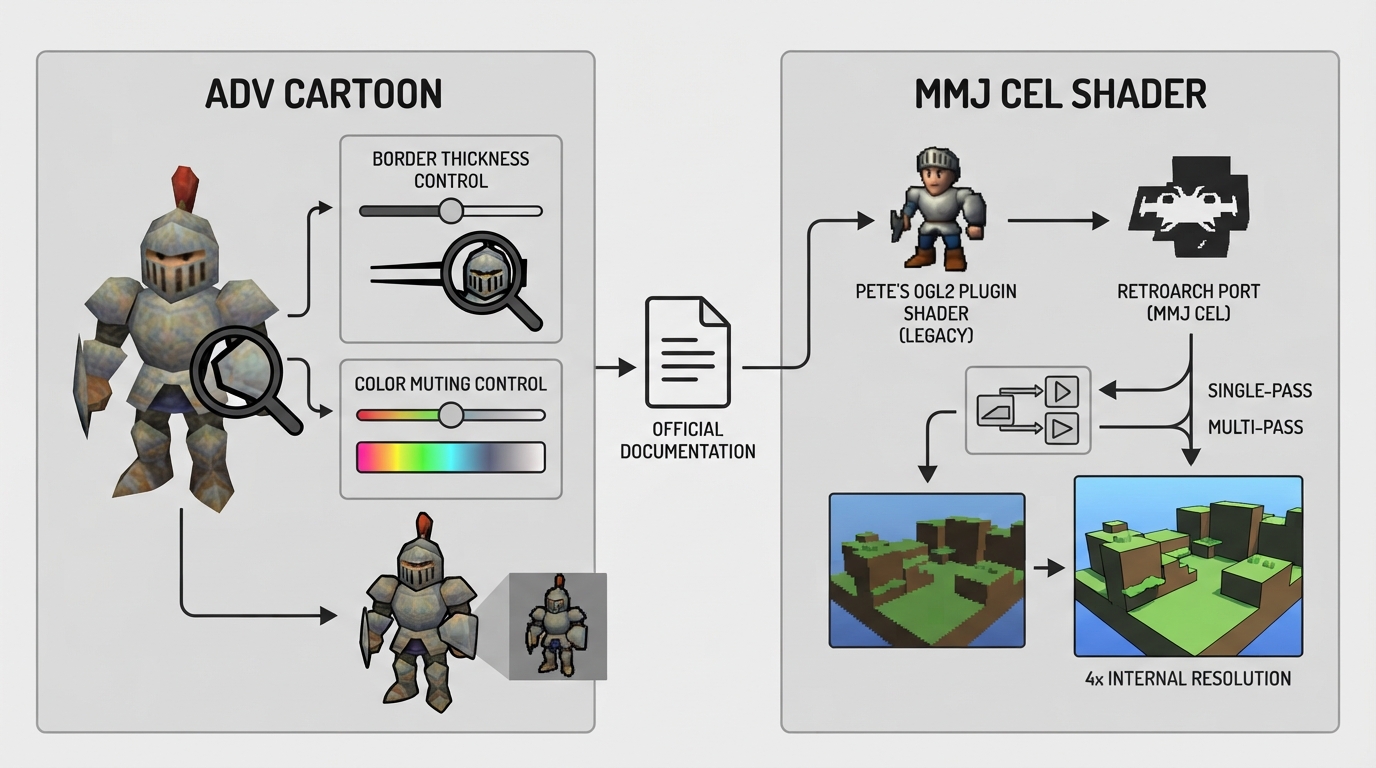
- AdvCartoon — ported from an older Pete's OGL2 plugin shader; exposes controls for border thickness and color muting.
- MMJ Cel Shader — an updated take on an older Pete's OGL2 plugin shader, brought up to date for RetroArch and offered in single-pass and multi-pass flavors.
AdvCartoon
AdvCartoon was ported from a guest contributor's older Pete's OGL2 plugin shader. The documentation states that the user can specify the thickness of the cartoon-style black border and how muted the colors become.
MMJ Cel Shader
The MMJ Cel Shader is described as a revisit of the author's old Pete's OGL2 plugin shader, updated to work with RetroArch. It is available in single-pass and multi-pass flavors, and the documentation states it works best with hardware-rendered cores running at an internal resolution scale of 4x or higher.
Choosing between the two
The source material describes the two shaders but does not compare their output or recommend one over the other. Both are presented as options within the same cel shader family.
What the documentation does not cover
The source page does not list concrete menu paths, file locations, or step-by-step configuration actions for either shader. It also does not describe troubleshooting steps or tested outcomes. Those details are not established here.
Reference table · Scroll horizontally to see all columns.
| Shader | Origin described in source | Notable options | Stated content fit |
|---|---|---|---|
| AdvCartoon | Ported from a guest's old Pete's OGL2 plugin shader | Cartoon-style black border thickness; color muting level | Early 3D content with very low-resolution textures |
| MMJ Cel Shader | Revisit of the author's old Pete's OGL2 plugin shader, updated for RetroArch | Single-pass and multi-pass flavors | Hardware-rendered cores at 4x or greater internal resolution scale |
Sources & references
Content responsibility: FrameTinker editorial desk. Source authors and software maintainers are credited separately below; this is not a claim of hands-on testing.
Published .
RetroArch: cel — official gaming software documentation https://raw.githubusercontent.com/libretro/docs/master/docs/shader/cel.mdRetrieved Oct 14, 2026Something doesn’t match your setup?
Suggest a correction