

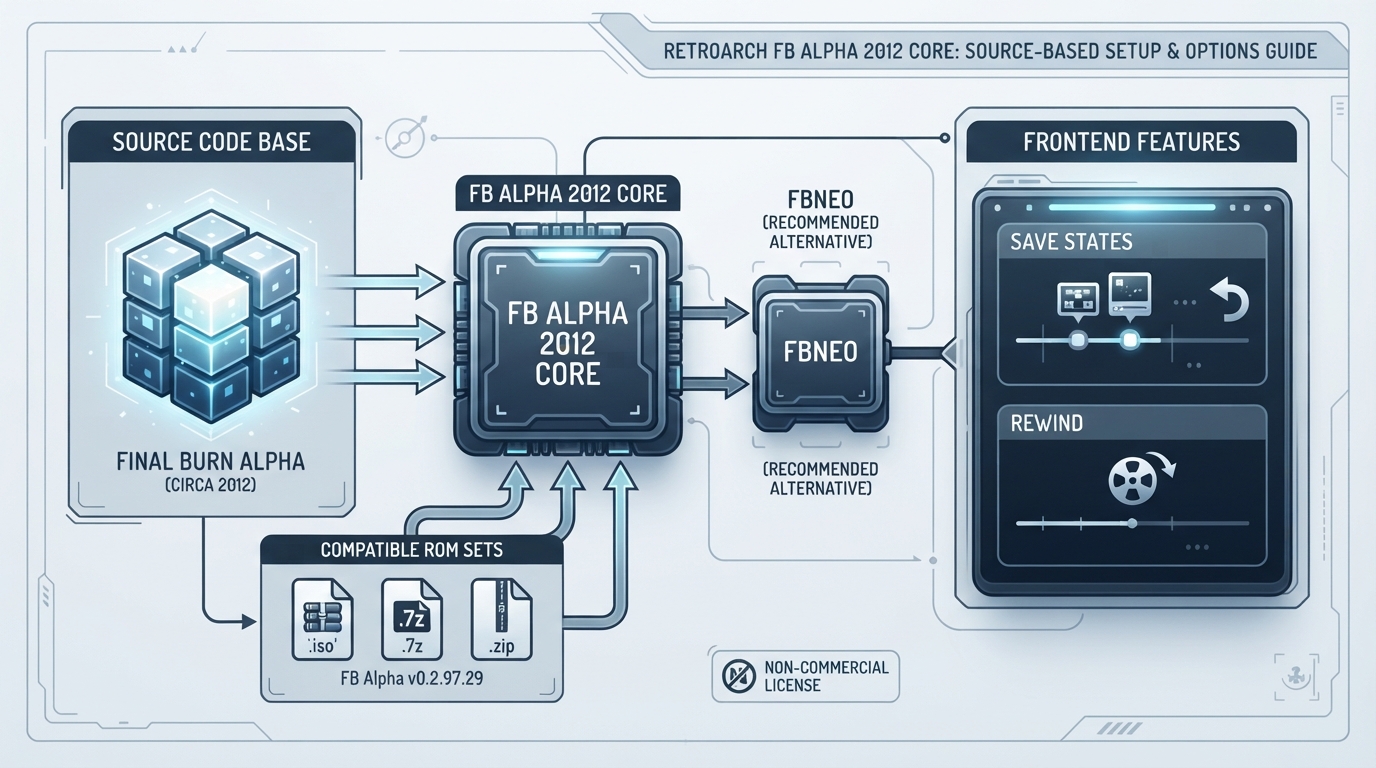
FB Alpha 2012 is an arcade emulation core for RetroArch, built from a snapshot of the Final Burn Alpha codebase taken around 2012. This guide walks through what the official documentation states about loading content, which standard frontend features the core supports, and how the core options menu behaves. It is a summary of that documentation, not a record of hands-on testing.
What the Core Is Built From
The core is based on a snapshot of the Final Burn Alpha codebase from roughly 2012. It targets FB Alpha v0.2.97.29 ROM sets, so content from other FB Alpha or FBNeo set versions is not described as compatible. The core was authored by Team FB Alpha and is distributed under a non-commercial license.
Before You Start
- Have a RetroArch installation with the FB Alpha 2012 core available in the core list.
- Have arcade content that matches FB Alpha v0.2.97.29 ROM sets.
- Have that content stored in one of the formats the core loads: .iso, .zip or .7z.
Loading Content
Content that the core can load uses the .iso, .zip and .7z file extensions. In RetroArch, the core is identified by the library name 'FB Alpha 2012', which is the name you look for when choosing which core should handle the content. Core options are set when content is loaded, so adjust them after the game is running rather than expecting them to apply beforehand.
Frontend Features the Core Supports
The documented frontend-level features that this core respects are save states and rewind. Both are standard RetroArch features that behave at the frontend level rather than as core-specific options.
Core Options and Their Defaults
The core exposes a small set of options from the core options menu. The documented defaults are the core-provided aspect ratio set to DAR, CPU overclock at 100, Diagnostic Input set to None, Hiscores enabled, and Neo Geo mode set to MVS. Diagnostic Input is only shown for games that have a diagnostic input, and Neo Geo mode is only shown for Neo Geo games. Each game's DIP switches are added as further options.
How to Adjust the Documented Options
- Core-provided aspect ratio [fbalpha2012_aspect]: defaults to DAR; the alternative is PAR. Use this when you want the core to supply the aspect ratio instead of the display settings.
- CPU overclock [fbalpha2012_cpu_speed_adjust]: defaults to 100, with steps from 110 to 200 in increments of 10. Raise it only when a game needs more headroom and you accept the change in timing behavior.
- Diagnostic Input [fbalpha2012_diagnostic_input]: defaults to None. The alternatives combine Start or Select with A and B or L and R, in either hold or press combinations. This option appears only for games that have a diagnostic input.
- Hiscores [fbalpha2012_hiscores]: enabled by default; can be disabled.
- Neo Geo mode [fbalpha2012_neogeo_mode]: defaults to MVS, with AES, UNIBIOS and DIPSWITCH as alternatives. This option appears only for Neo Geo games.
Per-Game DIP Switches
Beyond the named core options, each game's DIP switches are added to the same options area as further options. That means the exact option list you see depends on which game is loaded, and options such as Diagnostic Input or Neo Geo mode may be absent for games that do not expose them.
Limits to Keep in Mind
- The core targets FB Alpha v0.2.97.29 ROM sets specifically; other set versions are not described as compatible.
- The core is licensed for non-commercial use.
- The documentation recommends FBNeo for most users, with this core positioned as a fallback for devices that cannot run FBNeo.
Where to Report Issues and Find the Source
The core's repository and its issue tracker are both hosted on GitHub, linked below. Content acquisition is not covered here.
Reference table · Scroll horizontally to see all columns.
| Item | Documented value |
|---|---|
| Compatible ROM sets | FB Alpha v0.2.97.29 |
| Loadable file extensions | .iso, .zip, .7z |
| Library name | FB Alpha 2012 |
| License | Non-commercial |
| Default aspect ratio option | DAR |
| Default CPU overclock option | 100 |
| Default Diagnostic Input option | None |
| Default Hiscores option | enabled |
| Default Neo Geo mode option | MVS |
Sources & references
Content responsibility: FrameTinker editorial desk. Source authors and software maintainers are credited separately below; this is not a claim of hands-on testing.
Published .
RetroArch: fbalpha2012 — official gaming software documentation https://raw.githubusercontent.com/libretro/docs/master/docs/library/fbalpha2012.mdRetrieved Oct 12, 2026Something doesn’t match your setup?
Suggest a correction