

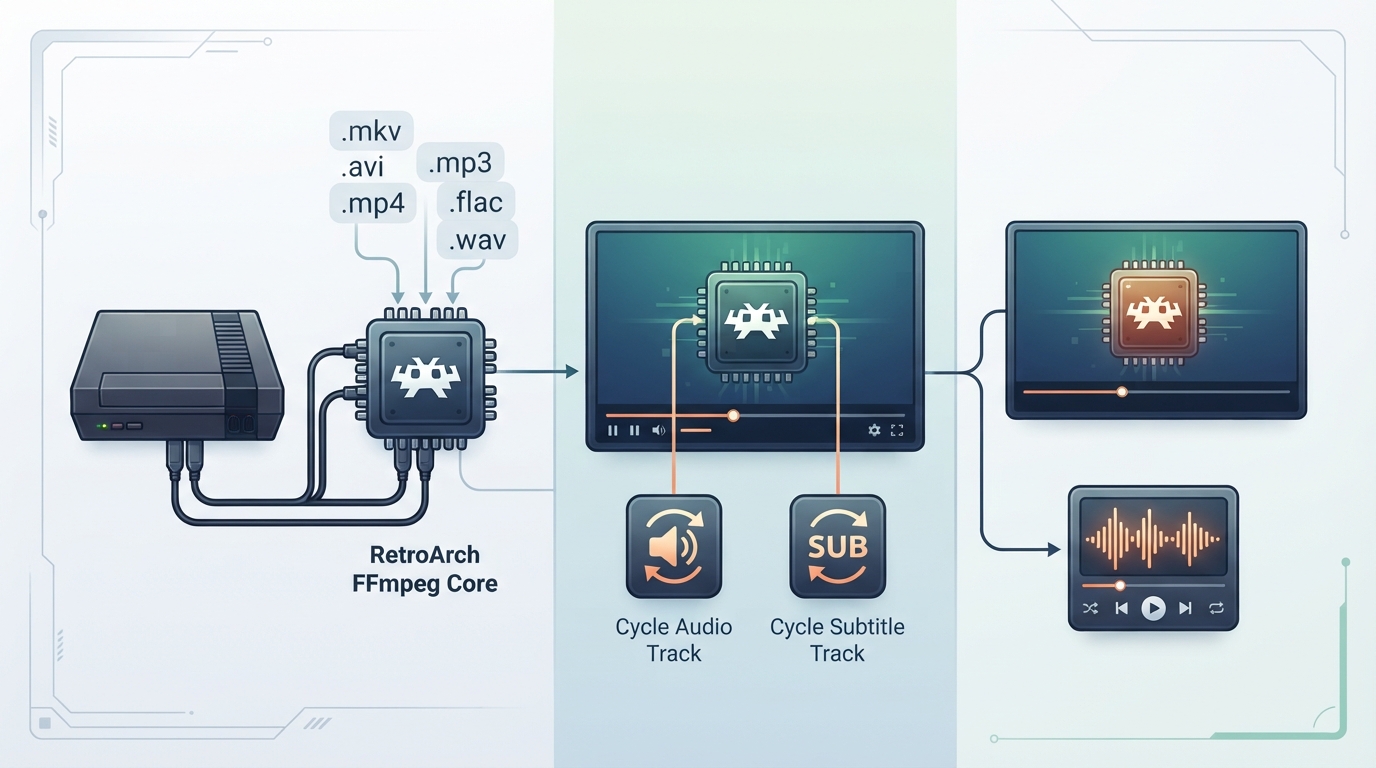
What the FFmpeg core does
The FFmpeg core is a video and music player implemented in libretro. It can play video and audio files of different formats inside RetroArch. When a video file contains more than one audio input, the core can switch between them. If a video file has a hard-coded subtitle file embedded in it, the core can switch between those subtitles in the same way.
Prerequisites
- RetroArch with the FFmpeg core available, using the FFmpeg directory name.
- A video or audio file in one of the supported extensions.
- For subtitles, a video file that already contains an embedded .SSA subtitle track; external subtitle files are not supported.
Playing media
- 1. Startup RetroArch and load the FFmpeg core (its directory name is FFmpeg).
- 2. Open a video or audio file that uses one of the supported extensions.
- 3. If the file has more than one audio input, use Cycle Audio Track to switch between them.
- 4. If the file has a hard-coded subtitle file, use Cycle Subtitle Track to switch between subtitles. .SSA subtitles should appear automatically.
- 5. Files you have played are added to the Videos section of the main menu; audio files you have played are added to the Music section.
Supported file extensions
- The FFmpeg core documents the following content extensions: .mkv, .avi, .f4v, .f4f, .3gp, .ogm, .flv, .mp4, .mp3, .flac, .ogg, .m4a, .webm, .3g2, .mov, .wmv, .mpg, .mpeg, .vob, .asf, .divx, .m2p, .m2ts, .ps, .ts, .mxf, .wma, .wav.
Frontend features the core does or does not support
The documentation lists the frontend-level settings and features the FFmpeg core respects. Supported: Restart, Screenshots, Shaders, Core Options, Controls, and Remapping. Not supported: Saves, States, Rewind, Netplay, Memory Monitoring (achievements), RetroArch Cheats, Native Cheats, Multi-Mouse, Rumble, Sensors, Camera, Location, Subsystem, Softpatching, Disk Control, Username, Language, Crop Overscan, and LEDs.
Shaders are supported and can be used to change viewing quality, including effects such as a VHS look, and can be stacked on top of each other. The source shows a VHSPro shader example.
Geometry and timing
The FFmpeg core's provided FPS, sample rate, and aspect ratio all depend on the loaded media.
Core options
- Temporal Interpolation — Off (default) or On; described as faking a higher framerate using motion blur.
- FFT Resolution — default 1280x720; also 1920x1080, 2560x1440, 3840x2160, 640x360, and 320x180; modifies the resolution of the music visualizer.
- FFT Multisample — default 1x; also 2x and 4x; modifies the antialiasing of the music visualizer.
- Colorspace — default auto; also BT.70, BT.601, FCC, and SMPTE240M; choose colorspaces from different broadcast regions and standards.
Controllers and inputs
For User 1, the documented device types are None, RetroPad (the default), and RetroPad w/Analog. A mouse can also be used: Wheel Up seeks +60 seconds and Wheel Down seeks -60 seconds. This mouse input is always active, separate from the Controls menu device types, and cannot be manually selected.
Joypad remap descriptors
- Seek +60 seconds — RetroPad D-pad up.
- Seek -60 seconds — RetroPad D-pad down.
- Seek -10 seconds — RetroPad D-pad left.
- Seek +10 seconds — RetroPad D-pad right.
- Cycle Audio Track — RetroPad L1.
- Cycle Subtitle Track — RetroPad R1.
Author and license
The FFmpeg core is documented as authored by Fabrice Bellard and the FFmpeg team, and licensed under LGPLv2 and GPLv2.
Reference table · Scroll horizontally to see all columns.
| Feature | Supported |
|---|---|
| Restart | Yes |
| Screenshots | Yes |
| Shaders | Yes |
| Saves | No |
| States | No |
| Rewind | No |
| Netplay | No |
| Core Options | Yes |
| Memory Monitoring (achievements) | No |
| RetroArch Cheats | No |
| Native Cheats | No |
| Controls | Yes |
| Remapping | Yes |
| Multi-Mouse | No |
| Rumble | No |
| Sensors | No |
| Camera | No |
| Location | No |
| Subsystem | No |
| Softpatching | No |
| Disk Control | No |
| Username | No |
| Language | No |
| Crop Overscan | No |
| LEDs | No |
Reference table · Scroll horizontally to see all columns.
| Category | Extensions |
|---|---|
| Video containers and formats | .mkv, .avi, .f4v, .f4f, .3gp, .ogm, .flv, .mp4, .webm, .3g2, .mov, .wmv, .mpg, .mpeg, .vob, .asf, .divx, .m2p, .m2ts, .ps, .ts, .mxf |
| Audio formats | .mp3, .flac, .ogg, .m4a, .wma, .wav |
Reference table · Scroll horizontally to see all columns.
| Option | Default | Other values | Description |
|---|---|---|---|
| Temporal Interpolation | Off | On | Fakes a higher framerate using motion blur. |
| FFT Resolution | 1280x720 | 1920x1080, 2560x1440, 3840x2160, 640x360, 320x180 | Modifies the resolution of the music visualizer. |
| FFT Multisample | 1x | 2x, 4x | Modifies the antialiasing of the music visualizer. |
| Colorspace | auto | BT.70, BT.601, FCC, SMPTE240M | Chooses colorspaces from different broadcast regions and standards. |
Reference table · Scroll horizontally to see all columns.
| RetroPad Input | Action |
|---|---|
| D-pad up | Seek +60 seconds |
| D-pad down | Seek -60 seconds |
| D-pad left | Seek -10 seconds |
| D-pad right | Seek +10 seconds |
| L1 | Cycle Audio Track |
| R1 | Cycle Subtitle Track |
Reference table · Scroll horizontally to see all columns.
| Mouse Input | Action |
|---|---|
| Wheel Up | Seek +60 seconds |
| Wheel Down | Seek -60 seconds |
Sources & references
Content responsibility: FrameTinker editorial desk. Source authors and software maintainers are credited separately below; this is not a claim of hands-on testing.
Published .
RetroArch: ffmpeg — official gaming software documentation https://raw.githubusercontent.com/libretro/docs/master/docs/library/ffmpeg.mdRetrieved Oct 13, 2026Something doesn’t match your setup?
Suggest a correction