

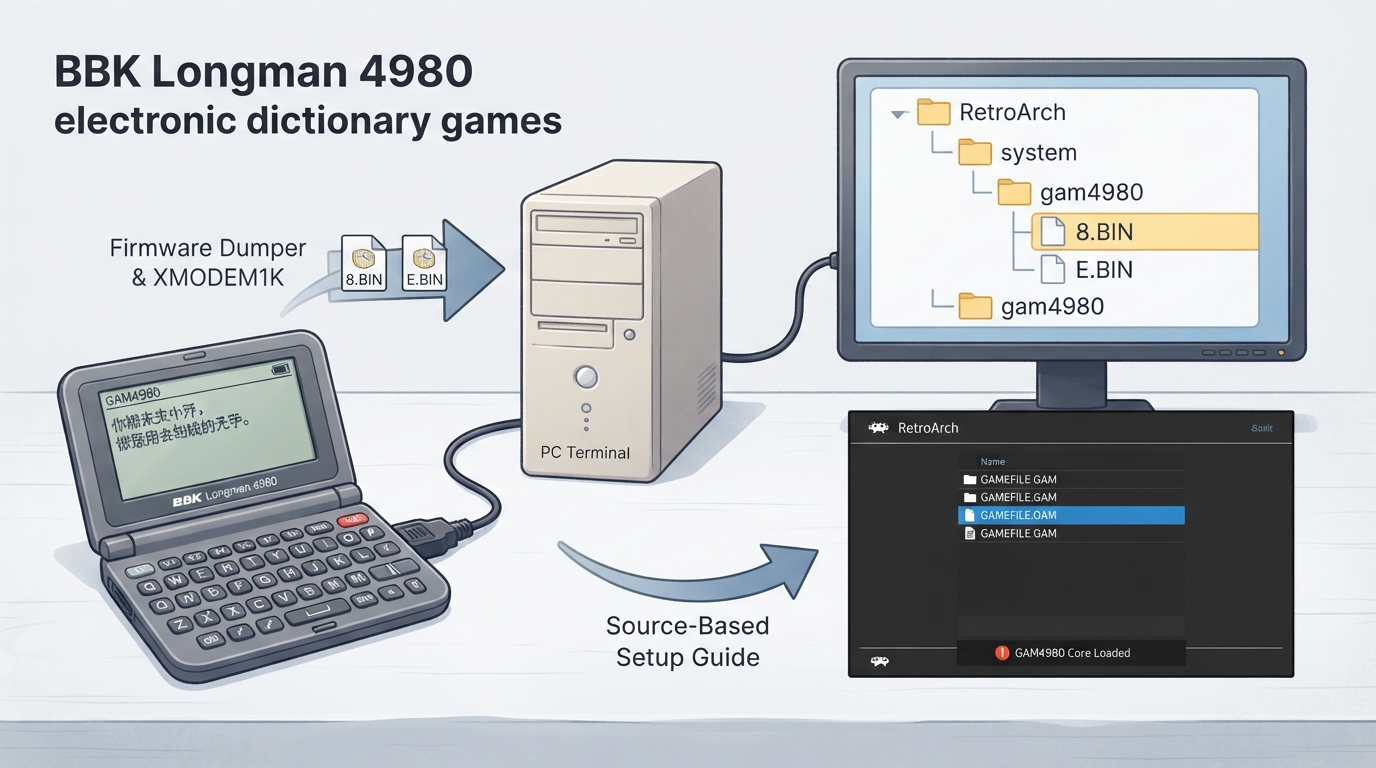
GAM4980 is a libretro core for playing BBK Longman 4980 electronic dictionary games. The official libretro library documentation lists two authors for the core and states that it is distributed under GPLv3+. This guide restates the documented setup requirements, supported content, core-level features and input mapping so you can prepare the core in a RetroArch frontend.
Prerequisites
- A RetroArch or other libretro frontend installation that can load the GAM4980 core.
- The GAM4980 core itself.
- The two required firmware files, placed in the frontend's system directory.
- A BBK4980 (or 4988/5980) device with the firmware dumper and a PC terminal that supports XMODEM1K, if you need to extract the firmware yourself.
- Content in the .gam format.
Step 1: Obtain and place the required firmware
The documentation states that required firmware files go in the frontend's system directory. Two files are listed: gam4980/8.BIN, described as the font ROM dumped from 0x800000-0x9fffff, and gam4980/E.BIN, described as the system ROM dumped from 0xe00000-0xffffff.
According to the documentation, the firmware is obtained by running a rom dumper on a BBK4980 (or 4988/5980) device and transferring the result to a PC using an XMODEM1K terminal. The documentation links a dumper release from the ba4980-c-sdk project, but does not provide the firmware files themselves. You are responsible for sourcing and dumping firmware from hardware you own.
Step 2: Load supported content
The GAM4980 core loads content with the .gam file extension. After the firmware files are in the system directory, launch a .gam file through your frontend and select the GAM4980 core when prompted.
Step 3: Confirm supported core features
The documentation lists which frontend-level features the core respects. Saves, save states, rewind, core options, RetroArch cheats, controls and remapping are marked as supported. Restart, memory monitoring for achievements, native cheats, multi-mouse, rumble, sensors, camera, disk control, username, language, crop overscan and LED support are marked as not supported. Netplay and softpatching are listed with a dash, meaning the page does not state support either way.
Step 4: Account for video geometry and timing
The documented core-provided frame rate is 60.0 FPS. The base and maximum width are both 159 pixels, the base and maximum height are both 96 pixels, and the core-provided aspect ratio is 5/3. These values describe the core's native output rather than a display configuration you must set.
Step 5: Map the default controls
The core exposes a single user device type, described in the documentation as Joypad. The default RetroPad mapping assigns Exit to B, Help to Y, Insert to Select, Search to Start, the four directions to the D-pad, Enter to A, R to X, Page Up to L1, Page Down to R1, Modify to L2, Del to R2, A to L3 and Z to R3. The documentation also notes alternate labels for some actions on the 4988 model: Help is Z, Insert is Shift, Search is ZY, Modify is Space, Del is X, and Z is S.
Limitations and scope
- The documentation does not describe troubleshooting steps, error messages or recovery procedures for missing or mismatched firmware.
- It does not state whether the firmware files are interchangeable between the 4980, 4988 and 5980 models, only that a dumper can be run on those devices.
- Netplay and softpatching support remain undetermined by the source page.
- No independent or hands-on verification of these instructions has been performed.
Reference table · Scroll horizontally to see all columns.
| Feature | Supported |
|---|---|
| Restart | No |
| Saves | Yes |
| States | Yes |
| Rewind | Yes |
| Netplay | Not stated |
| Core Options | Yes |
| Memory Monitoring (achievements) | No |
| RetroArch Cheats | Yes |
| Native Cheats | No |
| Controls | Yes |
| Remapping | Yes |
| Multi-Mouse | No |
| Rumble | No |
| Sensors | No |
| Camera | No |
Reference table · Scroll horizontally to see all columns.
| RetroPad Input | Action | 4988 Label |
|---|---|---|
| B | Exit | |
| Y | Help | Z |
| Select | Insert | Shift |
| Start | Search | ZY |
| D-pad Up | Up | |
| D-pad Down | Down | |
| D-pad Left | Left | |
| D-pad Right | Right | |
| A | Enter | |
| X | R | |
| L1 | Page Up | |
| R1 | Page Down | |
| L2 | Modify | Space |
| R2 | Del | X |
| L3 | A | |
| R3 | Z | S |
Sources & references
Content responsibility: FrameTinker editorial desk. Source authors and software maintainers are credited separately below; this is not a claim of hands-on testing.
Published .
RetroArch: gam4980 — official gaming software documentation https://raw.githubusercontent.com/libretro/docs/master/docs/library/gam4980.mdRetrieved Oct 13, 2026Something doesn’t match your setup?
Suggest a correction