

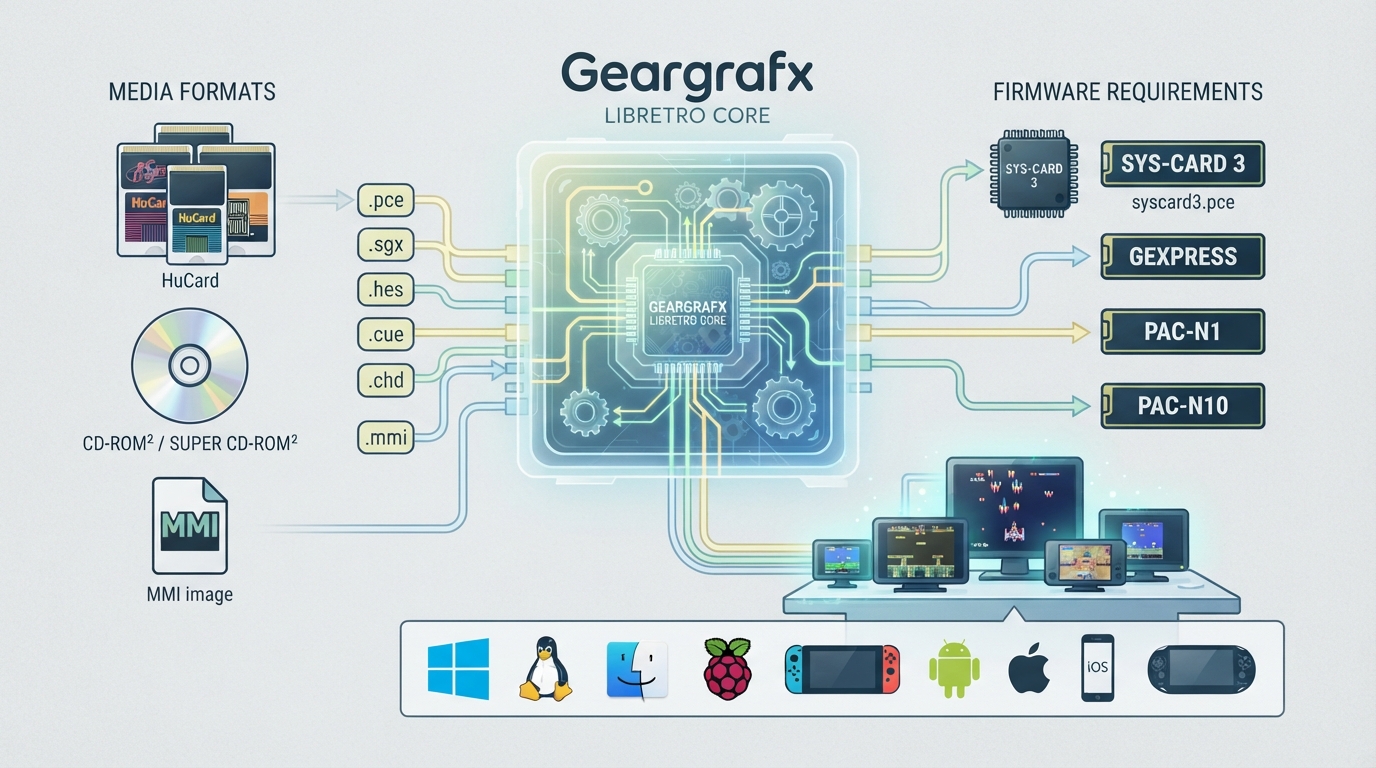
Geargrafx is an open source, cross-platform emulator for the PC Engine, TurboGrafx-16, and SuperGrafx, written in C++ and distributed as a libretro core for RetroArch. It is authored by Nacho Sanchez (drhelius) and licensed under GPLv3. This guide summarizes the official libretro library documentation for the core: what it runs, which platforms it targets, the firmware files it needs, and how a few central settings behave. The steps here are drawn from the documentation and have not been hands-on tested.
What the core supports
According to the documentation, the core provides accurate emulation covering the HuCard PCE and SGX catalog, plus the CD-ROM², Super CD-ROM², and Arcade CD-ROM² systems. It supports NEC LaserActive LD-ROM² through MMI images on 64-bit builds, Backup RAM and Memory Base 128, Multi Tap for up to five players, and controllers including the standard two-button gamepad, Avenue Pad 3, Avenue Pad 6, and PC Engine Mouse. Scanline count is adjustable, and Standard RGB, Turboxray, and Kitrinx color palettes are available. HES music ROMs are supported, and an internal database handles automatic ROM detection and hardware selection when the System option is set to Auto.
Supported platforms
The libretro documentation lists these platforms for the core: Windows, Linux, macOS, Raspberry Pi, Android, iOS, tvOS, webOS, PlayStation Vita, PlayStation 3, Nintendo 3DS, Nintendo GameCube, Nintendo Wii, Nintendo WiiU, Nintendo Switch, Emscripten, Classic Mini systems such as NES, SNES, and C64, OpenDingux, RetroFW, and QNX.
BIOS and firmware files
CD-ROM and LaserActive games require a BIOS file, which goes in RetroArch's system directory. System Card 3 is recommended for standard CD-ROM games, though some titles require a different System Card or the Game Express BIOS. You choose the BIOS to use from the core options menu.
- System Card 3 — syscard3.pce — Super CD-ROM2 System V3.xx, marked Required
- System Card 2 — syscard2.pce — CD-ROM System V2.xx, Optional
- System Card 1 — syscard1.pce — CD-ROM System V1.xx, Optional
- Game Express CD Card — gexpress.pce — Optional
- Japanese LaserActive PAC-N1 firmware — pac-n1.bin
- Japanese LaserActive PCE-LP1 firmware — pce-lp1.bin, an alternative to PAC-N1
- US LaserActive PAC-N10 firmware — pac-n10.bin
The CD BIOS option defaults to System Card 3. Known Game Express games automatically use gexpress.pce, and a Force Game Express option exists for unrecognized or modified discs. LaserActive LD-ROM² games require firmware matching the selected LaserActive Region: pac-n1.bin or pce-lp1.bin for Japan, or pac-n10.bin for the US. The core tries pac-n1.bin first and falls back to pce-lp1.bin if it cannot be loaded. MMI images that specify an external System Card or Game Express card require that BIOS instead.
File extensions and CD image formats
The core loads content with these extensions: .pce, .sgx, .hes, .cue, .chd, and .mmi. It supports CHD, cue/bin, cue/img, and cue/iso CD-ROM images. CUE audio tracks can use raw BIN, WAV (44.1 kHz, 16-bit stereo), or Ogg Vorbis (44.1 kHz stereo) files. MP3 audio tracks are not supported.
MMI images cover NEC LaserActive LD-ROM² and compatible CD-ROM media. Loading .mmi files requires a 64-bit core. Load the MMI file directly; disc and side selection is handled through RetroArch's disk controls, which means ejecting the current disc, choosing another disc index, and inserting again. External image replacement and M3U playlists are not supported, and disk controls are not available for standalone CUE or CHD images.
Core options worth knowing
The core options menu exposes settings like System, Aspect Ratio, Overscan, Scanline Count, LaserActive Aspect Ratio, LaserActive Vertical Overscan, LaserActive Horizontal Overscan, Color Palette, CD-ROM Model, CD BIOS, and LaserActive Region. A few of these behave in ways worth calling out when configuring the core.
System (marked restart) chooses the console type to emulate: Auto, PC Engine (JAP), SuperGrafx (JAP), or TurboGrafx-16 (USA). Auto detects the appropriate console type based on the loaded content. The documentation warns that many US games will not start if a Japanese system is detected.
Aspect Ratio controls the presentation of PC Engine content and offers 1:1 PAR (square pixels), 4:3 DAR, 6:5 DAR, 16:9 DAR, 16:10 DAR, and Dot Clock PAR. Dot Clock PAR shapes pixels like a CRT based on the active dot clock (8:7 at 5.36 MHz, 6:7 at 7.16 MHz, 4:7 at 10.8 MHz) and is the recommended choice when Overscan is set to Auto, since proportions stay correct as image width changes. LaserActive content uses its own LaserActive Aspect Ratio option instead.
Overscan sets how horizontal borders are shown. Disabled displays a fixed 256, 341, or 512 pixel window depending on the dot clock, cutting games that render wider images at the edges. Enabled widens the window to 280, 373, or 560 pixels to include the borders. Auto crops to the area displayed by the game, with the width ranging between the Disabled and Enabled sizes, so it varies between games.
CD-ROM Model (marked restart) selects the CD-ROM system type: Auto, Standard, Super CD-ROM, or Arcade CD-ROM. Auto enables CD-ROM hardware only for CD media and picks the appropriate system from the loaded content, leaving CD-ROM hardware disabled for HuCards. Choosing an explicit model also enables CD-ROM hardware for HuCards while preserving their ROM and cartridge RAM mapping.
Preload CD-ROM (marked restart) can load CUE/BIN tracks or CHD data into RAM, which increases memory usage but may improve performance. MMI media is streamed and is not affected by this option.
Controller mapping
The documentation provides a button mapping table. RetroPad D-Pad directions map directly to the PCE pad, Select maps to Select, Start maps to Run, A maps to I, and B maps to II. On the Avenue Pad 3, Y maps to III (mapped to Select or Run depending on configuration) and X maps to IV, using the opposite Select/Run mapping. On the Avenue Pad 6, Y maps to III, X maps to IV, L1 maps to V, and R1 maps to VI. L2 toggles Turbo II and R2 toggles Turbo I when turbo toggling is enabled.
For the PC Engine Mouse, select Mouse as the device type for controller port 1. Only one mouse is active at a time, and movement is adjusted with the Mouse Sensitivity core option.
Save files and directories
The core's library name is Geargrafx. Backup RAM saves use the .srm extension in the frontend's Save directory. Memory Base 128 uses a single shared save file named geargrafx_mb128.sav across games when the device is enabled. Save states go in the frontend's State directory with the .state# extension.
The Geargrafx core is designed to run PC Engine, TurboGrafx-16, SuperGrafx, and related CD-based content through RetroArch, with configurable BIOS selection, disc and image handling, display framing, and input mapping. The libretro documentation page for the core remains the authoritative reference for the exact option values and BIOS filenames.
Reference table · Scroll horizontally to see all columns.
| Filename | Description | Requirement |
|---|---|---|
| syscard3.pce | Super CD-ROM2 System V3.xx | Required |
| syscard2.pce | CD-ROM System V2.xx | Optional |
| syscard1.pce | CD-ROM System V1.xx | Optional |
| gexpress.pce | Game Express CD Card | Optional |
| pac-n1.bin | Japanese LaserActive PAC-N1 firmware | For Japan region MMI media |
| pce-lp1.bin | Japanese LaserActive PCE-LP1 firmware, alternative to PAC-N1 | Fallback for Japan region |
| pac-n10.bin | US LaserActive PAC-N10 firmware | For US region MMI media |
Sources & references
Content responsibility: FrameTinker editorial desk. Source authors and software maintainers are credited separately below; this is not a claim of hands-on testing.
Published .
RetroArch: geargrafx — official gaming software documentation https://raw.githubusercontent.com/libretro/docs/master/docs/library/geargrafx.mdRetrieved Oct 13, 2026Something doesn’t match your setup?
Suggest a correction