

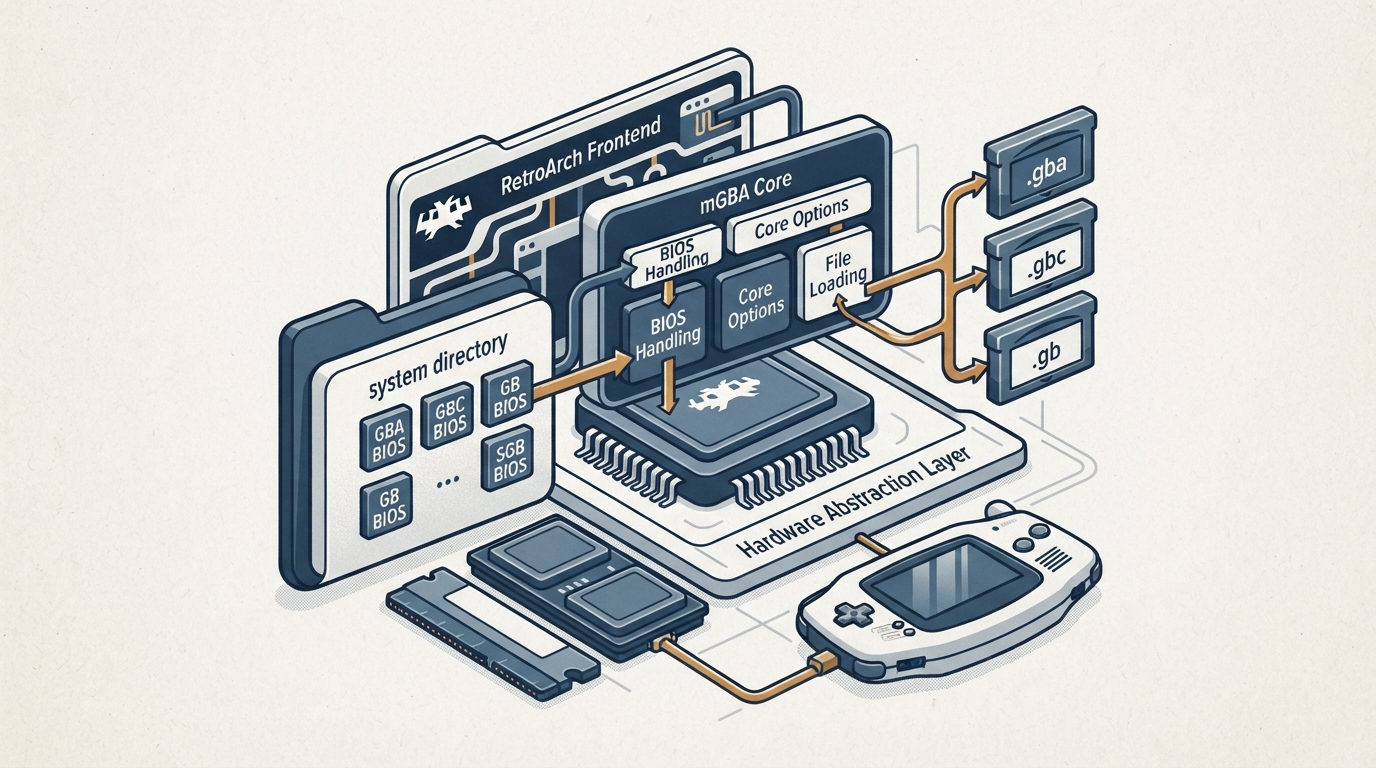
mGBA is an emulator for running Game Boy Advance games, and it also supports Game Boy and Game Boy Color games. The mGBA core in RetroArch is authored by endrift and licensed under MPLv2.0. The steps below summarize the official core documentation.
Before You Start
- Content with one of the supported file extensions. The mGBA core loads content with the .gb, .gbc, and .gba extensions. Optional BIOS files, if you want to use them, placed in the frontend's system directory. The system directory is where the frontend expects required or optional firmware files.
Optional BIOS Files
Required or optional firmware files go in the frontend's system directory. For the BIOS to be used at all, the 'Use BIOS file if found' core option must be set to On.
Core Options
The core exposes options in the core options menu. The documentation notes that settings marked (Restart) require the core to be closed for the new setting to be applied on the next launch. Default values are shown below.
The 'Idle loop removal' option optimizes game performance by driving the GBA CPU less hard, and the documentation suggests using it on low-powered hardware that is struggling with game performance.
Save and State Directories
The core's library name is 'mGBA'. It saves and loads cartridge battery saves with the *.srm extension in the frontend's Save directory, and states in the frontend's State directory.
Rumble
According to the documentation, rumble works only when the content being run has rumble support (for example, cartridges with a Rumble Pak), the frontend being used has rumble support, and the joypad device being used has rumble support.
Joypad Inputs
The documented input mapping maps Game Boy Advance controls onto RetroPad inputs. Turbo L and Turbo R share the L2 and R2 inputs, and the Solar Sensor functions are mapped to L3 and R3.
Reporting Compatibility Issues
The documentation directs game bug reports to the mGBA issue tracker.
Reference table · Scroll horizontally to see all columns.
| Filename | Description | md5sum |
|---|---|---|
| gba_bios.bin | Game Boy Advance BIOS - Optional | a860e8c0b6d573d191e4ec7db1b1e4f6 |
| gb_bios.bin | Game Boy BIOS - Optional | 32fbbd84168d3482956eb3c5051637f5 |
| gbc_bios.bin | Game Boy Color BIOS - Optional | dbfce9db9deaa2567f6a84fde55f9680 |
| sgb_bios.bin | Super Game Boy BIOS - Optional | d574d4f9c12f305074798f54c091a8b4 |
Reference table · Scroll horizontally to see all columns.
| Feature | Supported |
|---|---|
| Restart | Yes |
| Saves | Yes |
| States | Yes |
| Rewind | Yes |
| Netplay | No |
| Core Options | Yes |
| Memory Monitoring (achievements) | Yes |
| RetroArch Cheats | Yes |
| RetroArch SaveRAM Autosave Interval support | Yes |
| Native Cheats | No |
| Controls | Yes |
| Remapping | Yes |
| Multi-Mouse | No |
| Rumble | Yes |
| Sensors | No |
| Camera | No |
| Location | No |
| Subsystem | No |
| Softpatching | Yes |
| Disk Control | No |
| Username | No |
| Language | No |
| Crop Overscan | No |
| LEDs | No |
Reference table · Scroll horizontally to see all columns.
| Option (setting key) | Default | Values / notes |
|---|---|---|
| Solar sensor level (mgba_solar_sensor_level) | 0 | 0-10; usable by games that employed a solar sensor on their cartridges (e.g. Boktai games) |
| Allow opposing directional input (mgba_allow_opposing_directions) | OFF | OFF or ON; allows opposing directional inputs such as Up with Down |
| Game Boy model (mgba_gb_model) (requires restart) | Autodetect | Autodetect, Game Boy, Super Game Boy, Game Boy Color, or Game Boy Advance |
| Use BIOS file if found (mgba_use_bios) | ON | OFF or ON; uses BIOS present in the system directory |
| Skip BIOS intro (mgba_skip_bios) | OFF | OFF or ON; requires 'Use BIOS file if found' to be set to On for proper operation |
| Use Super Game Boy borders (mgba_sgb_borders) (requires restart) | ON | OFF or ON; displays Super Game Boy borders for Super Game Boy enhanced games |
| Idle loop removal (mgba_idle_optimization) | Remove Known | Remove Known, Detect and Remove, or Don't Remove; optimizes game performance by driving the GBA CPU less hard |
| Frameskip (mgba_frameskip) | 0 | 0-10; choose how many frames are skipped to improve performance at the expense of visual smoothness |
Reference table · Scroll horizontally to see all columns.
| Game Boy Advance input | RetroPad input |
|---|---|
| B | B |
| Turbo B | Y |
| Select | Select |
| Start | Start |
| Up | D-pad Up |
| Down | D-pad Down |
| Left | D-pad Left |
| Right | D-pad Right |
| A | A |
| Turbo A | X |
| L | L1 |
| R | R1 |
| Turbo L | L2 |
| Turbo R | R2 |
| Darken Solar Sensor | L3 |
| Brighten Solar Sensor | R3 |
Sources & references
Content responsibility: FrameTinker editorial desk. Source authors and software maintainers are credited separately below; this is not a claim of hands-on testing.
Published .
RetroArch: mgba — official gaming software documentation https://raw.githubusercontent.com/libretro/docs/master/docs/library/mgba.mdRetrieved Oct 13, 2026Something doesn’t match your setup?
Suggest a correction