

Overview
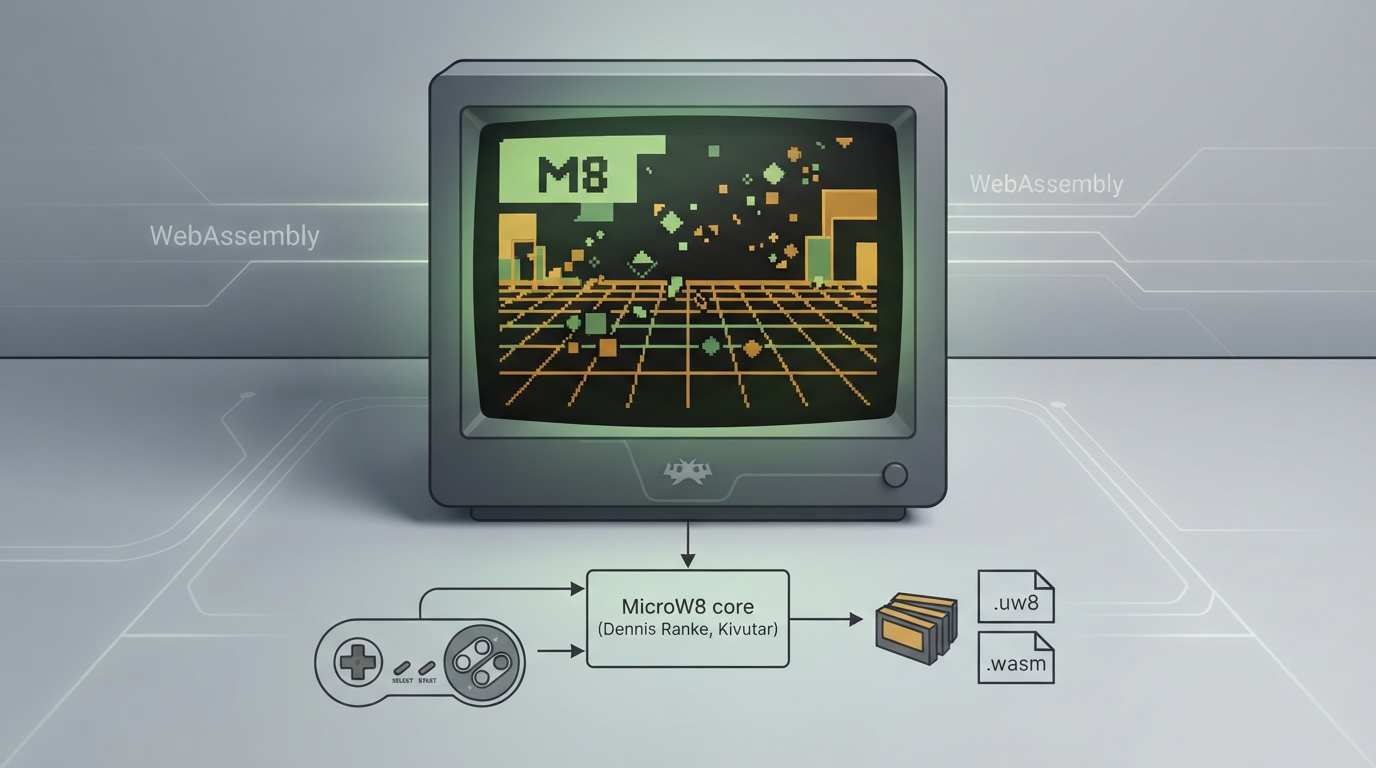
MicroW8 is a WebAssembly based fantasy console usable for size-coding or larger games. RetroArch supports it through a dedicated core, and the official documentation page describes what that core accepts, which frontend-level features it respects, and how its controls are mapped.
Core details
The MicroW8 core is credited to Dennis Ranke and Kivutar, and is released under the Unlicense. RetroArch itself and its other cores are covered by a separate license summary.
Content the core can load
Content loadable by the MicroW8 core uses the .uw8 and .wasm file extensions. A corresponding MicroW8 database entry exists in the libretro database for identification and metadata. If your content file uses a different extension, the core is not documented as accepting it.
Frontend features the core respects
The documentation lists the frontend-level settings and features the MicroW8 core supports. Restart, save states, rewind, netplay, controls and remapping are supported. This means you can restart content, save and reload states, rewind gameplay, use netplay, and adjust control bindings and remaps through RetroArch.
Several features are marked as unsupported: saves, core options, memory monitoring for achievements, RetroArch cheats, native cheats, multi-mouse, rumble, sensors, camera, location, subsystem, softpatching, disk control, username, language, crop overscan and LEDs. Because core options and cheats are unsupported, there are no per-core option menus or cheat files to configure for this core.
Geometry and timing
The core reports a provided FPS of 60 and a sample rate of 44100. Its base and maximum width is 320 pixels, and its base and maximum height is 240 pixels. The provided aspect ratio is 4/3, which is the shape RetroArch will use for display.
Controls and input mapping
In the controls menu, the MicroW8 core offers the device types None and RetroPad, with RetroPad set as the default. The None option is described as not disabling input.
When RetroPad is selected, the RetroPad D-Pad directions map to the MicroW8 D-Pad directions, and the RetroPad face buttons X, Y, A and B map to MicroW8 buttons X, Y, A and B respectively. No other RetroPad inputs are documented for this core.
Using the core in RetroArch
- Ordered source-based steps for loading MicroW8 content in RetroArch:
- 1. Confirm the content you intend to load uses the .uw8 or .wasm extension, since those are the extensions the core is documented to load.
- 2. Load the content through RetroArch and select the MicroW8 core when prompted, or set the MicroW8 core as the associated core for the content directory.
- 3. In the controls menu, choose a device type for User 1. RetroPad is the default; the None option is available but does not disable input.
- 4. If you want different bindings, use RetroArch's remapping support, which the core respects.
- 5. Use restart, save states and rewind from RetroArch's menus as needed; these are supported at the frontend level.
- 6. Do not expect core options, cheats, save files, rumble, camera, sensors or disk control to work, as those are documented as unsupported.
Limitations to keep in mind
- Documented limitations of the MicroW8 core:
- - Saves are not supported.
- - Core options are not supported.
- - RetroArch cheats and native cheats are not supported.
- - Softpatching, disk control, subsystem, multi-mouse, rumble, sensors, camera, location, username, language, crop overscan and LEDs are not supported.
- - Memory monitoring for achievements is not supported.
Quick reference
See the accompanying table blocks for a compact view of feature support, core specifications and the input mapping.
Reference table · Scroll horizontally to see all columns.
| Property | Value |
|---|---|
| Core provided FPS | 60 |
| Sample rate | 44100 |
| Base width | 320 |
| Base height | 240 |
| Max width | 320 |
| Max height | 240 |
| Aspect ratio | 4/3 |
| Default device type | RetroPad |
| License | Unlicense |
Reference table · Scroll horizontally to see all columns.
| Feature | Supported |
|---|---|
| Restart | Yes |
| Saves | No |
| States | Yes |
| Rewind | Yes |
| Netplay | Yes |
| Core Options | No |
| Memory Monitoring (achievements) | No |
| RetroArch Cheats | No |
| Native Cheats | No |
| Controls | Yes |
| Remapping | Yes |
| Multi-Mouse | No |
| Rumble | No |
| Sensors | No |
| Camera | No |
| Location | No |
| Subsystem | No |
| Softpatching | No |
| Disk Control | No |
| Username | No |
| Language | No |
| Crop Overscan | No |
| LEDs | No |
Reference table · Scroll horizontally to see all columns.
| RetroPad input | MicroW8 input |
|---|---|
| D-Pad Up | D-Pad Up |
| D-Pad Down | D-Pad Down |
| D-Pad Left | D-Pad Left |
| D-Pad Right | D-Pad Right |
| Button X | Button X |
| Button Y | Button Y |
| Button A | Button A |
| Button B | Button B |
Sources & references
Content responsibility: FrameTinker editorial desk. Source authors and software maintainers are credited separately below; this is not a claim of hands-on testing.
Published .
RetroArch: microw8 — official gaming software documentation https://raw.githubusercontent.com/libretro/docs/master/docs/library/microw8.mdRetrieved Oct 13, 2026Something doesn’t match your setup?
Suggest a correction