

This guide summarizes the official RetroArch documentation page for downloading and installing RetroArch on the PlayStation 2. It explains the documented prerequisites, the available download bundles, and the file-copy steps described in the source. The instructions below are a source summary and have not been independently hands-on tested.
Prerequisites
According to the documentation, you currently need a way to execute homebrew to run RetroArch on your PlayStation 2. The prerequisites section lists FreeMCBoot as the entry point.
- - A method to execute homebrew on the PlayStation 2 (documented as currently required)
- - FreeMCBoot, listed as the prerequisite in the documentation
Downloading RetroArch
Two bundles are offered: a Stable version and a Nightly version. The Stable bundle includes RetroArch, all supported cores, and all assets. The documentation states that Nightly files provide the latest developments, which it describes as sometimes dangerous and sometimes innovative, and it recommends using the Stable version. A placeholder in the Stable download URL is filled in by the documentation site when you click through.
- - Stable bundle: includes RetroArch, supported cores and assets; the documentation recommends this version
- - Nightly bundle: latest developments; the documentation notes these can be unstable
Installing from a USB Stick
- 1. Create a folder named RetroArch and place all the cores (.elf files) in it.
- 2. Copy that folder to a USB stick.
- 3. Using a file explorer — the documentation mentions UlaunchELF as the usual choice — navigate to mass0:\, which is the USB device path.
- 4. Enter the RetroArch folder and launch the core you wish to use.
Expected Outcomes and Recovery Notes
The documentation describes installation as very simple and does not include a dedicated troubleshooting or recovery section. Because these instructions are a source summary, detailed expected outcomes and failure recovery steps are not documented here and should not be assumed.
Known Limitations
- - A homebrew execution method is required, so RetroArch cannot be run on an unmodified console according to the documentation.
- - The Nightly bundle is described as potentially unstable by the documentation itself.
- - The Stable download link shown in the source contains a version placeholder that resolves only on the documentation site, so the exact URL varies by release.
- - Independent hands-on verification of these steps has not been performed.
Reference table · Scroll horizontally to see all columns.
| Bundle | Contents | Documentation note |
|---|---|---|
| Stable | RetroArch, all supported cores, all assets | Recommended by the documentation |
| Nightly | RetroArch (Nightly build) | Provides the latest developments; described as sometimes dangerous, sometimes innovative |
mass0:\RetroArch
mass0:\RetroArch\<core>.elf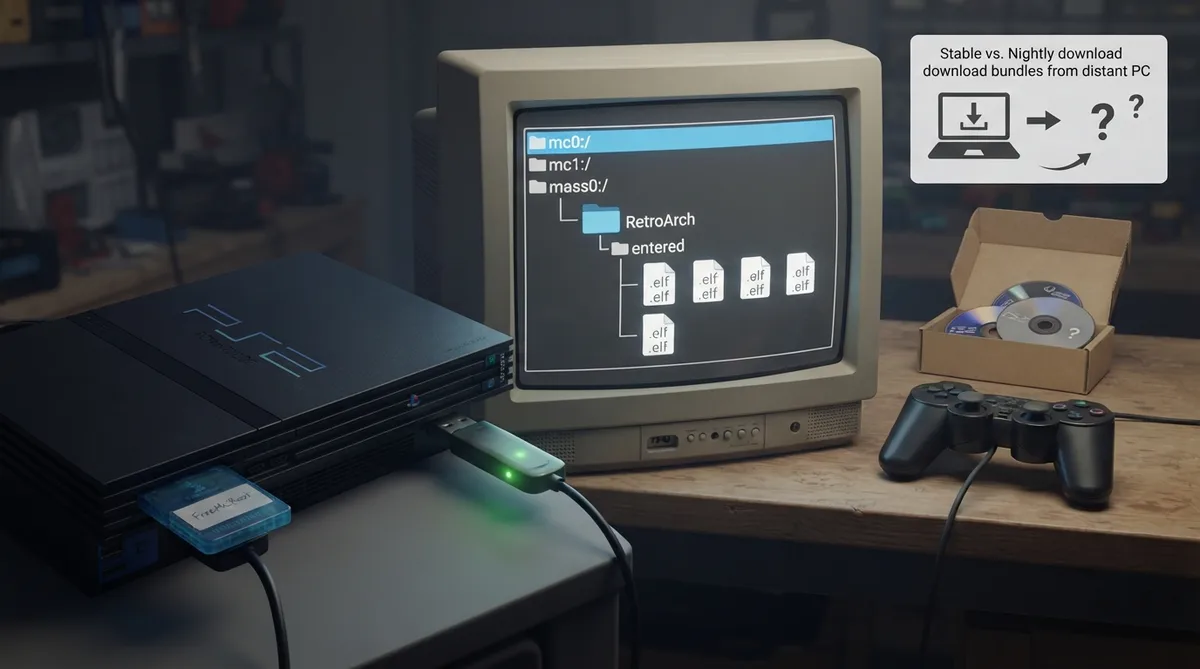 View full image
 Sources & references
Published .
RetroArch: install ps2 — official gaming software documentation https://raw.githubusercontent.com/libretro/docs/master/docs/guides/install-ps2.mdRetrieved Oct 8, 2026Something doesn’t match your setup?
Suggest a correction