

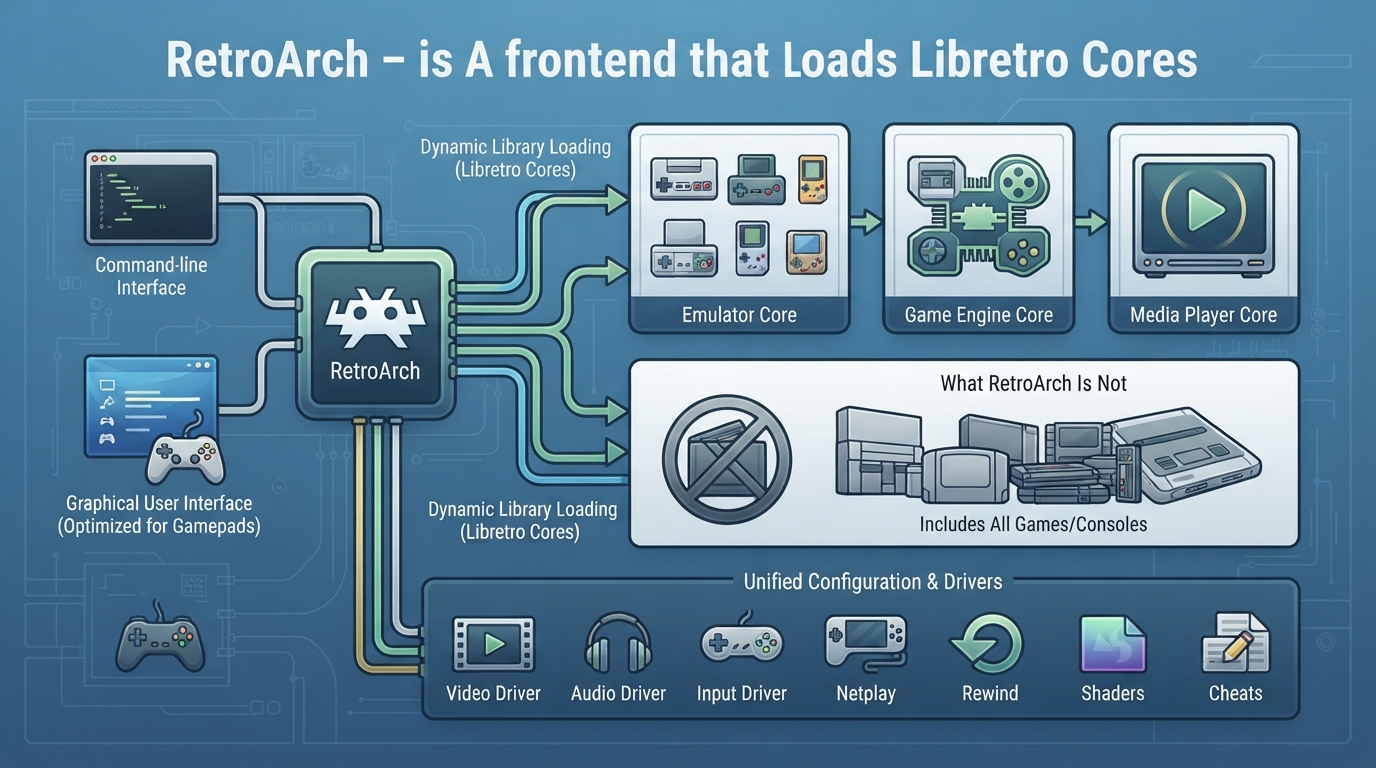
This summary is based on the official libretro documentation page “Understanding Basics.” It describes what RetroArch is, what running a libretro core means, which user interfaces and features the documentation names, and the limits the documentation spells out. It has not been hands-on tested; treat it as a source summary rather than a walked-through setup guide.
What RetroArch is
The documentation defines RetroArch as a frontend for emulators, game engines and media players.
Rather than bundling emulators directly, RetroArch runs programs that have been converted into dynamic libraries called libretro cores.
User interfaces named in the documentation
- The documentation lists these user interfaces:
- - command-line interface
- - graphical user interfaces optimized for gamepads
Features highlighted in the documentation
- The documentation names these features alongside the core functionality: dynamic rate control, audio filters, multi-pass shaders, netplay, gameplay rewinding and cheats. The documentation also states that settings are unified so configuration is done once.
What RetroArch is not
The documentation states that RetroArch is not a computer program that includes all consoles and games.
The documentation also states that RetroArch is not a service that allows you to download copyrighted games or content.
Why the libretro approach is described as useful
The documentation describes the strength of this approach as putting implementation-specific details — such as video, audio and input drivers — in the hands of the frontend. As a result, a core developer does not have to write separate video drivers for Direct3D or OpenGL, or support every known joypad or input and sound API, because the frontend handles those details.
The documentation further states that the libretro API allows for cross-platform compatibility, meaning a libretro core can be used on multiple platforms with minimal effort. That is the documentation's stated rationale for choosing libretro; this article has not verified specific platform pairings.
Reference table · Scroll horizontally to see all columns.
| Term | Documentation description |
|---|---|
| RetroArch | A frontend for emulators, game engines and media players. |
| libretro core | A program converted into a dynamic library that RetroArch runs. |
| Libretro API | Described as allowing cross-platform compatibility with minimal effort for a core. |
Sources & references
Content responsibility: FrameTinker editorial desk. Source authors and software maintainers are credited separately below; this is not a claim of hands-on testing.
Published .
RetroArch: understanding — official gaming software documentation https://raw.githubusercontent.com/libretro/docs/master/docs/start/understanding.mdRetrieved Oct 14, 2026Something doesn’t match your setup?
Suggest a correction