

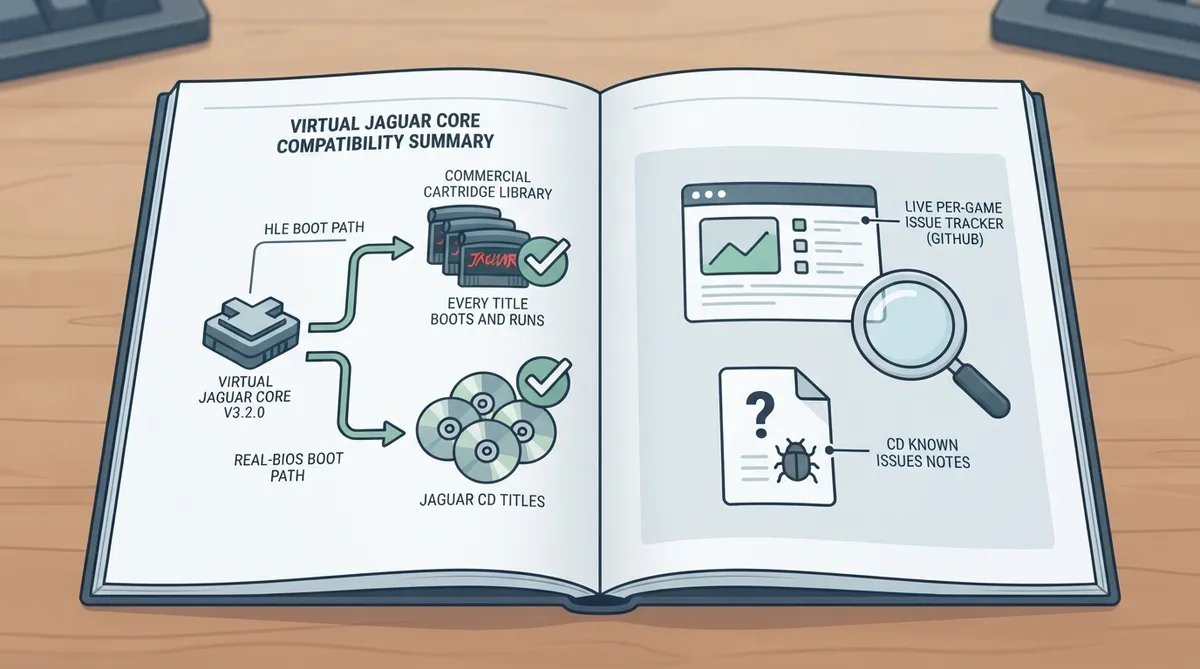
This guide summarizes the official Atari Jaguar compatibility documentation for the Virtual Jaguar core used with RetroArch. It explains what the documentation states about supported content, where per-game issues are tracked, and how the page frames its claims. The instructions below are a source summary drawn from the official page; they have not been hands-on tested for this article.
What the documentation covers
The page is the Atari Jaguar compatibility section of the official RetroArch gaming software documentation. It focuses on the Virtual Jaguar core and describes compatibility in broad terms rather than listing individual games, because a per-game list would quickly go stale.
Stated compatibility as of core v3.2.0
According to the documentation, as of core version 3.2.0 the full commercial cartridge library and every Jaguar CD title boot and run. This applies to both the HLE (high-level emulation) boot path and the real-BIOS boot path.
Where to check per-game issues
Because the documentation avoids a static game list, it points readers to live sources instead. Per-game problems are tracked on the core's GitHub issue tracker, and the repository's triage notes in the file docs/cd-known-issues.md collect known CD issues.
- The documentation directs readers to these live sources:
- 1. The core's issue tracker on GitHub, where per-game issues are tracked live.
- 2. The repository's triage notes, in the file docs/cd-known-issues.md, for known CD issues.
Using the compatibility notes in practice
- The following steps reflect the documented workflow; they are a source summary, not tested instructions:
- 1. Confirm which Virtual Jaguar core version you are running before relying on the compatibility statement, since the documentation anchors its claim to core v3.2.0.
- 2. When a specific title misbehaves, check the core's GitHub issue tracker rather than assuming a general emulation failure.
- 3. For Jaguar CD titles, also review the repository's docs/cd-known-issues.md triage notes.
- 4. Treat the cartridge and CD boot claim as the documented baseline, and verify individual titles against the live issue sources.
Documented scope and how to resolve failures
The documentation keeps its compatibility claim narrow and version-anchored: the cartridge and CD statement applies to core v3.2.0, in both the HLE and real-BIOS boot paths. For anything outside that baseline, the page defers to live tracking rather than presenting a static list of failing titles.
Reference table · Scroll horizontally to see all columns.
| Content type | Documented status (as of core v3.2.0) |
|---|---|
| Commercial cartridge library | Boots and runs |
| Jaguar CD titles | Boot and run |
Sources & references
Content responsibility: FrameTinker editorial desk. Source authors and software maintainers are credited separately below; this is not a claim of hands-on testing.
Published .
RetroArch: jaguar — official gaming software documentation https://raw.githubusercontent.com/libretro/docs/master/docs/library/compatibility/jaguar.mdRetrieved Oct 17, 2026Something doesn’t match your setup?
Suggest a correction