

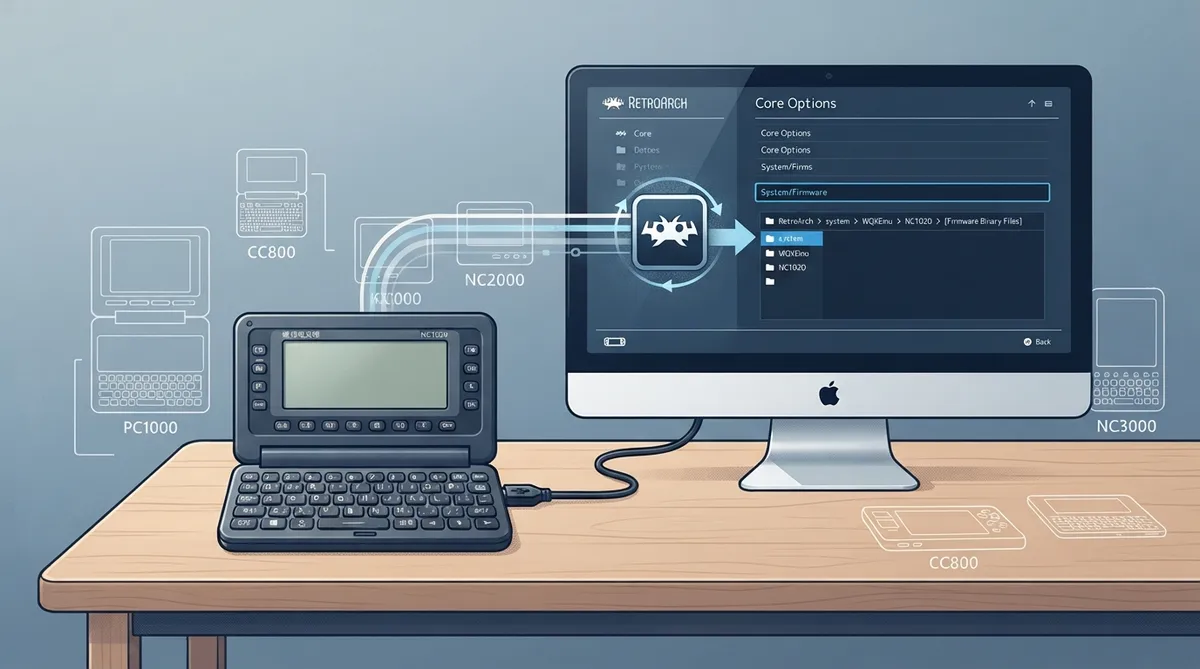
WQXEmu is a Libretro core for RetroArch that emulates Wenquxing handheld electronic dictionaries manufactured by BESTA. Rather than loading a game file, the core boots firmware dumped from a physical device. This guide summarizes the official documentation: what the core is, which models it supports, where the required firmware files go, how to start it, and which RetroArch features the documentation lists as supported or unsupported.
What WQXEmu emulates
Wenquxing devices are a series of Chinese electronic dictionaries manufactured by BESTA. The hardware uses a 6502/W65C02 CPU within an SPDC1024 SoC and shipped with built-in games and applications. WQXEmu is described as a low-level emulator that runs actual firmware dumped from physical devices, targeting the NC1020, PC1000, CC800, NC2000 and NC3000 models. In RetroArch, the core's library name is shown as Wenquxing (WQXEmu).
Prerequisites
- - RetroArch with the WQXEmu core installed.
- - Firmware files dumped from the specific Wenquxing model you intend to emulate, placed in RetroArch's system directory. Firmware is model-specific and is required only for the model selected in Core Options.
- - No content file: WQXEmu does not accept content and boots the selected model's firmware directly.
Firmware files by model
Firmware is placed under a WQXEmu folder inside RetroArch's system directory, with a per-model subfolder. The documentation lists the following files for each model:
See the companion table for the full file list per model.
Starting the core
- 1. Confirm the firmware for your chosen model is in the correct WQXEmu subfolder of the system directory.
- 2. Start the WQXEmu core in RetroArch without loading content. Because the core does not accept content files, it boots the selected model's firmware directly.
- 3. Open Core Options and select the model you placed firmware for. Firmware is required conditionally, based on the model chosen here.
Core Options and controls
The documentation confirms that WQXEmu exposes Core Options and Controls, including remapping. The model selection that determines which firmware is required lives in Core Options. The documentation names these features but the source excerpt does not enumerate individual option names or default values, so consult the core's options menu directly for the exact list.
Feature support at a glance
The official feature table marks Restart, Saves, States, Core Options, Controls and Remapping as supported. Rewind, Netplay, memory monitoring for achievements, RetroArch and native cheats, multi-mouse, rumble, sensors, camera, location, subsystem, softpatching, disk control, username, language, crop overscan and LEDs are all listed as unsupported. The companion table lays out the complete list.
Project details
The documented author is Aloys, and the project is licensed GPL-3.0-or-later.
Reference table · Scroll horizontally to see all columns.
| Model | Required firmware files |
|---|---|
| NC1020 | WQXEmu/nc1020/obj_lu.bin, WQXEmu/nc1020/nc1020.fls |
| PC1000 | WQXEmu/pc1000/pc1000.rom, WQXEmu/pc1000/pc1000.fls |
| CC800 | WQXEmu/cc800/obj.bin, WQXEmu/cc800/cc800.fls |
| NC2000 | WQXEmu/nc2000/nc2000.nor, WQXEmu/nc2000/nc2000.nand, WQXEmu/nc2000/nc2000.nand0 |
| NC3000 | WQXEmu/nc3000/nc3000.nor, WQXEmu/nc3000/nc3000.nand (optional: WQXEmu/nc3000/nc3000.nand0) |
Reference table · Scroll horizontally to see all columns.
| Feature | Status |
|---|---|
| Restart | Supported |
| Saves | Supported |
| States | Supported |
| Core Options | Supported |
| Controls | Supported |
| Remapping | Supported |
| Rewind | Not supported |
| Netplay | Not supported |
| Memory Monitoring (achievements) | Not supported |
| RetroArch Cheats | Not supported |
| Native Cheats | Not supported |
| Multi-Mouse | Not supported |
| Rumble | Not supported |
| Sensors | Not supported |
| Camera | Not supported |
| Location | Not supported |
| Subsystem | Not supported |
| Softpatching | Not supported |
| Disk Control | Not supported |
| Username | Not supported |
| Language | Not supported |
| Crop Overscan | Not supported |
| LEDs | Not supported |
Sources & references
Content responsibility: FrameTinker editorial desk. Source authors and software maintainers are credited separately below; this is not a claim of hands-on testing.
Published .
RetroArch: wqxemu — official gaming software documentation https://raw.githubusercontent.com/libretro/docs/master/docs/library/wqxemu.mdRetrieved Oct 31, 2026Something doesn’t match your setup?
Suggest a correction