

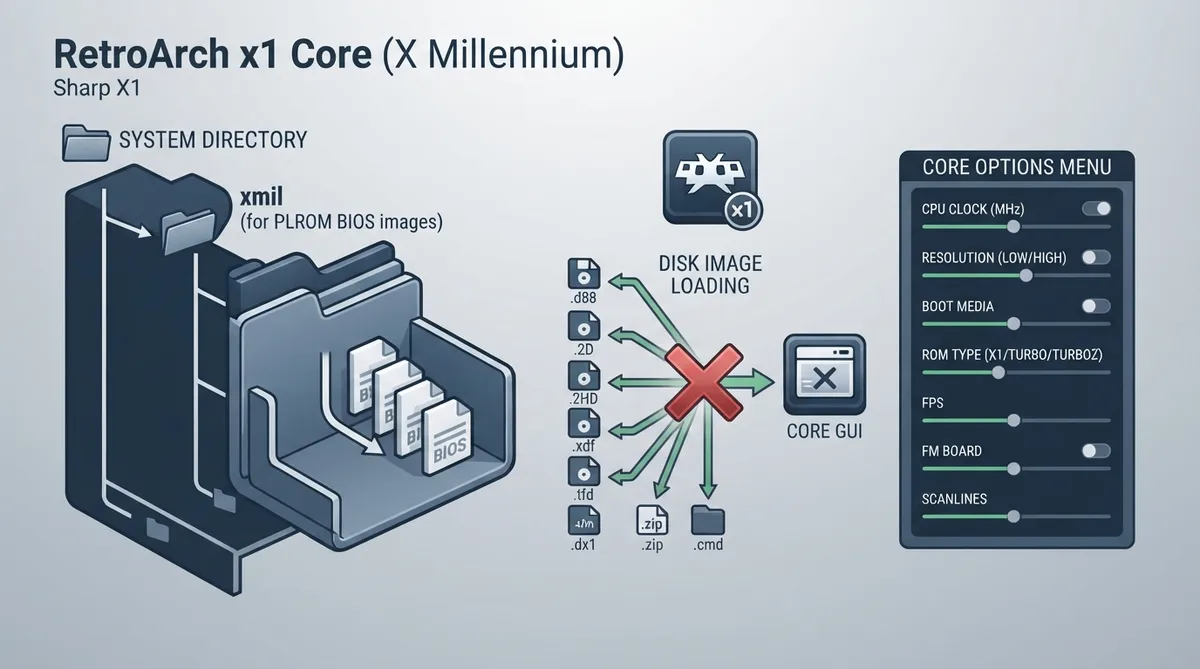
This guide summarizes the official libretro documentation for the x1 core, a port of the X Millennium Sharp X1 emulator to the libretro API used by RetroArch. It covers what the documentation states about the required BIOS files, supported disk image formats, core options and known limitations.
Core facts
- Library name: x1
- Author: yui
- License: BSD
- Repository: https://github.com/libretro/xmil-libretro
- Database entry: Sharp - X1 (rdb file in libretro-database)
BIOS prerequisites
The x1 core requires IPLROM BIOS images. According to the documentation, these are expected in a subdirectory of the RetroArch 'system' directory named 'xmil', i.e. system/xmil.
Supported disk image extensions
- .dx1
- .zip
- .2d
- .2hd
- .tfd
- .d88
- .88d
- .hdm
- .xdf
- .dup
- .cmd
The documentation states that opening disk images from the GUI does not currently work. Plan for that limitation when loading content with this core.
Documented core options
The documentation lists the following core options with their option keys and accepted values. Default values are marked in the source; where a default is unclear it is not repeated here.
- Resolution [X1_RESOLUTE]: LOW or HIGH
- Boot media [X1_BOOTMEDIA]: 2HD or 2D
- ROM type [X1_ROMTYPE]: X1, TURBO or TURBOZ
- FPS [X1_FPS]: AUTO, 60, 30, 20 or 15
- Disp Vsync [X1_DISPSYNC]: OFF or ON
- Raster [X1_RASTER]: OFF or ON
- No wait [X1_NOWAIT]: OFF or ON
- Joy Reverse [X1_BTN_MODE]: OFF or ON
- Joy Rapid [X1_BTN_RAPID]: OFF or ON
- Audio sampling rate [X1_AUDIO_RATE]: 44100, 22050 or 11025
- Seek Sound [X1_SEEKSND]: OFF or ON
- Scanlines in low-res [X1_SCANLINES]: OFF or ON
- Key mode [X1_KEY_MODE]: Keyboard, JoyKey-1, JoyKey-2 or Mouse-Key
- FM Board [X1_FMBOARD]: ON or OFF
- Audio buffer (ms) [X1_AUDIO_DELAYMS]: 250, 100, 150, 200, 300, 350, 500, 750 or 1000
- Cpu clock (MHz) [X1_CPU_CLOCK]: 4, 1, 2, 3, 4, 5, 6, 7, 8, 9, 10, 11, 12, 13, 14, 15, 16, 17, 18, 19 or 20
Scope and limitations
This material is a documentation summary, not a verified walkthrough. Only what the official documentation states is covered: the port origin, BIOS location, file extensions, option list and the GUI loading limitation. The documentation does not describe a workaround for the GUI disk image issue, so none is given here.
Reference table · Scroll horizontally to see all columns.
| Option | Key | Accepted values |
|---|---|---|
| Resolution | X1_RESOLUTE | LOW, HIGH |
| Boot media | X1_BOOTMEDIA | 2HD, 2D |
| ROM type | X1_ROMTYPE | X1, TURBO, TURBOZ |
| FPS | X1_FPS | AUTO, 60, 30, 20, 15 |
| Disp Vsync | X1_DISPSYNC | OFF, ON |
| Raster | X1_RASTER | OFF, ON |
| No wait | X1_NOWAIT | OFF, ON |
| Joy Reverse | X1_BTN_MODE | OFF, ON |
| Joy Rapid | X1_BTN_RAPID | OFF, ON |
| Audio sampling rate | X1_AUDIO_RATE | 44100, 22050, 11025 |
| Seek Sound | X1_SEEKSND | OFF, ON |
| Scanlines in low-res | X1_SCANLINES | OFF, ON |
| Key mode | X1_KEY_MODE | Keyboard, JoyKey-1, JoyKey-2, Mouse-Key |
| FM Board | X1_FMBOARD | ON, OFF |
| Audio buffer (ms) | X1_AUDIO_DELAYMS | 250, 100, 150, 200, 300, 350, 500, 750, 1000 |
| Cpu clock (MHz) | X1_CPU_CLOCK | 4, 1, 2, 3, 4, 5, 6, 7, 8, 9, 10, 11, 12, 13, 14, 15, 16, 17, 18, 19, 20 |
Sources & references
Content responsibility: FrameTinker editorial desk. Source authors and software maintainers are credited separately below; this is not a claim of hands-on testing.
Published .
RetroArch: x1 — official gaming software documentation https://raw.githubusercontent.com/libretro/docs/master/docs/library/x1.mdRetrieved Oct 31, 2026Something doesn’t match your setup?
Suggest a correction