

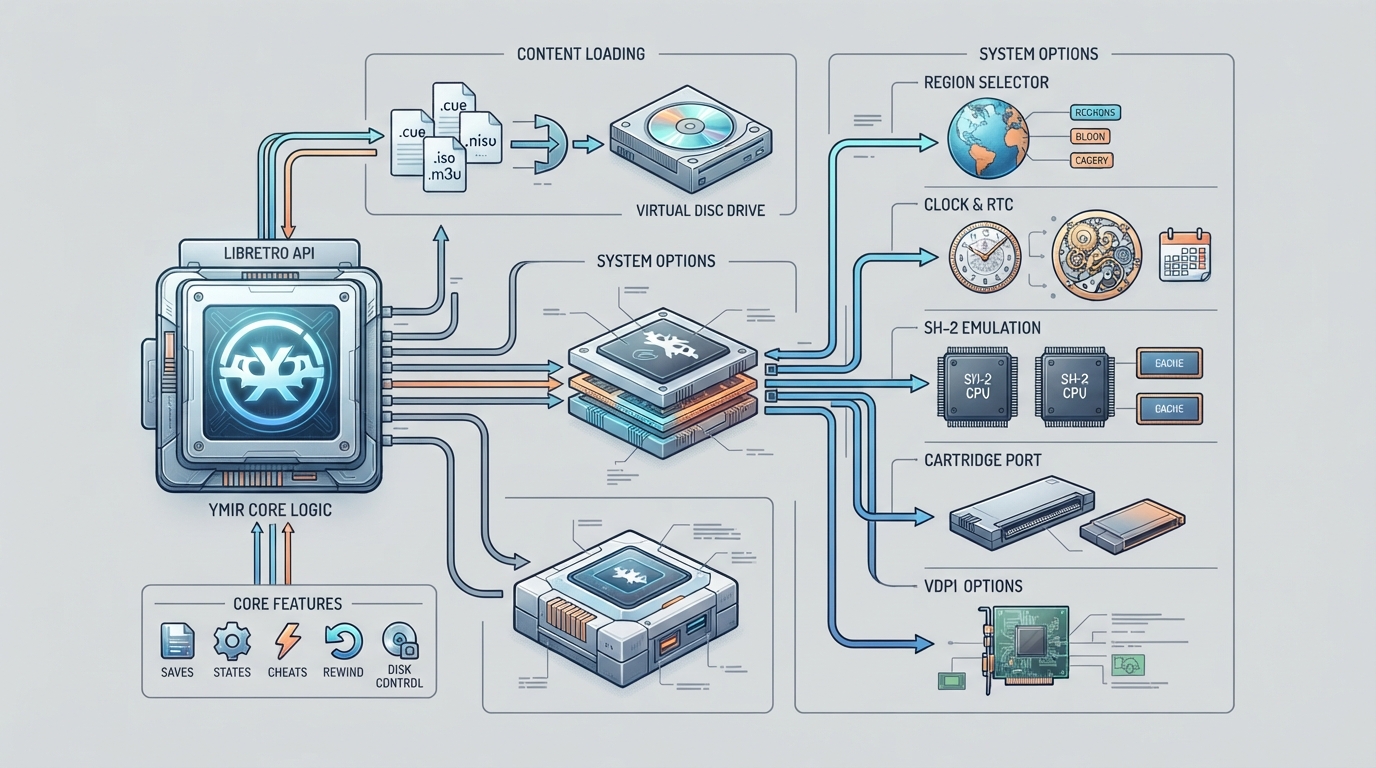
This guide summarizes how to set up and configure the Ymir core — labeled Emir in the official libretro documentation — for running Sega Saturn content in RetroArch. It is based entirely on the official documentation page and is a written summary, not a hands-on-tested tutorial.
What the Ymir core is
Ymir is a port of the Ymir Sega Saturn emulator to libretro. It is described as a work-in-progress Saturn emulator focused on accuracy and compatibility, with software rendering, SH2 emulation including optional cache emulation, and a modern codebase. The documentation calls it a young but rapidly maturing alternative to Beetle Saturn.
Prerequisites
- Your own legally obtained Sega Saturn game content in one of the documented formats. Content recognized by the core: .cue, .chd, .mds, .ccd, .iso, or .m3u. The Sega - Saturn database entry from the libretro-database for scanning your library. A RetroArch installation where the Ymir/Emir core can be loaded.
Loading Sega Saturn content
- Open RetroArch and make sure the Ymir (Emir) core is installed. Load content using the Load Content menu and select a Saturn disc image in one of the supported formats. For multi-disc games, a .m3u playlist can be selected instead of individual disc files. If you prefer a scan-based library, use the Sega - Saturn database entry to identify your content.
Core options
Region (ymir_region): the default is Auto, with Japan, North America, and Europe also available. Auto determines the region from the loaded content.
SH-2 Cache (ymir_sh2_cache): Disabled by default, or Enabled. This toggles the optional SH2 cache emulation.
SH-2 Clock (ymir_sh2_clock): sets the emulated SH-2 clock speed. Available values are 25%, 50%, 75%, 100% (Recommended), 125%, 150%, 200%, 300%, 400%, and 500%. The documentation marks 100% as the recommended setting.
RTC (ymir_rtc_mode): controls the real-time clock mode. Options are Virtual (Recommended) and Host.
Cartridge (ymir_cartridge): selects the cartridge type. Options are Auto (Recommended), None, 1 MB DRAM Expansion, 4 MB DRAM Expansion, ROM: King of Fighters '95, and ROM: Ultraman.
Threaded VDP1 (ymir_threaded_vdp1): Enabled by default, or Disabled.
Core feature support
According to the documentation, the core supports saves, states, rewind, netplay, core options, memory monitoring for achievements, RetroArch cheats, controls, and disk control. Subsystem is listed as not supported.
Documented limitations
The documentation describes Ymir as a work-in-progress emulator, so compatibility and accuracy work is ongoing. The Subsystem feature is not supported. This article does not include troubleshooting outcomes or performance measurements, because the source documentation does not provide them.
Reference table · Scroll horizontally to see all columns.
| Feature | Supported |
|---|---|
| Saves | Yes |
| States | Yes |
| Rewind | Yes |
| Netplay | Yes |
| Core Options | Yes |
| Memory Monitoring (achievements) | Yes |
| RetroArch Cheats | Yes |
| Controls | Yes |
| Subsystem | No |
| Disk Control | Yes |
Reference table · Scroll horizontally to see all columns.
| Setting | Key | Default | Other values |
|---|---|---|---|
| Region | ymir_region | Auto | Japan, North America, Europe |
| SH-2 Cache | ymir_sh2_cache | Disabled | Enabled |
| SH-2 Clock | ymir_sh2_clock | 100% (Recommended) | 25%, 50%, 75%, 125%, 150%, 200%, 300%, 400%, 500% |
| RTC | ymir_rtc_mode | Virtual (Recommended) | Host |
| Cartridge | ymir_cartridge | Auto (Recommended) | None, 1 MB DRAM Expansion, 4 MB DRAM Expansion, ROM: King of Fighters '95, ROM: Ultraman |
| Threaded VDP1 | ymir_threaded_vdp1 | Enabled | Disabled |
Sources & references
Content responsibility: FrameTinker editorial desk. Source authors and software maintainers are credited separately below; this is not a claim of hands-on testing.
Published .
RetroArch: ymir — official gaming software documentation https://raw.githubusercontent.com/libretro/docs/master/docs/library/ymir.mdRetrieved Oct 14, 2026Something doesn’t match your setup?
Suggest a correction