

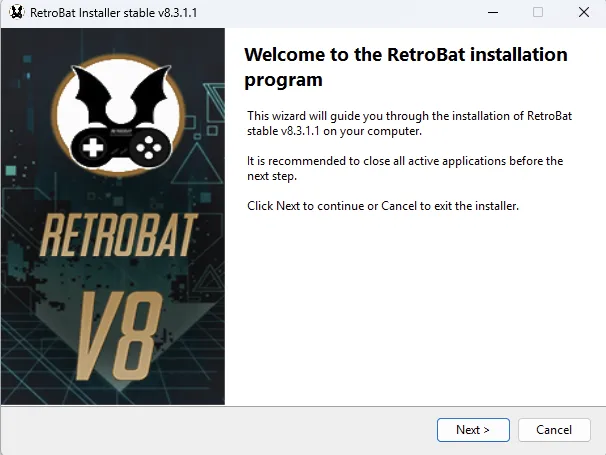
Install RetroBat
- 1. Download the latest RetroBat installer from the official download page: https://www.retrobat.org/download/.
- 2. Run the installer and select Next.
- 3. Read the license agreement, accept it to proceed, and select Next.
If the prerequisite selection page appears, select the missing components and click Next. The installer handles the required Visual C++ Redistributables and DirectX. The documentation says this page will not appear if those prerequisites are already installed.
Choose the installation folder
Use a short path inside a dedicated folder, such as C:\RetroBat or D:\Games\RetroBat. Do not install the files directly into a drive root such as D:\.
- Before selecting Install, check that the destination avoids:
- - Spaces, accented letters, or special characters in the path.
- - Long paths or deeply nested folders, which can cause problems with some emulators, including the MAME libretro core.
- - C:\Program Files and C:\Program Files (x86), where Windows write restrictions may prevent settings and saves from being stored.
- - OneDrive-synchronized folders. Desktop, Documents, and Pictures may be synchronized by default.
After choosing the destination folder, click Install.
Evidence and publication details
Sources & references
Content responsibility: FrameTinker editorial desk. Source authors and software maintainers are credited separately below; this is not a claim of hands-on testing.
Published .
RetroBat: get started — installation and first startup — official gaming software documentation https://raw.githubusercontent.com/RetroBat-Official/retrobat-wiki/master/lang/en/get-started/installation-and-first-startup.mdRetrieved Nov 5, 2026Something doesn’t match your setup?
Suggest a correction