

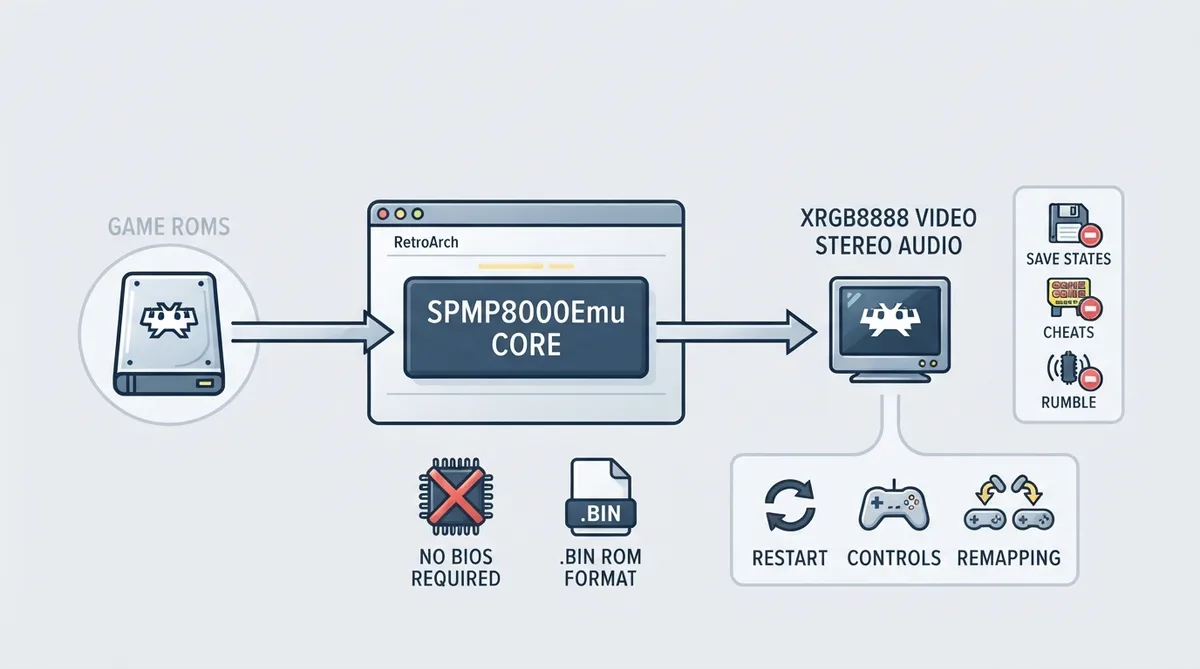
SPMP8000 is a game platform developed by Sunplus for portable game devices, built around an ARM-based SoC with integrated graphics, audio, and input handling. SPMP8000Emu is a libretro emulator core for that platform, written in Rust. This guide summarizes the setup details published in the official libretro documentation for the core.
What SPMP8000Emu is
The core's library name is SPMP8000 (SPMP8000Emu). It emulates the SPMP8000 platform, which Sunplus produced for portable game devices; the chipset integrates an ARM-based SoC with graphics, audio, and input handling on one package.
Prerequisites
- Documented prerequisites for loading content with this core:
- - Game ROMs in .bin format, which the core loads directly.
- - No BIOS or firmware files; the documentation states none are required.
- - A RetroArch installation with the SPMP8000Emu core available, matched to the SPMP8000 database entry in RetroArch.
Loading content
The documentation describes the core as loading .bin game ROMs directly. Video is output in the XRGB8888 pixel format and audio is output as stereo. Because no BIOS files are needed, there is no firmware step to place files in a system directory for this core.
Supported and unsupported features
The official feature table marks Restart, Controls, and Remapping as supported. It marks Saves, Save States, Rewind, Netplay, Core Options, Memory Monitoring for achievements, RetroArch Cheats, Native Cheats, Multi-Mouse, Rumble, and Sensors as unsupported. The core documentation separately notes that save states, cheats, and core options are not yet implemented.
Default controls
The core accepts RetroPad gamepads as the User 1 device. The documented default mapping assigns RetroPad B to the console O Button, RetroPad A to the X Button, Start and Select to START and SELECT, and the D-pad to Up, Down, Left, and Right. Remapping is listed as supported.
Official links
The documentation points to the SPMP8000Emu source repository, the libretro core info file, and the issue tracker for reporting problems with the core.
Reference table · Scroll horizontally to see all columns.
| Feature | Documented status |
|---|---|
| Restart | Supported |
| Controls | Supported |
| Remapping | Supported |
| Saves | Not supported |
| Save States | Not supported |
| Rewind | Not supported |
| Netplay | Not supported |
| Core Options | Not supported |
| Memory Monitoring (achievements) | Not supported |
| RetroArch Cheats | Not supported |
| Native Cheats | Not supported |
| Multi-Mouse | Not supported |
| Rumble | Not supported |
| Sensors | Not supported |
| Camera | Listed in the feature table |
| BIOS/firmware required | No |
Reference table · Scroll horizontally to see all columns.
| RetroPad input | Documented console input |
|---|---|
| B | O Button |
| A | X Button |
| Start | START |
| Select | SELECT |
| D-pad Up | Up |
| D-pad Down | Down |
| D-pad Left | Left |
| D-pad Right | Right |
Sources & references
Content responsibility: FrameTinker editorial desk. Source authors and software maintainers are credited separately below; this is not a claim of hands-on testing.
Published .
RetroArch: spmp8000emu — official gaming software documentation https://raw.githubusercontent.com/libretro/docs/master/docs/library/spmp8000emu.mdRetrieved Oct 30, 2026Something doesn’t match your setup?
Suggest a correction