

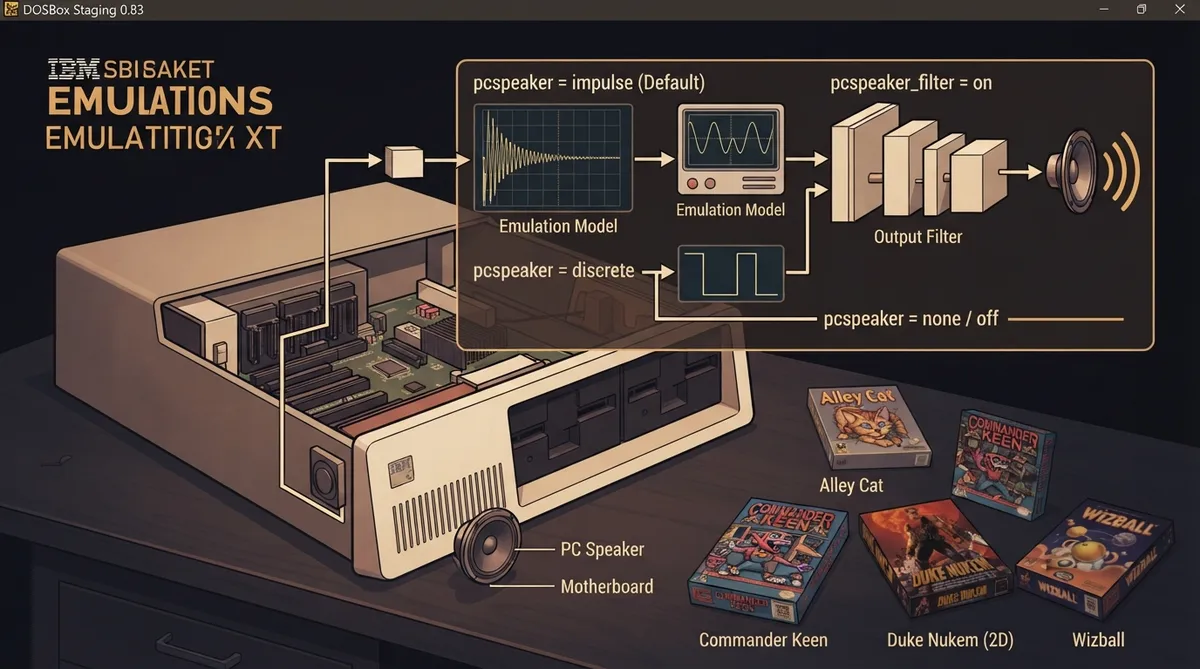
The PC speaker was the built-in speaker in every IBM PC and compatible, originally intended for simple beeps and diagnostic codes, but it became the lowest common denominator for PC game audio. DOSBox Staging 0.83 emulates it and exposes settings for the emulation model and output filtering.
What the PC speaker emulation covers
Technically, the PC speaker is a single-channel square-wave generator, not a hi-fi device. With clever programming tricks, developers coaxed surprisingly decent sound out of it, and games such as Alley Cat are cited by the documentation as examples of what the hardware could do.
The pcspeaker setting and its models
PC speaker emulation is enabled by default in DOSBox Staging 0.83. The pcspeaker setting selects the emulation model: impulse is the default, discrete is a legacy simplified emulation, and none or off disables PC speaker emulation.
The impulse model provides the most faithful reproduction of the actual speaker hardware. According to the documentation, it generally improves the accuracy of square-wave effects in games such as Commander Keen and Duke Nukem (2D), and can even produce sounds where the discrete model produces none, for example Wizball. The documentation notes that impulse works with most games but may result in garbled sound or silence in a small number of programs.
The discrete model is described as a legacy simplified PC speaker emulation. The documentation recommends using it only on specific titles that give problems with the impulse model.
The none and off values turn off PC speaker emulation entirely. Set this when you do not want the emulated speaker output.
The pcspeaker_filter setting
The pcspeaker_filter setting controls output filtering, and on is the default. With on, DOSBox Staging emulates a small speaker in an acoustic environment using a built-in multi-stage filter.
Setting pcspeaker_filter to off disables filtering of the PC speaker output.
A custom filter definition can also be supplied; the source documentation points to the Custom filter settings section of the output filters documentation for details.
Recovery when a game has audio problems
If a specific game has problems with the default impulse model, the documented fallback is to switch pcspeaker to discrete. The discrete model is expressly described as the option to use for titles that malfunction under impulse. If you want no emulated PC speaker output at all, set pcspeaker to none or off.
Reference table · Scroll horizontally to see all columns.
| Setting | Value | Effect |
|---|---|---|
| pcspeaker | impulse (default) | Most faithful reproduction of the actual speaker hardware; generally improves square-wave accuracy and can produce sounds where discrete produces none, but may cause garbled sound or silence in a small number of programs. |
| pcspeaker | discrete | Legacy simplified PC speaker emulation; use only for specific titles that have problems with impulse. |
| pcspeaker | none / off | Do not emulate the PC speaker. |
| pcspeaker_filter | on (default) | Filter the output using a built-in multi-stage filter that emulates a small speaker in an acoustic environment. |
| pcspeaker_filter | off | Do not filter the output. |
| pcspeaker_filter | <custom> | Use a custom filter definition; see the Custom filter settings section of the output filters documentation. |
Sources & references
Content responsibility: FrameTinker editorial desk. Source authors and software maintainers are credited separately below; this is not a claim of hands-on testing.
Published .
DOSBox Staging: pc speaker — official gaming software documentation https://raw.githubusercontent.com/dosbox-staging/dosbox-staging/main/website/docs/0.83/manual/sound/sound-devices/pc-speaker.mdRetrieved Nov 1, 2026Something doesn’t match your setup?
Suggest a correction