

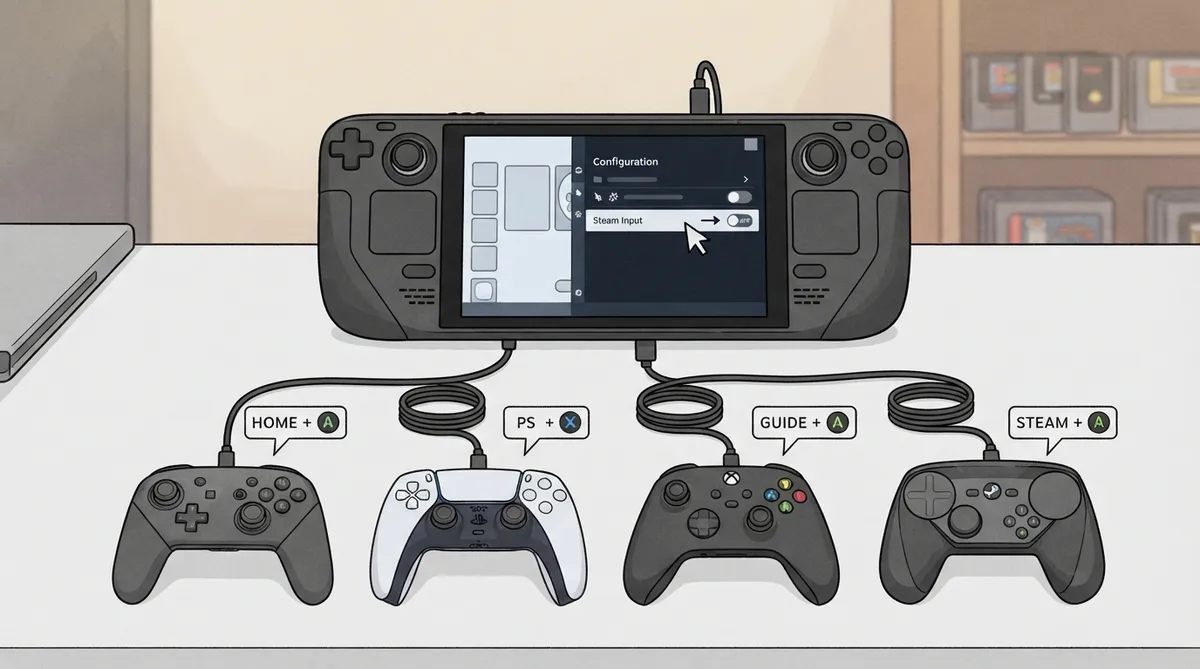
This guide summarizes the official EmuDeck documentation page on external controllers for SteamOS. It covers the documented procedure for disabling Steam Input in Desktop Mode, the button combinations for opening the Quick Access menu on several controller types, and the documented reason controller order may need to be rearranged. The scope is limited to what that page states; it is a source summary rather than a hands-on tested walkthrough.
Disable Steam Input in Desktop Mode
EmuDeck's documentation lists a five-step procedure for disabling Steam Input for an entry from Desktop Mode. The same menu is used to re-enable Steam Input later.
- 1. Select a game, emulator, or EmulationStation-DE.
- 2. On the game's page, click the Controller icon.
- 3. Select your controller tab at the top.
- 4. Select the Gear icon to the right of Edit Layout.
- 5. Click Disable Steam Input.
- To re-enable Steam Input, return to the same menu and reverse the setting.
Open the Quick Access Menu on External Controllers
The documentation states that on an external controller you open the Quick Access menu using a button combination that depends on the controller type. It also notes you can hold the Guide button for 3 seconds to find the Quick Access menu button combination in the on-screen list.
- Nintendo Switch Controllers: HOME + A
- PlayStation Controllers: PLAYSTATION BUTTON + X
- Xbox Controllers: GUIDE BUTTON + A
- Steam Controllers: STEAM BUTTON + A
Why Controller Order Matters
According to the documentation, you may need to rearrange the controller order so one external controller is identified as Player 1 and the remaining controllers are identified with their corresponding users. The page states this rearrangement is sometimes necessary for external controllers to be recognized in emulation and occasionally in Steam games.
Documented Common Issues
The documentation page lists a section on common issues, including one specific entry titled 8BitDo Ultimate 2.4G Wireless Controller - Double Inputs, alongside a Tips and Tricks section covering disabling Steam Input, opening the Quick Access menu, and rearranging the controller order.
Reference table · Scroll horizontally to see all columns.
| Controller | Button combination to open Quick Access |
|---|---|
| Nintendo Switch Controllers | HOME + A |
| PlayStation Controllers | PLAYSTATION BUTTON + X |
| Xbox Controllers | GUIDE BUTTON + A |
| Steam Controllers | STEAM BUTTON + A |
Sources & references
Content responsibility: FrameTinker editorial desk. Source authors and software maintainers are credited separately below; this is not a claim of hands-on testing.
Published .
EmuDeck: controls and hotkeys — steamos — external controllers — official gaming software documentation https://raw.githubusercontent.com/EmuDeck/emudeck.github.io/main/docs/controls-and-hotkeys/steamos/external-controllers.mdRetrieved Oct 30, 2026Something doesn’t match your setup?
Suggest a correction