

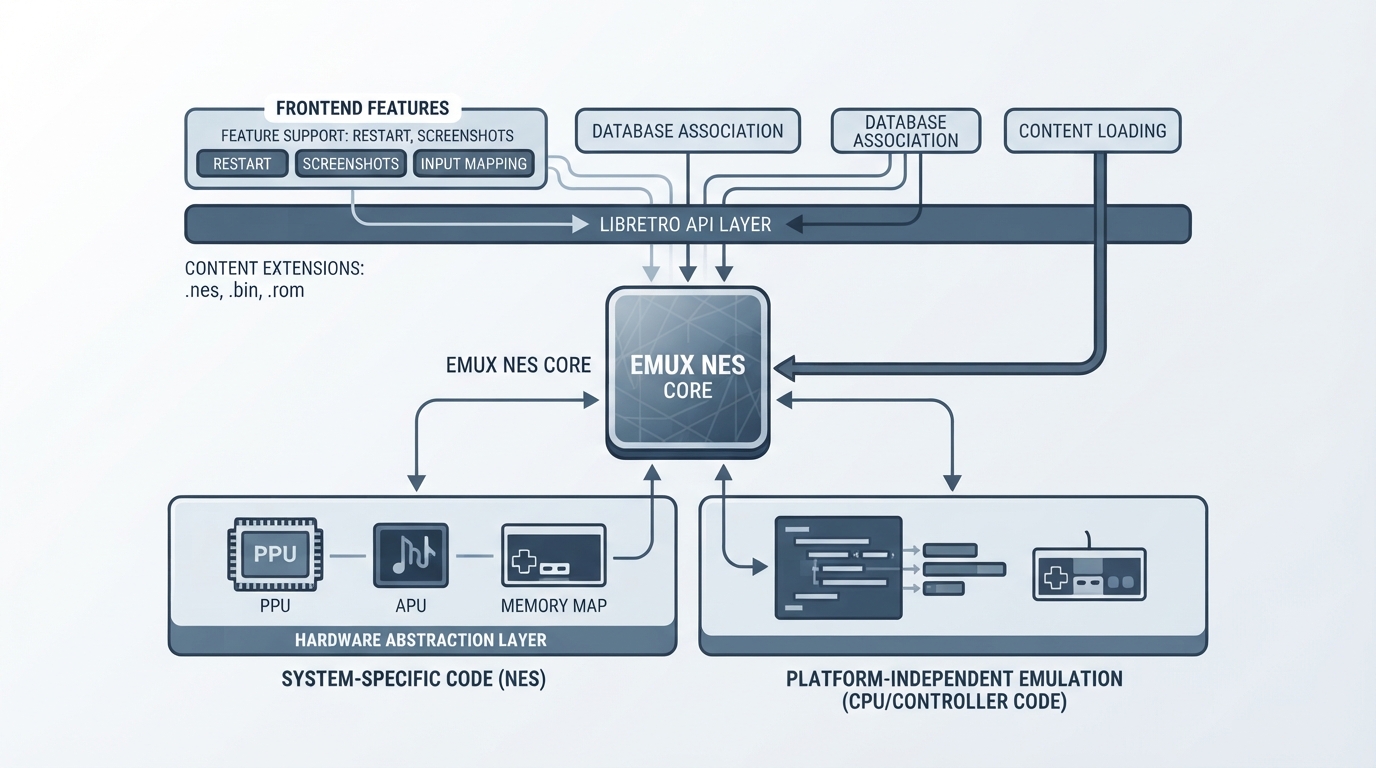
The Emux NES core is a libretro core for the Nintendo Entertainment System (NES) / Famicom, used within RetroArch. This guide summarizes the officially documented details of the core: its background, the content it loads, the RetroArch database it is associated with, its supported frontend features, and its controller mapping. It reflects the official documentation only and has not been hands-on tested for this article.
Core background and licensing
Emux is described as a cross-platform emulator project that aims to emulate multiple kinds of gaming-related machines, such as consoles or arcades. Its design philosophy is inspired by the Linux kernel, keeping CPU and controller code separate from machine-specific code.
Supported content extensions
Content loaded by the Emux NES core uses the following file extensions: .nes, .bin, and .rom. Content in these formats is what the core is documented to accept.
Associated RetroArch database
The Emux NES core is associated with the Nintendo - Nintendo Entertainment System database in RetroArch. The core's internal core name is 'emux (nes)'.
Documented feature support
The official page lists which frontend-level settings and features the Emux NES core respects. Restart, Screenshots, and Controls are marked as supported. Saves, States, Rewind, Netplay, Core Options, Memory Monitoring (achievements), RetroArch Cheats, Native Cheats, Remapping, Multi-Mouse, Rumble, Sensors, Camera, Location, Subsystem, Softpatching, Disk Control, Username, Language, Crop Overscan, and LEDs are all marked as not supported.
Controller support and default input
The Emux NES core supports three device types for users 1 and 2 in the controls menu: None, RetroPad, and RetroPad w/Analog. The documentation states that None does not disable input, and that RetroPad w/Analog behaves the same as RetroPad. RetroPad (Joypad) is the bolded default for the specified users.
- - RetroPad B maps to the core's B input
- - RetroPad Select maps to Select
- - RetroPad Start maps to Start
- - RetroPad D-Pad Up, Down, Left, and Right map to the core's D-Pad directions
- - RetroPad A maps to the core's A input
Compatibility
The official Emux NES documentation page does not list individual game compatibility results; that section is marked as awaiting a description. As a result, no per-game compatibility claims can be made from this source.
Reference table · Scroll horizontally to see all columns.
| Feature | Supported |
|---|---|
| Restart | Yes |
| Screenshots | Yes |
| Saves | No |
| States | No |
| Rewind | No |
| Netplay | No |
| Core Options | No |
| Memory Monitoring (achievements) | No |
| RetroArch Cheats | No |
| Native Cheats | No |
| Controls | Yes |
| Remapping | No |
| Multi-Mouse | No |
| Rumble | No |
| Sensors | No |
| Camera | No |
| Location | No |
| Subsystem | No |
| Softpatching | No |
| Disk Control | No |
| Username | No |
| Language | No |
| Crop Overscan | No |
| LEDs | No |
Sources & references
Content responsibility: FrameTinker editorial desk. Source authors and software maintainers are credited separately below; this is not a claim of hands-on testing.
Published .
RetroArch: emux nes — official gaming software documentation https://raw.githubusercontent.com/libretro/docs/master/docs/library/emux_nes.mdRetrieved Oct 12, 2026Something doesn’t match your setup?
Suggest a correction