

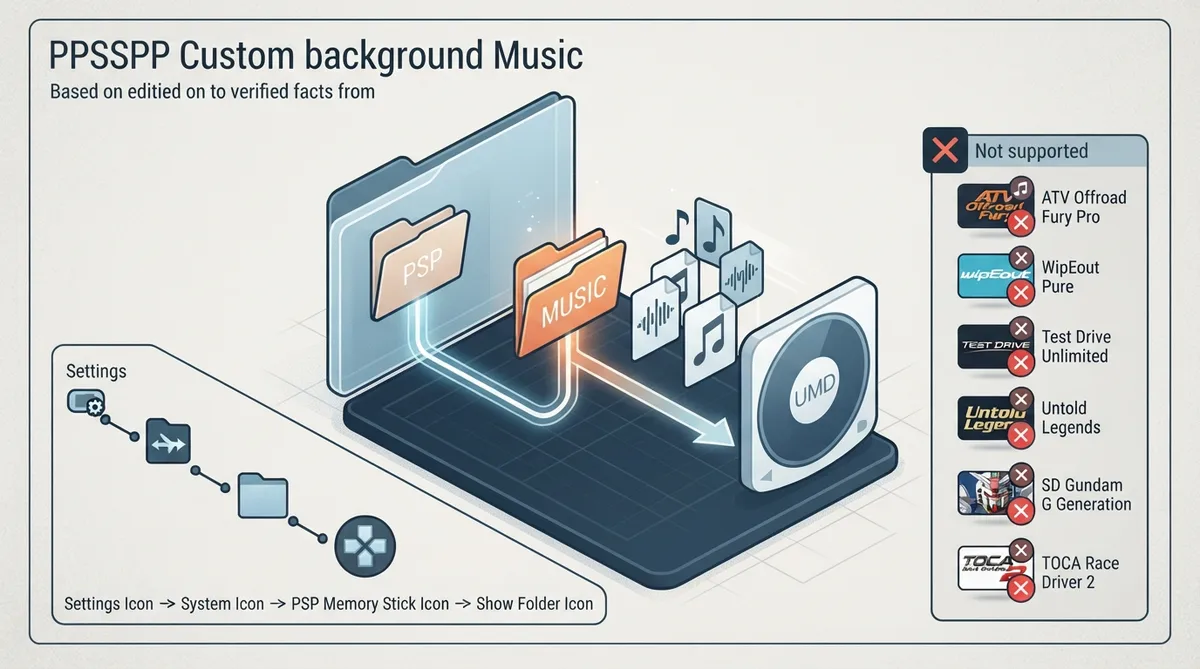
PPSSPP supports custom background music for PSP games that include this feature. On the original PSP, some games can play audio files stored on the Memory Stick in place of the default in-game music.
This guide summarizes the official PPSSPP reference documentation. The instructions describe documented behavior, not a hands-on test performed for this article.
How custom background music works
The feature is game-specific: only some PSP titles support playing external audio as background music. Games that support it typically require the music files to be placed in a specific folder, and the feature is usually enabled through the game's in-game sound options menu.
Find the Memory Stick folder in PPSSPP
To locate the emulated Memory Stick on your device, navigate in PPSSPP to Settings -> System -> PSP Memory Stick -> Show Memory Stick folder. This path is documented in the official reference.
Subfolders and playlists
Some games allow you to select a subfolder to play music from, which can be used to organize songs into playlists or albums. Other games support customizing the playlist through an in-game menu.
Games documented as not supporting custom music
The official documentation lists games that were tested and found not to actually support custom music, despite expectations. These include ATV Offroad Fury Pro, Boom Beats, MX vs. ATV Reflex, MX vs. ATV Unleashed: On the Edge, MX vs. ATV Untamed / MX vs. ATV Extreme Limite, SD Gundam G Generation Portable, SD Gundam G Generation World, Test Drive Unlimited, the Japanese release of TOCA Race Driver 2, Untold Legends: Brotherhood of the Blade, Untold Legends: The Warrior's Code, WipEout Pure, and WipEout Pure: Stealth Edition.
Example game-specific folder paths
The official documentation includes a table of games, their required music folder paths, and notes. For example, the table lists Beats and Shouten Beat as looking in ms:/PSP/MUSIC, ms:/MUSIC, and ms:/MP3, with subfolders supported and ATRAC files also considered. Always check the game's entry for the correct folder.
Reference table · Scroll horizontally to see all columns.
| Game | Folder | Notes |
|---|---|---|
| Beats, Shouten Beat | ms:/PSP/MUSIC, ms:/MUSIC, ms:/MP3 | Subfolders supported; also looks for ATRAC files; see official issue #14812 |
Sources & references
Content responsibility: FrameTinker editorial desk. Source authors and software maintainers are credited separately below; this is not a claim of hands-on testing.
Published .
PPSSPP: custom background music — official gaming software documentation https://raw.githubusercontent.com/hrydgard/ppsspp-site/main/docs/reference/custom-background-music.mdRetrieved Oct 26, 2026Something doesn’t match your setup?
Suggest a correction