

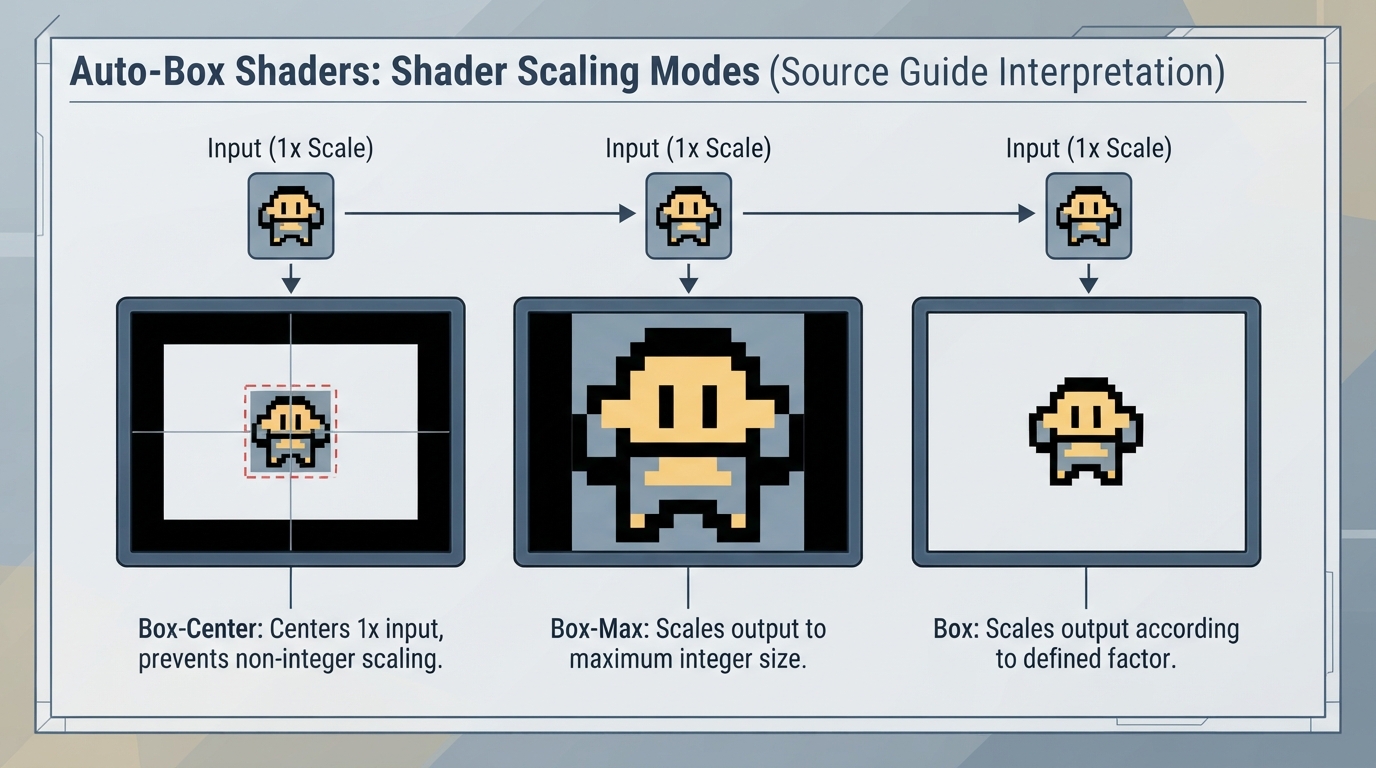
What the Auto-Box Shaders Do
Auto-Box is a category of shaders that scale the image inside the viewport. According to the official documentation, this can be useful for ensuring a certain quality of scaling, often with the intention of applying other effects that are picky about scaling on top.
Shaders Without Presets
The documentation groups the Auto-Box shaders under a section titled “Shaders Without Presets.” Three shaders are documented in that section: Box-Center, Box-Max, and Box.
Box-Center centers pre-scaled output into the viewport to prevent unintentional non-integer scaling. It maintains 1x scale of the input.
Box-Max automatically scales output to the maximum integer scale possible.
Box scales output according to the scale factor parameters.
How the Three Variants Differ
Based on the documented behavior, Box-Center keeps input at 1x and centers it to avoid non-integer scaling, Box-Max picks the largest possible integer scale automatically, and Box follows scale factor parameters. The documentation does not provide recommended use cases, comparisons, or compatibility notes beyond these descriptions.
Documented Limitations and Gaps
The official page is brief and focuses on what the Auto-Box shaders do rather than providing setup steps. It does not specify a target RetroArch version, platform, installation path, menu navigation, or configuration file format, and it does not address troubleshooting outcomes or compatibility with specific games or hardware.
General Placement in a Shader Chain
The documentation explains the intent of Auto-Box shaders in a chain: they scale the image inside the viewport, often so that other effects that are picky about scaling can be applied on top. It does not state an exact ordering rule, so the precise position in a chain is not confirmed by this source.
Reference table · Scroll horizontally to see all columns.
| Shader | Documented behavior |
|---|---|
| Box-Center | Centers pre-scaled output into the viewport to prevent unintentional non-integer scaling; maintains 1x scale of the input. |
| Box-Max | Automatically scales output to the maximum integer scale possible. |
| Box | Scales output according to the scale factor parameters. |
Sources & references
Content responsibility: FrameTinker editorial desk. Source authors and software maintainers are credited separately below; this is not a claim of hands-on testing.
Published .
RetroArch: auto box — official gaming software documentation https://raw.githubusercontent.com/libretro/docs/master/docs/shader/auto-box.mdRetrieved Oct 14, 2026Something doesn’t match your setup?
Suggest a correction