

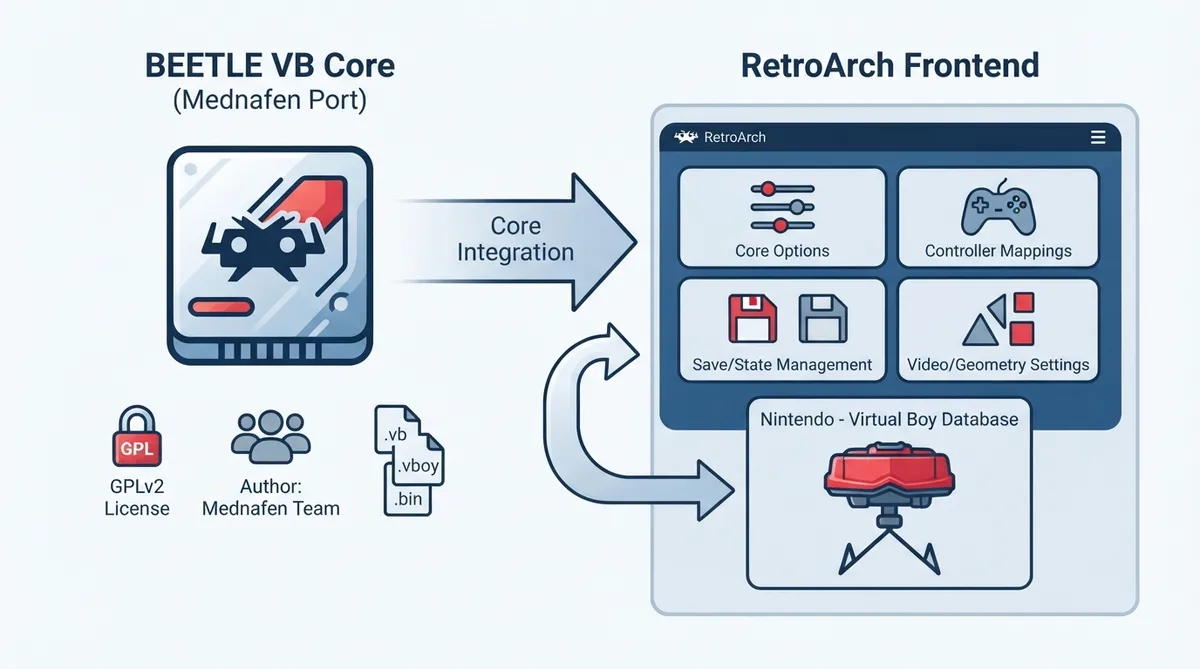
Beetle VB is the libretro port of Mednafen VB, the Virtual Boy emulator from the Mednafen project. This guide consolidates the settings, features, and limitations documented for the core so you can configure it in RetroArch without reading the raw documentation page line by line.
What the core provides
The Beetle VB core is authored by the Mednafen Team and is distributed under the GPLv2 license. It emulates Nintendo Virtual Boy content and integrates with RetroArch's standard frontend features such as save files, save states, rewind, and core options.
RetroArch associates this core with the "Nintendo - Virtual Boy" database. The libretro database entry is used for matching content against known game records in the frontend.
Prerequisites and supported content
Before loading a game, confirm that the content uses one of the file extensions the core accepts. The documented extensions are .vb, .vboy, and .bin. Content distributed in other formats is not listed as loadable by this core.
- Documented accepted extensions: .vb, .vboy, and .bin.
Loading content with Beetle VB
- 1. Install the Beetle VB core through RetroArch's core downloader or place it in your RetroArch cores directory.
- 2. Verify the content file uses a supported extension: .vb, .vboy, or .bin.
- 3. Load the content in RetroArch and confirm that Beetle VB is the active core for the session.
- 4. Optionally open the core options menu to adjust the Anaglyph preset, Palette, or Right Analog to Digital settings described below.
- 5. Use the frontend's save and state menus as normal; the core stores a cartridge battery save and numbered save states in the configured directories.
Core options
The core exposes three options. Defaults are noted; options marked with restart require the core to be closed before the new value takes effect on the next launch.
- Anaglyph preset (restart) — option key [vb_anaglyph_preset]. Default: Off. Available values: Off, red & blue, red & cyan, red & electric cyan, red & green, green & magenta, yellow & blue. Selects an anaglyph 3D mode.
- Palette (restart) — option key [vb_color_mode]. Default: black & red. Available values: black & red, black & white. Chooses which color palette to use.
- Right Analog to Digital — option key [vb_right_analog_to_digital]. Default: Off. Available values: Off, On, invert x, invert y, invert both.
Controller configuration
In the controls menu, User 1 accepts a None device type (which does not disable input), the default RetroPad joypad, and a RetroPad with Analog variant. The documentation notes there is no stated reason to switch to the analog variant.
The Right D-Pad X and Right D-Pad Y inputs map to the right analog stick and are only active when the Right Analog to Digital core option is set to something other than Off.
Save files, states, and runtime values
The core's directory name is 'Beetle VB'. It writes a cartridge battery save as 'content-name'.srm in the frontend's Save directory, and numbered save states as 'content-name'.state# in the frontend's State directory.
Geometry and timing
The core reports a provided FPS of 50.27, a sample rate of 44100 Hz, and an aspect ratio of 12/7.
Documented limitations
- Netplay is state-based and does not include link-cable emulation.
- Cheats through the Cheats menu and native cheats are not supported.
- Multi-Mouse, Rumble, Sensors, Camera, Location, Subsystem, Softpatching, Disk Control, Username, Language, and LEDs are not supported.
- Restart, Screenshots, Saves, States, Rewind, Core Options, Memory Monitoring for achievements, Controls, Remapping, and Crop Overscan are supported.
Compatibility status
The official page's compatibility section is currently a stub and contains no per-game compatibility data. Compatibility claims beyond the core's documented features are not available from this source.
Reference table · Scroll horizontally to see all columns.
| Feature | Supported |
|---|---|
| Restart | Yes |
| Screenshots | Yes |
| Saves | Yes |
| States | Yes |
| Rewind | Yes |
| Netplay (State based) | Yes (not link-cable emulation) |
| Core Options | Yes |
| Memory Monitoring (achievements) | Yes |
| Cheats (Cheats menu) | No |
| Native Cheats | No |
| Controls | Yes |
| Remapping | Yes |
| Multi-Mouse | No |
| Rumble | No |
| Sensors | No |
| Camera | No |
| Location | No |
| Subsystem | No |
| Softpatching | No |
| Disk Control | No |
| Username | No |
| Language | No |
| Crop Overscan | Yes |
| LEDs | No |
Reference table · Scroll horizontally to see all columns.
| User 1 Remap descriptor | RetroPad Input |
|---|---|
| B | B |
| Select | Select |
| Start | Start |
| Left D-Pad Up | D-Pad Up |
| Left D-Pad Down | D-Pad Down |
| Left D-Pad Left | D-Pad Left |
| Left D-Pad Right | D-Pad Right |
| A | A |
| L | L1 |
| R | R1 |
| Right D-Pad Up | L2 |
| Right D-Pad Left | R2 |
| Right D-Pad Down | L3 |
| Right D-Pad Right | R3 |
| Right D-Pad X | Right stick X |
| Right D-Pad Y | Right stick Y |
Sources & references
Content responsibility: FrameTinker editorial desk. Source authors and software maintainers are credited separately below; this is not a claim of hands-on testing.
Published .
RetroArch: beetle vb — official gaming software documentation https://raw.githubusercontent.com/libretro/docs/master/docs/library/beetle_vb.mdRetrieved Oct 12, 2026Something doesn’t match your setup?
Suggest a correction