

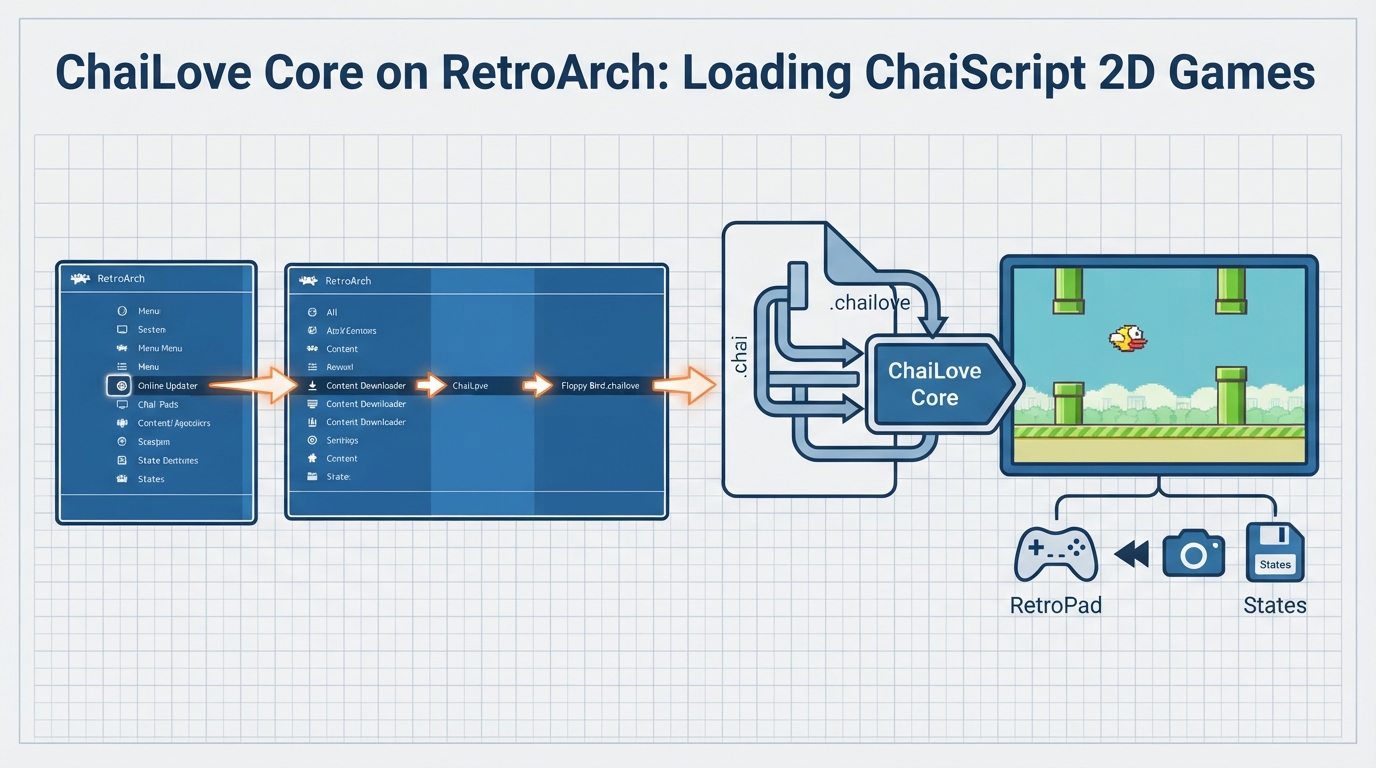
ChaiLove is a framework for making 2D games with ChaiScript. ChaiLove games can run in LibRetro-compatible frontends such as RetroArch through the ChaiLove core. This guide summarizes the official documentation's workflow for loading content and lists the core's supported features, options, and controller behavior.
Before you start
- Install RetroArch, which provides the frontend used in the documented workflow.
- Ensure the ChaiLove core is available so RetroArch can load .chai and .chailove content.
- Use content files with the .chai or .chailove extension.
Loading the Floppy Bird example
- On RetroArch's main menu, select 'Online Updater'.
- Select 'Content Downloader'.
- Select 'ChaiLove'.
- Select 'Floppy Bird.chailove'. RetroArch downloads and extracts the file to its Downloads directory.
- Return to the main menu and select 'Load Content'.
- Select 'Downloads'.
- Select 'Floppy Bird.chailove'.
- If RetroArch asks which core to use, choose 'ChaiLove'.
After selecting the core, the content should start running. Floppy Bird is distributed through RetroArch's Content Downloader, so no separate download is required for this example.
Core specifications
- Internal core name: ChaiLove.
- Core-provided FPS: 60.
- Core-provided sample rate: 44100 Hz.
- Core-provided aspect ratio: game provided.
- State files are saved to or loaded from the frontend's State directory using the pattern 'content-name'.state#.
Core options
- Alpha Blending (chailove_alphablending): enabled by default; toggles alpha blending (transparency).
- High Quality (chailove_highquality): enabled by default; toggles extra visual features.
Controller support
- For users 1 through 5, the available device types are None, RetroPad, and RetroPad w/Analog.
- RetroPad is the default device type for these users; the documentation recommends staying on RetroPad.
- Each user's buttons can be remapped through RetroArch's controls menu using the descriptors B, Y, Select, Start, D-Pad Up, D-Pad Down, D-Pad Left, D-Pad Right, A, X, L, and R.
Supported frontend features
- Supported: Restart, Screenshots, States, Rewind, Netplay, Core Options, Native Cheats, Controls, Remapping, Username.
- Not supported: Saves, Memory Monitoring (achievements), RetroArch Cheats, Multi-Mouse, Rumble, Sensors, Camera, Location, Subsystem, Softpatching, Disk Control, Language, Crop Overscan, LEDs.
Author and license
Reference table · Scroll horizontally to see all columns.
| Feature | Supported |
|---|---|
| Restart | Yes |
| Screenshots | Yes |
| Saves | No |
| States | Yes |
| Rewind | Yes |
| Netplay | Yes |
| Core Options | Yes |
| Memory Monitoring (achievements) | No |
| RetroArch Cheats | No |
| Native Cheats | Yes |
| Controls | Yes |
| Remapping | Yes |
| Multi-Mouse | No |
| Rumble | No |
| Sensors | No |
| Camera | No |
| Location | No |
| Subsystem | No |
| Softpatching | No |
| Disk Control | No |
| Username | Yes |
| Language | No |
| Crop Overscan | No |
| LEDs | No |
Reference table · Scroll horizontally to see all columns.
| Option | Default | Description |
|---|---|---|
| Alpha Blending (chailove_alphablending) | enabled | Enable or disable alpha blending (transparency) |
| High Quality (chailove_highquality) | enabled | Enable or disable extra visual features |
Reference table · Scroll horizontally to see all columns.
| User 1-5 device type | Type | Default |
|---|---|---|
| None | Doesn't disable input | No |
| RetroPad | Joypad | Yes |
| RetroPad w/Analog | Joypad | No |
Sources & references
Content responsibility: FrameTinker editorial desk. Source authors and software maintainers are credited separately below; this is not a claim of hands-on testing.
Published .
RetroArch: chailove — official gaming software documentation https://raw.githubusercontent.com/libretro/docs/master/docs/library/chailove.mdRetrieved Oct 12, 2026Something doesn’t match your setup?
Suggest a correction