

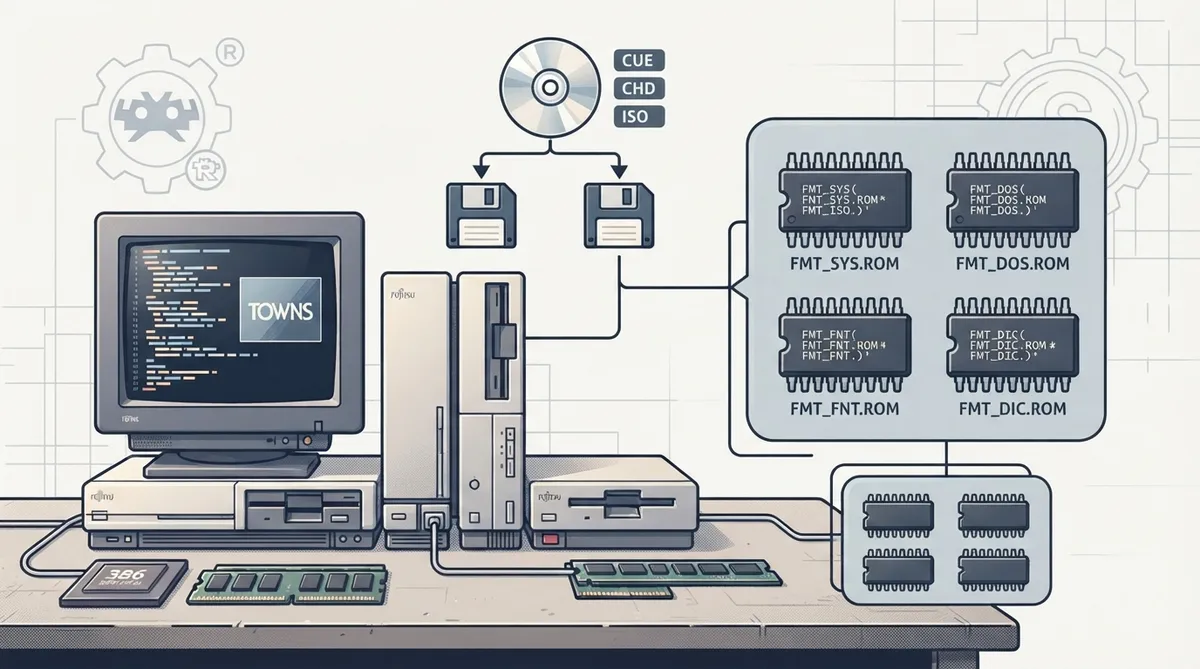
Geartowns is an open source, cross-platform emulator for the Fujitsu FM Towns line, written in C++ and distributed as a libretro core for RetroArch. This reference covers what the official documentation states about system requirements, ROM files, disc images, save behavior and frontend features so you can prepare a working setup.
Emulated Hardware
Geartowns emulates the FM Towns Model 1/2, 1F/2F, 10F/20F, the FM Towns II CX, UX, UG and HG, and the FM Towns Marty. CPU speed and RAM are configurable, an 80386 dynamic recompiler (dynarec) is available on supported platforms, and two floppy disk drives are emulated with persistent disk changes.
Supported Platforms
The libretro core documents support for Windows, Linux, macOS, Android, iOS, tvOS and Raspberry Pi.
Required System ROMs
The following system ROM files are required for Geartowns to function at all.
- FMT_SYS.ROM (system ROM)
- FMT_DOS.ROM (OS ROM)
- FMT_FNT.ROM (font ROM)
- FMT_DIC.ROM (dictionary ROM)
Optional System ROMs
The documentation also lists optional ROM files that the core can use in addition to the required set: FMT_F20.ROM (20-dot font ROM), MYTOWNS.ROM, mytownsux.rom, mytownshr.rom and mytownsftv.rom.
CD-ROM Images
Disc-based content loads from chd, iso and cue/bin images. Load the cue file rather than an individual bin track. CUE audio tracks can reference raw BIN, WAV (44.1 kHz, 16-bit stereo) or Ogg Vorbis files. m3u disc playlists are supported for multi-disc titles, and switching discs is handled by the core. Physical CD-ROM discs can be loaded through the frontend's Load Disc option where the frontend supports it.
CMOS Settings and Saves
The FM Towns stores its settings in 8 KB of battery-backed CMOS, covering the boot device, Towns OS settings and the OAK/2 kana-kanji user dictionary. By default the core keeps one shared CMOS for all content in the save directory, matching the real machine, so settings written by one program are seen by others. The CMOS is written a few seconds after a change, on restart and when content is closed. Setting the CMOS core option to Per Game keeps a separate CMOS inside each content's .srm save file. Floppy disk changes are also persisted.
Controllers and Input
Documented input support includes the original 2-button FM Towns gamepad, the FM Towns Marty gamepad with Zoom, a 6-button gamepad, and the FM Towns mouse, which can also be driven from an analog stick. FM Towns keyboard input is supported as well.
Frontend Features
The documentation lists support for restart, screenshots, saves (CMOS and floppy disks), save states, rewind, run-ahead, netplay (gamepads and mouse), core options, memory monitoring for achievements, RetroArch cheats, controls and remapping. Native cheats are marked as not supported. The 80386 CPU dynarec is exposed as a core option that is enabled by default.
Reference table · Scroll horizontally to see all columns.
| File | Role | Content |
|---|---|---|
| FMT_SYS.ROM | Required | System ROM |
| FMT_DOS.ROM | Required | OS ROM |
| FMT_FNT.ROM | Required | Font ROM |
| FMT_DIC.ROM | Required | Dictionary ROM |
| FMT_F20.ROM | Optional | 20-dot font ROM |
| MYTOWNS.ROM | Optional | Documented optional ROM |
| mytownsux.rom | Optional | Documented optional ROM |
| mytownshr.rom | Optional | Documented optional ROM |
| mytownsftv.rom | Optional | Documented optional ROM |
Reference table · Scroll horizontally to see all columns.
| Content type | Documented formats |
|---|---|
| CD-ROM images | chd, iso, cue/bin (load the cue) |
| Disc playlists | m3u |
| Floppy / disk images | d77, d88, hdm, xdf, img, mfm, bin, zip (extension list as documented) |
Sources & references
Content responsibility: FrameTinker editorial desk. Source authors and software maintainers are credited separately below; this is not a claim of hands-on testing.
Published .
RetroArch: geartowns — official gaming software documentation https://raw.githubusercontent.com/libretro/docs/master/docs/library/geartowns.mdRetrieved Oct 20, 2026Something doesn’t match your setup?
Suggest a correction