

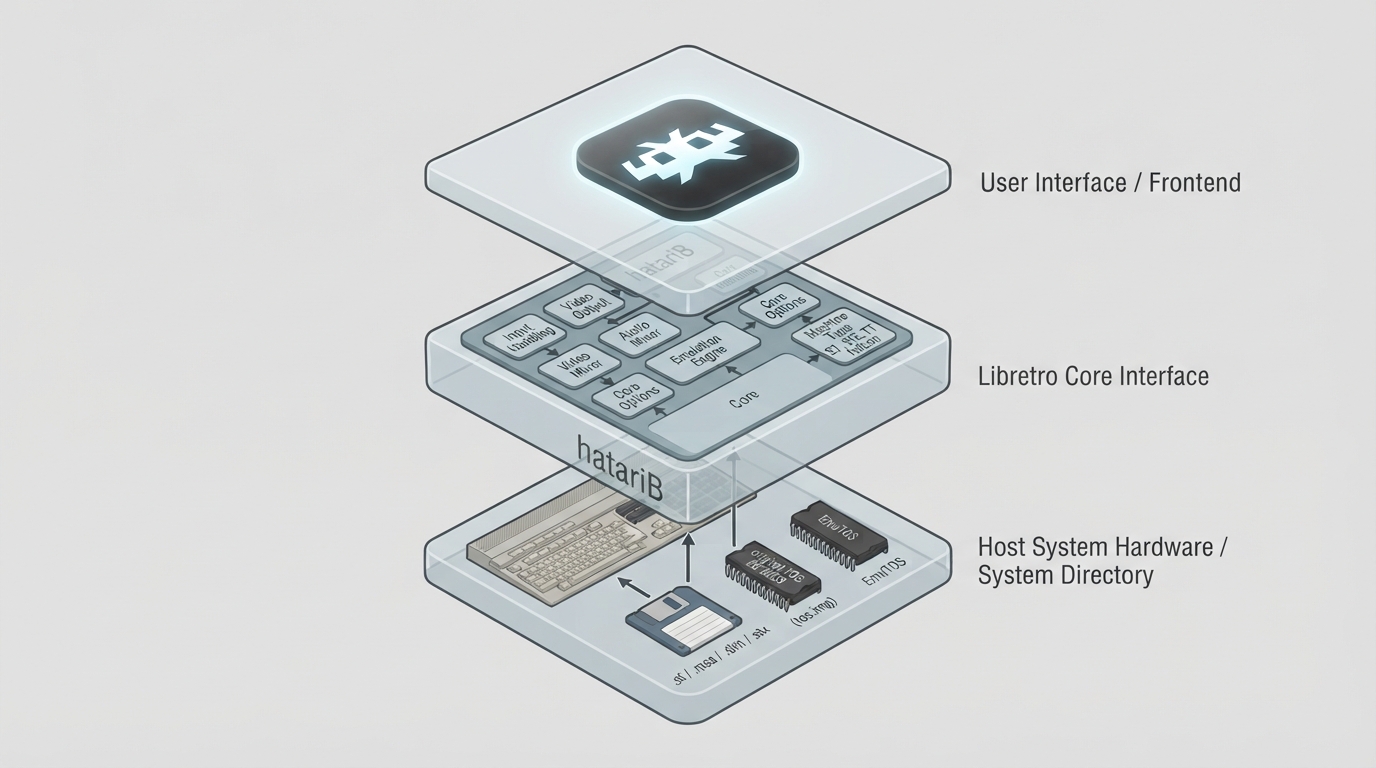
hatariB is an Atari ST/STE/TT/Falcon system emulator that runs as a libretro core inside RetroArch. It emulates the family of 16-bit Atari home computers that began with the Atari ST. While the core is primarily intended to run game software, the documentation notes it is also capable of running many other types of Atari programs.
Background and licensing
The hatariB core has been authored by Brad Smith and integrates the Hatari emulator, which is led by Nicolas Pomarède. The core is licensed under GPLv2.
Prerequisites
- Before starting:
- - A TOS ROM file (tos.img) in the system directory, or use EmuTOS as a substitute.
- - Atari ST game disk images in supported formats (.st, .msa, .dim, .stx, .ipf, .ctr), or an M3U playlist for multi-disk games.
- - Note that .ipf and .ctr formats require the 'capsimg' support library.
TOS BIOS handling
By default the core looks in the system directory for the same tos.img used by Hatari. If this TOS is not supplied, the open source EmuTOS BIOS is supplied automatically as a substitute. EmuTOS is capable of running most games, but it is not 100% compatible, so the documentation recommends using an original Atari TOS instead.
Multiple TOS files can be placed in the system folder in a hatarib subdirectory, which allows selecting one through Core Options > System. This is described as useful when switching between machine types, since later hardware such as the TT or Falcon requires later TOS revisions.
How to start the core
- 1. Load an Atari ST game disk image using 'Load Content'. This is equivalent to booting an Atari ST with that disk in the drive.
- 2. For multi-disk games, load from an M3U file containing a list of disks. The Libretro disk controls can also be used to add or swap additional disk images while running.
- 3. Alternatively, start with no disk at all by choosing 'Load Core' then 'Start Core', which boots to the Atari desktop. This is described as useful when using a virtual hard disk instead of running games from floppy disks.
- 4. Some games require a high resolution monochrome monitor setting instead of the default colour monitor. This can be selected in the 'Core Options' 'System' menu.
Key core options
The System menu includes options for the TOS ROM, Monitor type, Machine Type and memory size. Options marked as causing a restart will restart the emulated machine when changed.
- - TOS ROM: choose between EmuTOS variants or system/tos.img, or any file in system/hatarib/.
- - Monitor: Monochrome High-Resolution, RGB Colour Low/Medium-Resolution (default), VGA or TV.
- - Machine Type: ST (default), Mega ST, STE, Mega STE, TT or Falcon.
- - Pixel Aspect Ratio (Video menu): Square Pixels (default), Atari Monitor, NTSC TV, PAL TV or 4:3.
Controls
The core supports Gamepad, Keyboard and Mouse device types per user. The gamepad buttons can be remapped to Atari ST inputs including joystick, keyboard and mouse. By default user 1's joystick is mapped to the Atari's Joy 1 port and user 2's joystick to the Joy 0 port, though both are configurable. Keyboard input maps to the Atari ST keyboard, and mouse input maps to the Atari ST mouse.
Directories
When disks are modified by saving your game, the original ROM file is not modified. Instead a modified copy or overlay file is saved in the frontend's Save directory. The frontend's System directory contains hatarib.nvram (internal OS memory for TT/Falcon) and the hatarib/ folder, which contains TOS images and hard disk folders or images.
Limitations
- - No native cheat support.
- - Hard disk images require specific formats (ACSI, SCSI, IDE) or folder emulation via GemDOS.
- - Some settings such as TOS ROM and Machine Type require a core restart.
Reference table · Scroll horizontally to see all columns.
| Category | Extensions / Notes |
|---|---|
| Disk images | .st, .msa, .dim, .stx, .ipf*, .ctr* |
| Multi-disk playlists | .m3u, .m3u8 |
| Multi-disk archives | .zip, .zst, .gz |
| Hard drive images | .acsi, .ahd, .vhd, .scsi, .shd, .ide, .gem |
| BIOS | tos.img (optional) |
Reference table · Scroll horizontally to see all columns.
| Feature | Supported |
|---|---|
| Restart | Yes |
| Saves | Yes |
| States | Yes |
| Rewind | Yes |
| Netplay | Yes |
| Core Options | Yes |
| RetroAchievements | Yes |
| RetroArch Cheats | Yes |
| Native Cheats | No |
| Controls | Yes |
| Remapping | Yes |
| Multi-Mouse | No |
| Rumble | No |
| Sensors | No |
| Camera | No |
| Location | No |
| Subsystem | No |
| Softpatching | No |
| Disk Control | Yes |
| Username | No |
| Language | No |
| Crop Overscan | No |
| LEDs | No |
Sources & references
Content responsibility: FrameTinker editorial desk. Source authors and software maintainers are credited separately below; this is not a claim of hands-on testing.
Published .
RetroArch: hatarib — official gaming software documentation https://raw.githubusercontent.com/libretro/docs/master/docs/library/hatarib.mdRetrieved Oct 13, 2026Something doesn’t match your setup?
Suggest a correction