

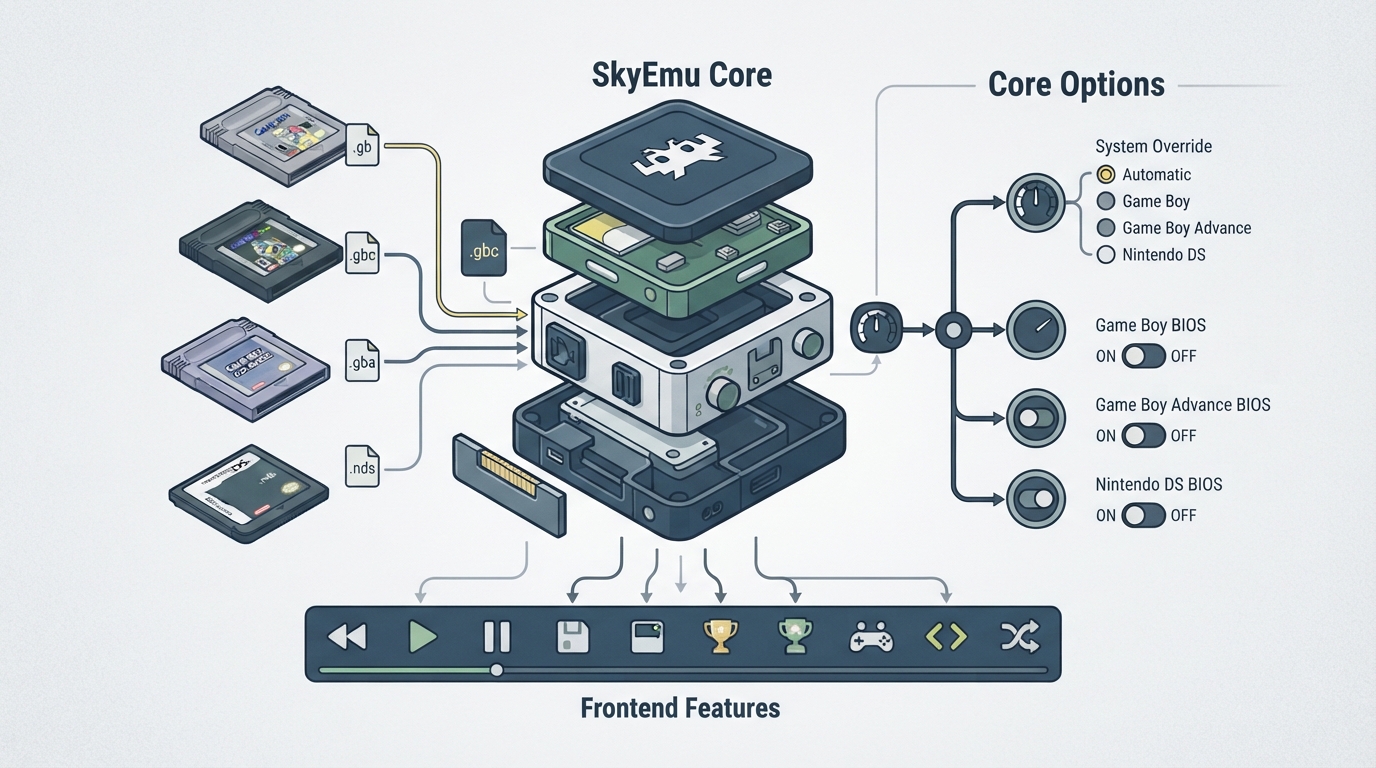
SkyEmu is a multi-system emulator core distributed for RetroArch. According to the official libretro documentation for the core, it supports Game Boy, Game Boy Color, and Nintendo DS systems, is authored by Team SkyEmu, and is released under the MIT license. This guide summarizes what the documentation states about supported content, frontend features, and configurable core options, and explains how to use that information when setting the core up in RetroArch.
What the SkyEmu core is
The documentation describes SkyEmu as a multi-system emulator that supports Game Boy, Game Boy Color, and Nintendo DS cores. The core is credited to Team SkyEmu and is published under the MIT license. The core's library name, as used by RetroArch, is "SkyEmu".
Prerequisites suggested by the documentation
- - A RetroArch installation with the SkyEmu core available for your platform.
- - Legally obtained content files in one of the formats the core loads.
- - Optional system BIOS files, if you intend to use the core's BIOS-related options.
Content file extensions the core loads
The documentation lists four file extensions that the SkyEmu core can load. Content matching these extensions can be selected or scanned in RetroArch so that the core handles it. Note that the extension list includes .gba even though the system list in the same document does not name Game Boy Advance as a separately supported system; the core does expose a Game Boy Advance option in its core override setting.
Frontend features marked as supported
The documentation's feature table marks the following RetroArch frontend features as supported by this core: Saves, States, Rewind, Netplay, Core Options, Memory Monitoring (achievements), RetroArch Cheats, and Controls. These are the capabilities the documentation attributes to the core, not guarantees about any particular game or content file.
Setting up the SkyEmu core in RetroArch
- 1. Install or update the SkyEmu core through RetroArch's core downloader, selecting the entry whose library name is "SkyEmu".
- 2. Load a content file with one of the supported extensions (.gb, .gbc, .gba, or .nds) so RetroArch associates it with the SkyEmu core.
- 3. Open the Quick Menu and confirm the core loaded, then open Core Options to review the settings described below.
- 4. If the automatic system choice does not match the content you loaded, adjust the Core Override option in Core Options.
- 5. Enable the relevant BIOS option only if you have a BIOS file for that system and want the core to use it.
Core options and their values
The documentation lists a Core Override option named system_core_override, which accepts the values Automatic, Game Boy, Game Boy Advance, and Nintendo DS, with Automatic shown as the default. Three BIOS toggles are also documented: system_gb_bios_enable for Game Boy, system_gba_bios_enable for Game Boy Advance, and system_nds_bios_enable for Nintendo DS. Each BIOS toggle accepts either ON or OFF.
Recovery and troubleshooting pointers
The documentation provides an issue tracker for the core. If content fails to load or behaves unexpectedly, that tracker is the documented place to report core issues, and the core's repository is the documented source for the project itself. The documentation page consulted here does not include a troubleshooting section, so it does not describe specific failure modes or fixes.
Content and licensing
The core itself is MIT licensed. The documentation does not provide or point to game files; you should supply content you are legally entitled to use.
Reference table · Scroll horizontally to see all columns.
| Extension | Source-documented as loadable by the SkyEmu core |
|---|---|
| .gb | Yes |
| .gbc | Yes |
| .gba | Yes |
| .nds | Yes |
Reference table · Scroll horizontally to see all columns.
| Option name | Accepted values |
|---|---|
| system_core_override | Automatic | Game Boy | Game Boy Advance | Nintendo DS |
| system_gb_bios_enable | ON | OFF |
| system_gba_bios_enable | ON | OFF |
| system_nds_bios_enable | ON | OFF |
Sources & references
Content responsibility: FrameTinker editorial desk. Source authors and software maintainers are credited separately below; this is not a claim of hands-on testing.
Published .
RetroArch: skyemu — official gaming software documentation https://raw.githubusercontent.com/libretro/docs/master/docs/library/skyemu.mdRetrieved Oct 13, 2026Something doesn’t match your setup?
Suggest a correction