

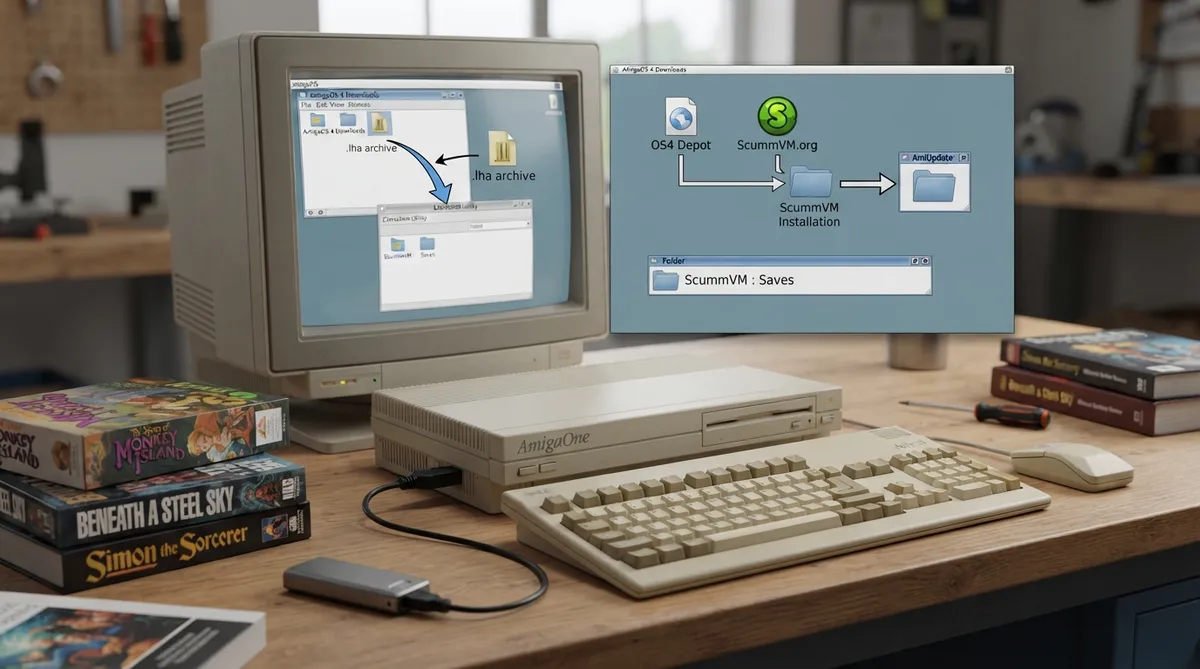
This guide summarizes the official ScummVM documentation page for running ScummVM on AmigaOS 4. It covers what the documentation lists as required, where the download comes from, how installation and updating are described, how to get game data onto the Amiga, and where saved games are kept.
What you need
The documentation lists one requirement: a system running AmigaOS 4.
Where to download ScummVM
ScummVM for AmigaOS 4 is available from the official ScummVM Downloads page or from OS4 Depot. The documented package is distributed as an .lha archive.
- Documented download sources:
- - ScummVM Downloads page: https://www.scummvm.org/downloads/
- - OS4 Depot: http://www.os4depot.net
Installing on AmigaOS 4
- 1. Download the .lha file from one of the listed sources.
- 2. Extract the .lha file.
- 3. Optional: run the extracted ScummVM_Install script, which the documentation says guides you through the installation process.
Keeping ScummVM up to date
According to the documentation, AmiUpdate already knows about ScummVM and keeps it up to date automatically through its Autoinstall script. In practice that means you do not need to download and extract a new .lha archive by hand for routine updates; the documented path is through AmiUpdate.
Getting game data onto the Amiga
For games supplied on PC- or Mac-formatted discs, the documentation advises using the original platform to access the data files and then transferring those files to the Amiga. It also notes that external hardware such as a Catweasel Mk4(+) floppy disc controller might allow you to access the files.
ScummVM for AmigaOS includes Cloud and LAN functionality to help manage file transfers. The documentation points to the separate Cloud and LAN chapters for details of those features.
Controls
Controls can be configured manually in the Keymaps tab. The documentation also refers readers to a common default keyboard shortcuts page for the standard bindings.
Saved games
The documentation gives the saved games path as Path-to:ScummVM/saves, where the leading portion stands for the location where you installed ScummVM.
Scope and caveats
The official page does not list version numbers, additional hardware specifications beyond AmigaOS 4, or troubleshooting steps for failed installs or transfers, so none are added here. Results depend on your specific AmigaOS 4 setup.
Sources & references
Content responsibility: FrameTinker editorial desk. Source authors and software maintainers are credited separately below; this is not a claim of hands-on testing.
Published .
ScummVM: amigaos 4 — official gaming software documentation https://raw.githubusercontent.com/scummvm/scummvm/master/doc/docportal/other_platforms/amigaos_4.rstRetrieved Oct 27, 2026Something doesn’t match your setup?
Suggest a correction