

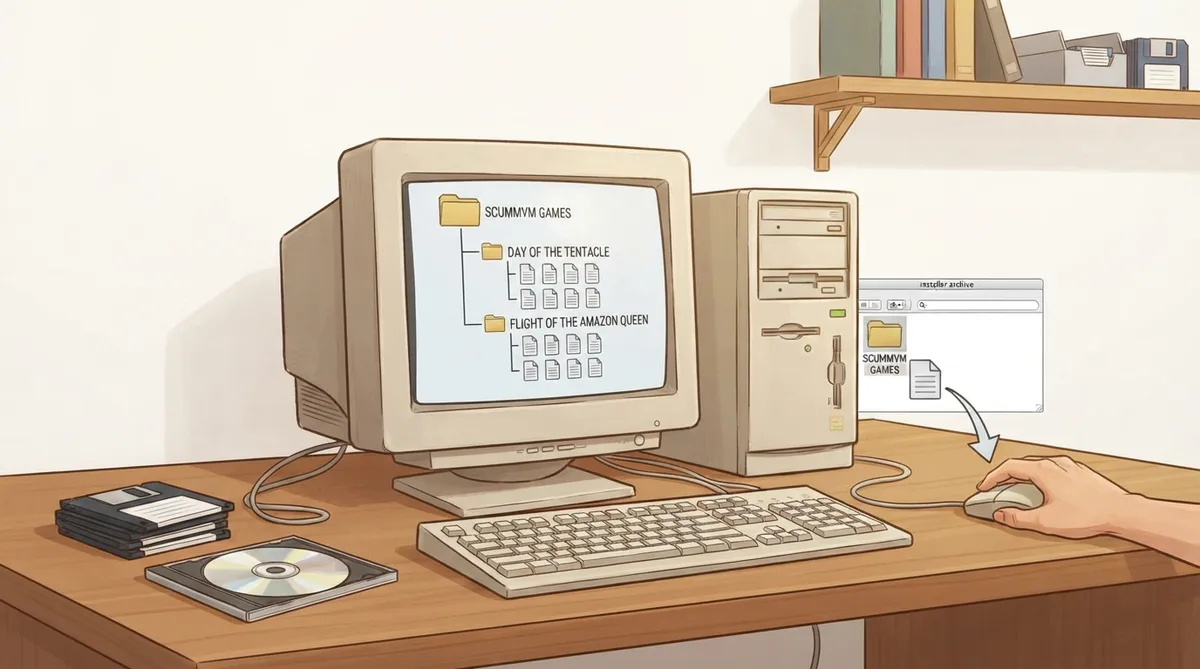
ScummVM does not include the games themselves; it needs access to each game's data files. This guide summarizes the official ScummVM documentation on handling game files, covering where the data can live, how to lay it out, and how to handle installers, multi-disc releases and CD audio.
Find the required files for your game
Each supported game has a specific set of required data files. The list for a given game is on that game's entry in the ScummVM wiki's supported games category, so check there before assuming a copy is complete.
Where the files can live
ScummVM can run game data from any directory it has access to, including external media. For convenience, the documentation suggests creating a dedicated games folder to hold the folders for individual games.
For games on floppy disks or CDs, ScummVM can access the external media directly if the data files on it are accessible. Alternatively, copy the game files into a folder as described above.
A documented folder layout
The documentation illustrates a parent games folder containing one folder per game, with that game's data files inside. The example uses Day of the Tentacle and Flight of the Amazon Queen.
Installer files and tape images
For many modern engines, ScummVM can load game data directly from the original installer files or from tape images such as ZX Spectrum TAP/TZX files, without manual extraction. Where that is not possible, the documentation describes extracting the files first.
Extracting data files
- Run the installer on the platform the game was designed for.
- For games from digital distributors or freeware sources, run the installer to extract the data files, or extract them if supplied as a zip file.
- On macOS or Linux without access to a Windows machine, use Wine to run a Windows installer; for GOG.com games, innoextract can unpack the game files from the installer.
Merging files from multiple discs
The documented general guideline is to copy all discs' files to the hard drive. Identical duplicate files (same name, same file size) only need one copy. Files with the same name but different contents on each disc should be renamed so they can coexist; the documentation's example renames music.clu on a first disc to music1.clu and on a second disc to music2.clu.
CD audio tracks
- Extract the CD audio tracks in WAV or AIFF format.
- Convert the tracks to MP3, FLAC, M4A or OGG.
- Place the converted audio files in the same folder as the other game data files.
- The documentation notes that the files can be named in several ways.
The documentation mentions fre:ac, a multi-platform open-source tool that can rip CDs and convert audio between MP3, OGG, FLAC and WAV.
Reference table · Scroll horizontally to see all columns.
| Folder | File | Notes |
|---|---|---|
| Day of the Tentacle | MONSTER.SOU, TENTACLE.000, TENTACLE.001 | Per-game folder inside a parent games folder |
| Flight of the Amazon Queen | QUEEN.1, queen.tbl | Per-game folder inside a parent games folder |
Sources & references
Content responsibility: FrameTinker editorial desk. Source authors and software maintainers are credited separately below; this is not a claim of hands-on testing.
Published .
ScummVM: game files — official gaming software documentation https://raw.githubusercontent.com/scummvm/scummvm/master/doc/docportal/use_scummvm/game_files.rstRetrieved Oct 19, 2026Something doesn’t match your setup?
Suggest a correction