

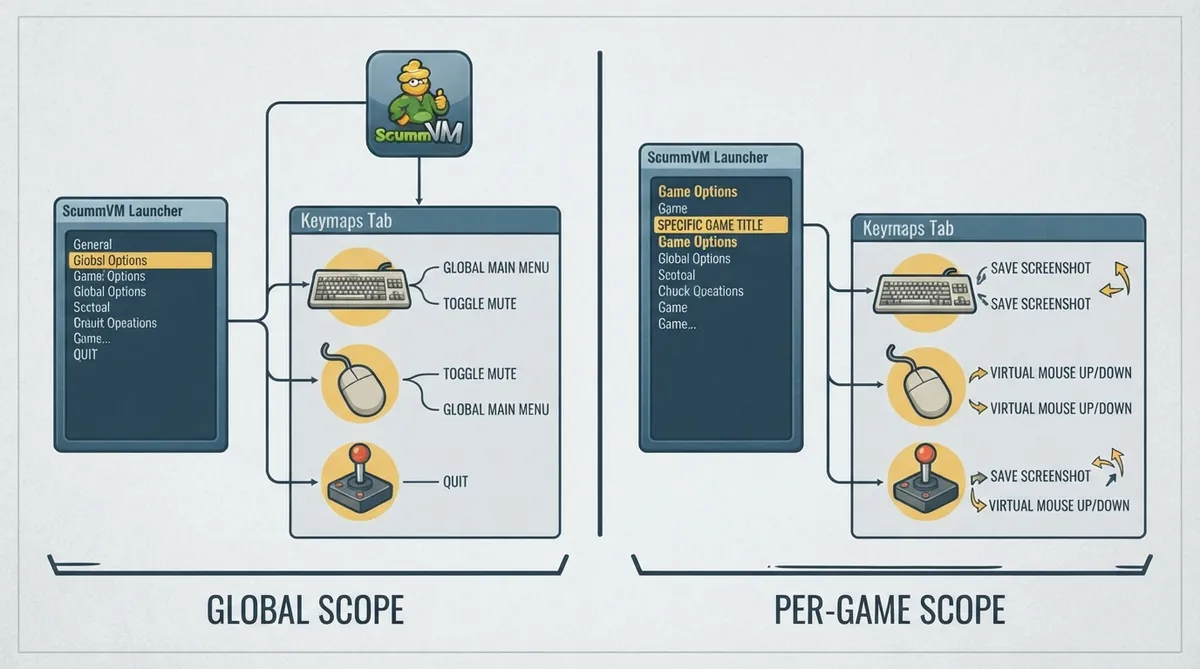
ScummVM's Keymaps tab is where actions are assigned to keyboard keys or shortcuts, or to mouse or joystick buttons. The same tab is available in two scopes: a global scope that applies from the Launcher's Global Options, and a per-game scope reached through Game Options.
Choose the scope: global or per game
The official documentation separates keymap edits by scope. Global settings are changed from the Launcher by selecting Global Options and then the Keymaps tab. Settings for a specific game are changed from the Launcher by highlighting the game in the games list and selecting the Game Options button. If the Launcher is in grid view, select the game and then the gear icon in the popup window.
Changing keymaps globally
- 1. Open the ScummVM Launcher.
- 2. Select Global Options.
- 3. Select the Keymaps tab.
- 4. Assign the actions you want to keyboard keys, shortcuts, or mouse or joystick buttons.
Changing keymaps for a single game
- 1. Open the ScummVM Launcher.
- 2. Highlight the game in the games list and select the Game Options button. In grid view, select the game and then select the gear icon in the popup window.
- 3. Select the Keymaps tab.
- 4. Assign the actions you want to keyboard keys, shortcuts, or mouse or joystick buttons.
Documented action names and keys
The official reference lists named actions alongside internal key identifiers, including Global Main Menu, Toggle mute, Quit, Open Debugger, the virtual mouse actions (up, down, left, right and slow down), Toggle fullscreen, Toggle mouse capture and Save screenshot. These are the labels and identifiers the page documents; it does not state which physical keys are bound by default.
Reference table · Scroll horizontally to see all columns.
| Documented action label | Identifier shown in the documentation |
|---|---|
| Global Main Menu | keymap_global_MENU |
| Toggle mute | keymap_global_MUTE |
| Quit | keymap_global_QUIT |
| Open Debugger | keymap_global_DEBUGGER |
| Virtual mouse up | keymap_global_VMOUSEUP |
| Virtual mouse down | keymap_global_VMOUSEDOWN |
| Virtual mouse left | keymap_global_VMOUSELEFT |
| Virtual mouse right | keymap_global_VMOUSERIGHT |
| Slow down virtual mouse | keymap_global_VMOUSESLOW |
| Toggle fullscreen | keymap_sdl-graphics_FULS |
| Toggle mouse capture | keymap_sdl-graphics_CAPT |
| Save screenshot | keymap_sdl-graphics_SCRS |
Sources & references
Content responsibility: FrameTinker editorial desk. Source authors and software maintainers are credited separately below; this is not a claim of hands-on testing.
Published .
ScummVM: keymaps — official gaming software documentation https://raw.githubusercontent.com/scummvm/scummvm/master/doc/docportal/settings/keymaps.rstRetrieved Oct 19, 2026Something doesn’t match your setup?
Suggest a correction