

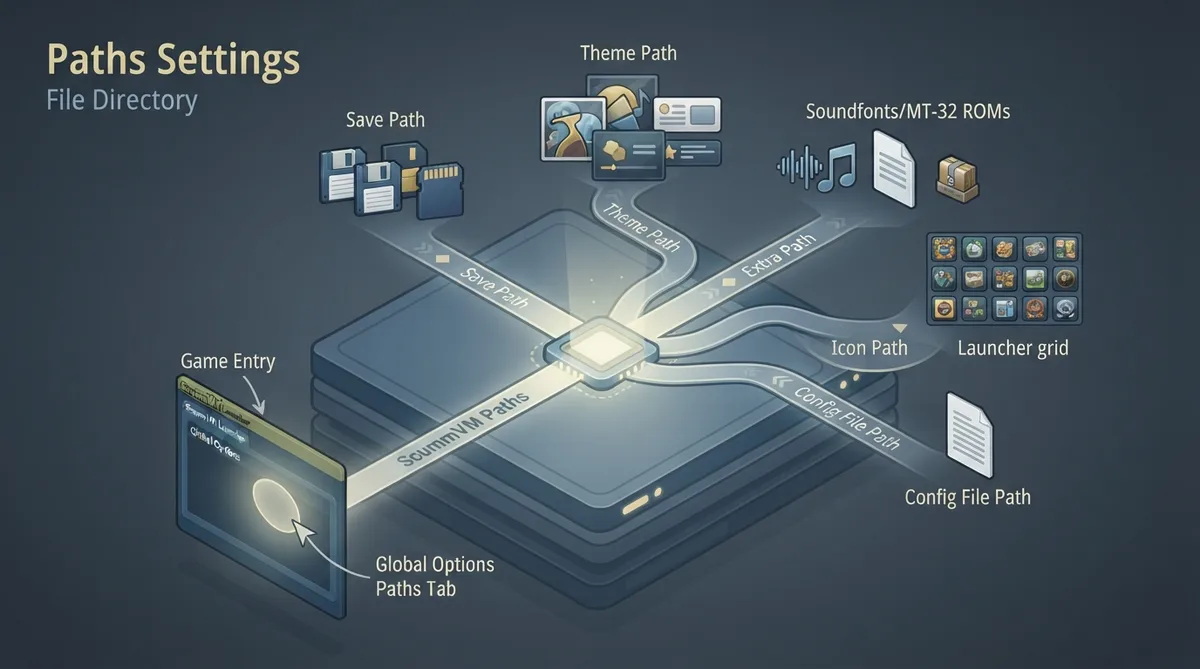
ScummVM's Paths tab controls where the application looks for files. You can open it from the Launcher for global settings or from a game's options for per-game settings. This guide summarizes the official Paths documentation; the instructions have not been tested hands-on.
Change settings globally
- 1. From the Launcher, select Global Options.
- 2. Select the Paths tab.
Change settings for a specific game
- 1. From the Launcher, highlight the game in the games list and select the Game Options button.
- 2. If the Launcher is in grid view, select the game and then select the gear icon in the popup window.
- 3. Select the Paths tab.
Path settings
- Save Path — the folder where ScummVM stores saved games.
- Theme Path — the folder where ScummVM stores additional themes.
- Extra Path — the folder where ScummVM looks for extra files, such as additional datafiles required for certain games, Soundfonts or MT-32 ROMs.
- Icon Path — the folder where ScummVM looks for additional icons for the Launcher grid view.
- ScummVM config path — shows where the configuration file is saved.
- Last browser path — shows the last folder accessed by the file browser.
Reference table · Scroll horizontally to see all columns.
| Setting | Documented purpose |
|---|---|
| Save Path | Folder in which ScummVM stores saved games |
| Theme Path | Folder in which ScummVM stores additional themes |
| Extra Path | Folder in which ScummVM looks for extra files, including additional datafiles for certain games, Soundfonts or MT-32 ROMs |
| Icon Path | Folder in which ScummVM looks for additional icons for the Launcher grid view |
| ScummVM config path | Shows where the configuration file is saved |
| Last browser path | Shows the last folder accessed by the file browser |
Evidence and publication details
Sources & references
Content responsibility: FrameTinker editorial desk. Source authors and software maintainers are credited separately below; this is not a claim of hands-on testing.
Published .
ScummVM: paths — official gaming software documentation https://raw.githubusercontent.com/scummvm/scummvm/master/doc/docportal/settings/paths.rstRetrieved Oct 19, 2026Something doesn’t match your setup?
Suggest a correction